










 Q & A
Q & AChange units?
Is there any way to change takeoff units?
I have been setting up items and we us Number (nr) rather than Each (EA) and only just realised no looking at the reports that the takeoff items have each and I don't seam to be able to change it.
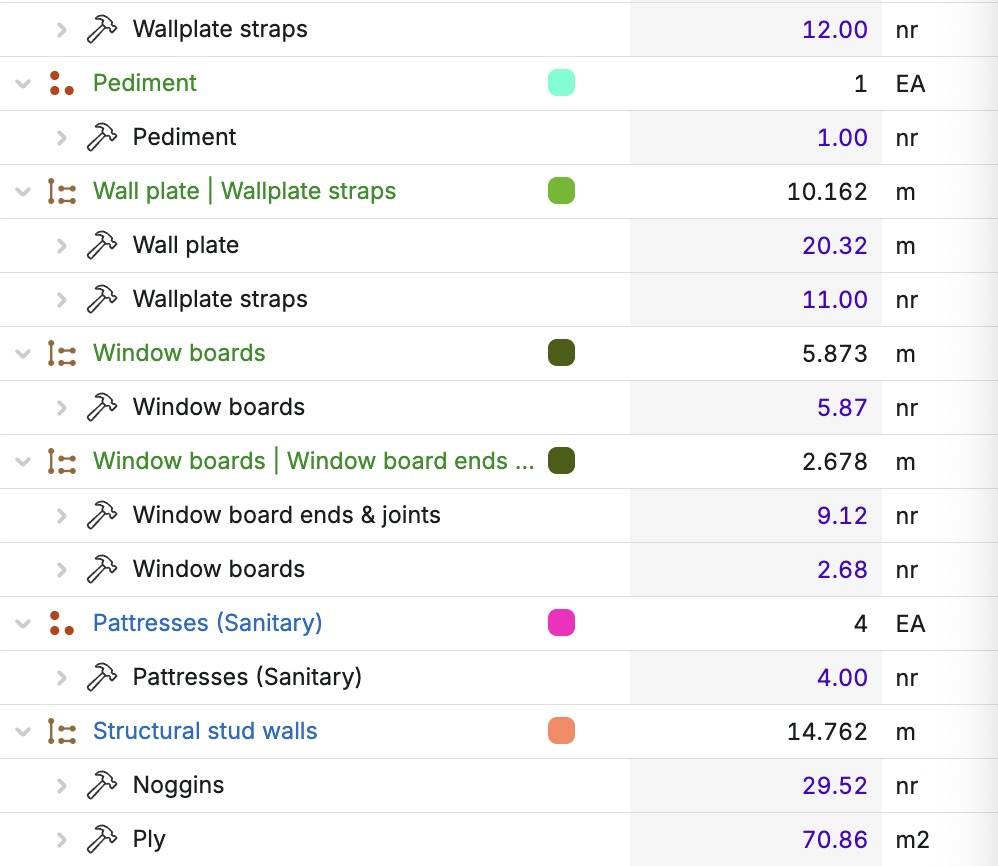

Hi Kevin
I've learned this yesterday from Stephen. You need to change the units inside the Unit Box from EA to nr.
- First, change the Parent to Item. In the top right, click on the three-square blocks and a window will appear Convert to Item. Click on that and scroll down to Units.

- Change from EA

- to nr or whatever you like



That worked perfectly Thanks!!

Be careful in reports the Takeoff Price each does not change the to the NR it will still calculate it to the SF.
for exam;oe we have some we wantt o get CY but because its an area takeoff it calculate it by SF no matter what we change the units to like above
👍1I have found this causes the takeoff not to calculate the child items as it changes the takeoff from an assembly to an item so I will have to stick wit EA on them if there is not another way.☹️

You should be able to update your formula to match your manual units by doing the unit conversion in the formula (multiplying or dividing by a coefficient).
👍1
Stephen is correct, see below as an example:
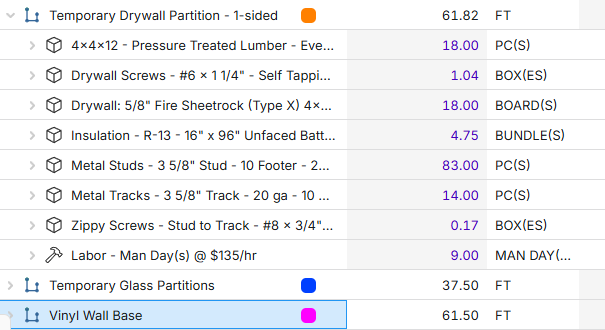
To take this a step further I added columns into my Product Lists for Material Coverage and Material Coverage Unit Type. I then use these as variables in my formula so anytime I change materials (think 4x8 drywall vs 4x10) the Material Coverage variable will automatically change with it.

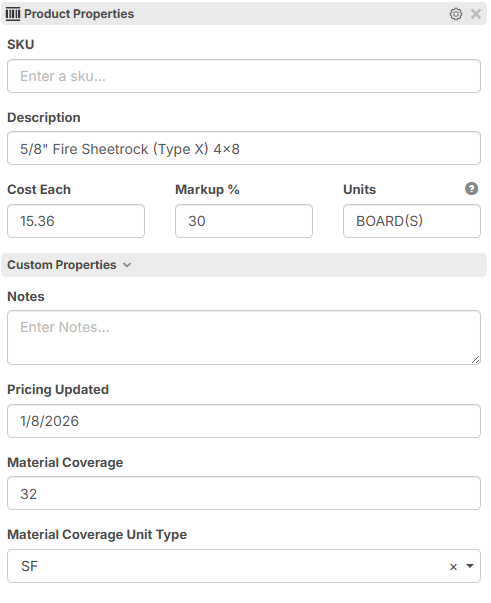
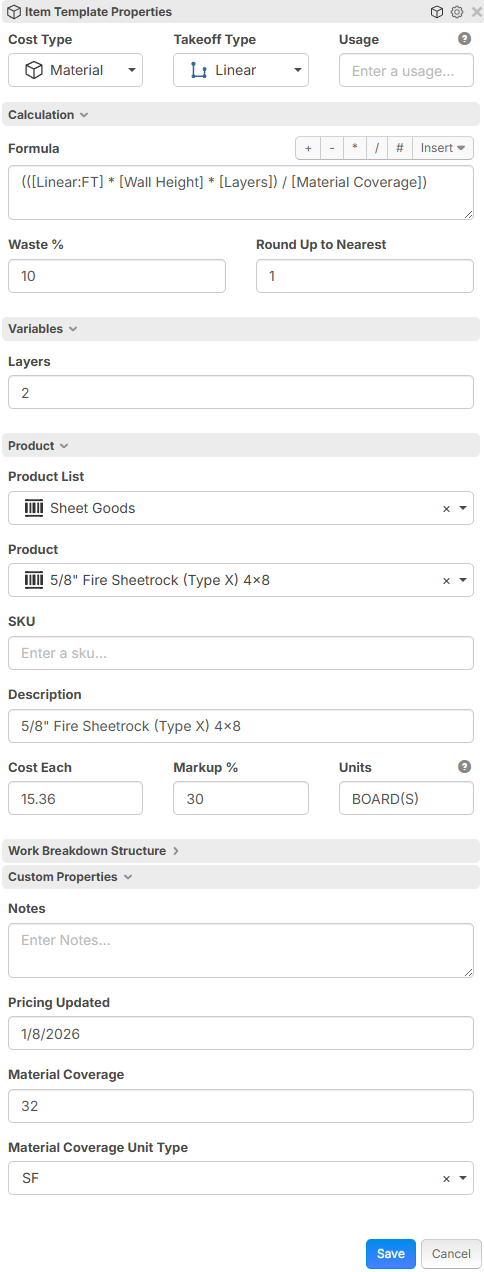
Now if we could get the columns in the "Batch Insert" tool to stay the way we want them that would be great! :)
That would be awesome! I know we have planned upgrades to Batch Insert and this would help you so much!