










 Feature Requests
Multi Assembly Selection
The ability to select multiple assemblies at the same time would be extremely valuable, instead of having to duplicate them individually. For example, in concrete estimating, I may want to select a footing assembly, a wall assembly, and an anchor bolt assembly all at once, then go around the drawings and have the software pull the linear footage (LF) for each simultaneously.
My previous estimating software, Maxwell Quest (which later became Viewpoint Pro Contractor), had this feature, and it was incredibly useful. Unfortunately, that platform is no longer available, but this functionality made the takeoff process much more efficient and streamlined.

Hmmm not sure I see how that would help since they are such different dimensions. Have you tried the starter pack for concrete to see how assemblies work in zzTO?

So maybe im explaining wrong, we do wall take off by lf and height, continous footinging is lf and say wall anchor bolts are i do a lf cost with spacing. So if i select all three of those assemblies what ever sizes they maybe i can easily just do a quick lf. And i havent seen the concrete starterpack yet. Im just getting started, plus i have to rewire my brain cause i been using the software for like 20 years.

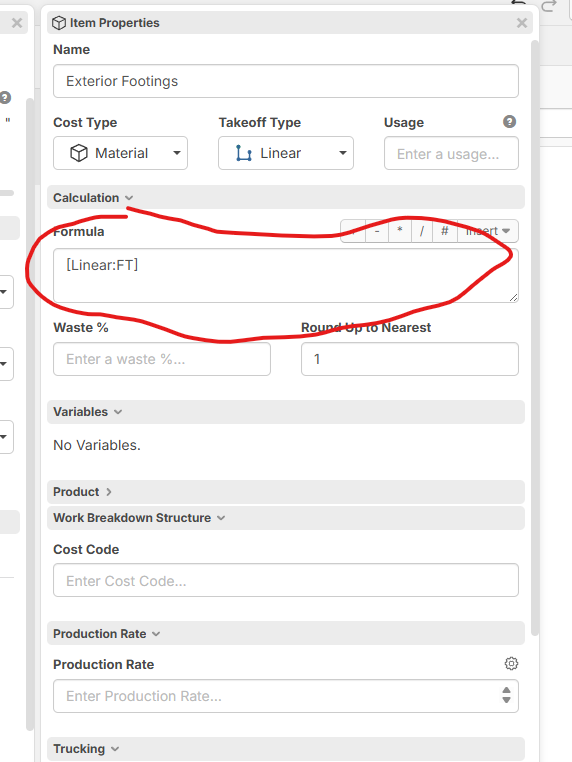
I believe you could do that with the custom variables or variables on the Item level for instance i do a excavate exterior footings and Backfill footings and Material under slab with 1 takeoff. Then i have Custom Properties so that i can use production rate for labor and equipment

Then in each material you should be able to do your formulas if you have spacing or whaterver
This is probably a clearer picture. I can click on multiple items and put them into the estimate. Then, within the estimate, I can select a few of those items to get the quantities from the drawings. I know it sounds a little silly, but my brain has been programmed to build estimates this way, and now I need to relearn because no system really works like this.


Hi do you want to use one takeoff to get the linear footage for all three assemblies you listed in your original post? (footing assembly, a wall assembly, and an anchor bolt assembly) This is easy to do, you can create a Template for this, then have 3 assemblies under the Template that have your calculations. Then with one click you can takeoff this multi assembly on a job. Another option if you use separate takeoffs for all three would be to create these Assemblies with a takeoff as a parent in your Templates, then you can hover the icon on the Sidebar and click the green dot to start takeoffs on those assemblies and they will bring in all their items and formulas.