Feature Requests
Folder Location for New Take-offs
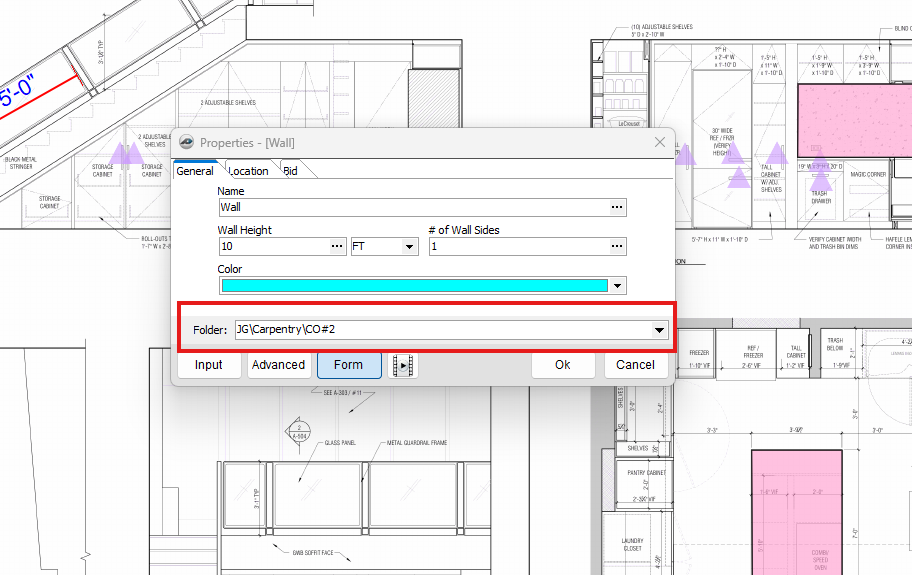
Is it possible to add a folder designation for new take-offs.
Planswift had this feature and it was quick and effective. Saves a lot of clicks/sorting time.

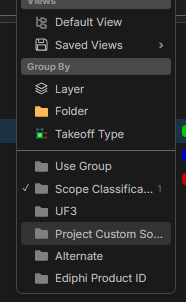
Have you tried the "grey" folders? These are setup in Custom Properties. Then you can filter your Takeoff view from there....
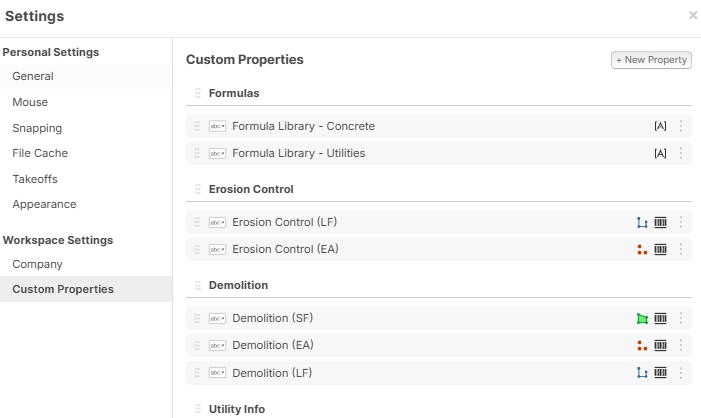
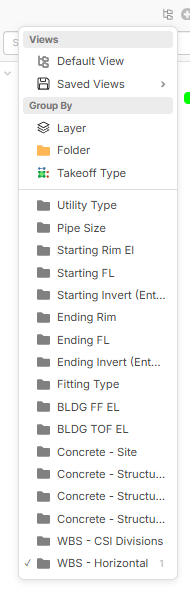

I'll give this a shot, but I'm not sure this would address being able to create a new folder "on the fly" while making a new take-off item.
Correct. It definitely doesn't allow for that...... We can build "most" things as templates, but we can't cover them all. For those using the extract schedule, this could be handy to add it at that point too.....
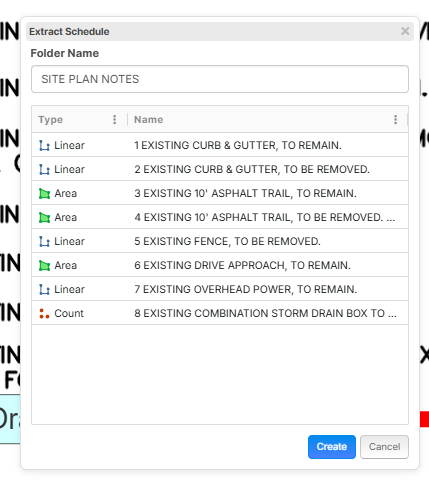
Having the flexibility to add folders while making a take-off would be great. Admittedly, I could make the structured templates work to a certain degree but sometimes we estimate some wacky stuff and having the "on the fly" flexibility would be nice.
👍1
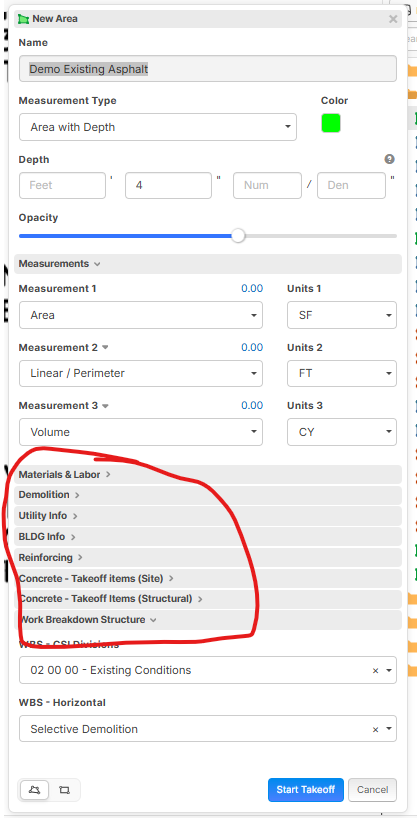
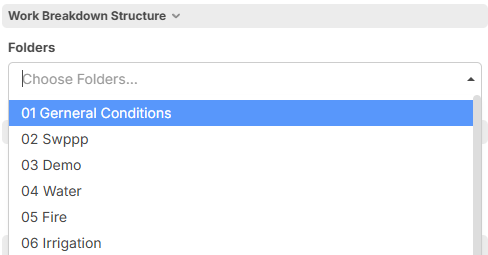
I created mine in custom templates under Work breakdown structure and it works great
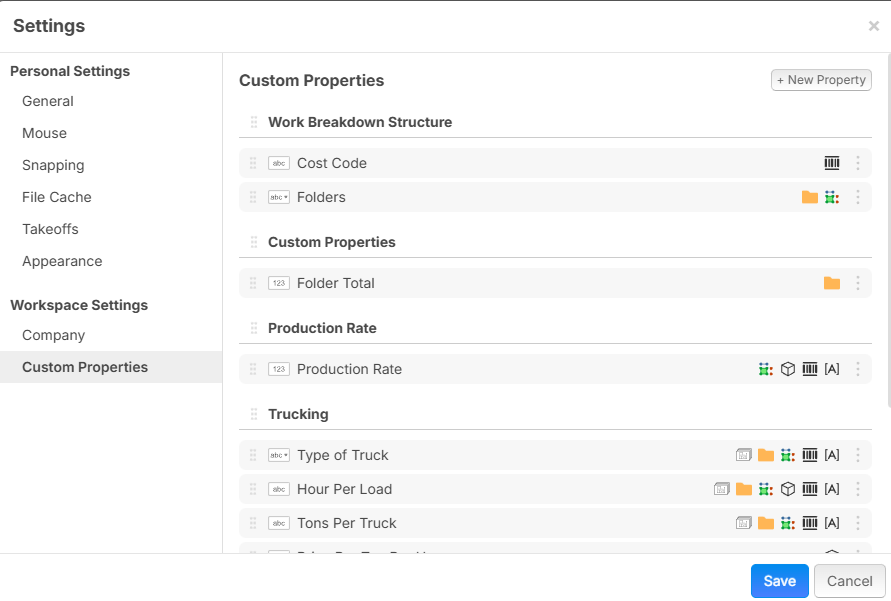
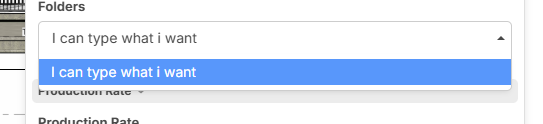
Then i have it set up to be able to allow typing custom values
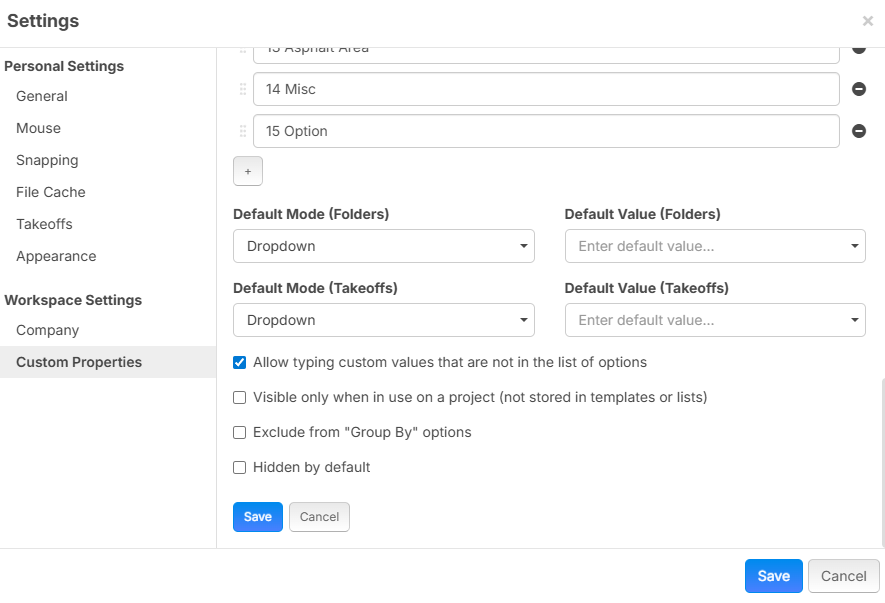
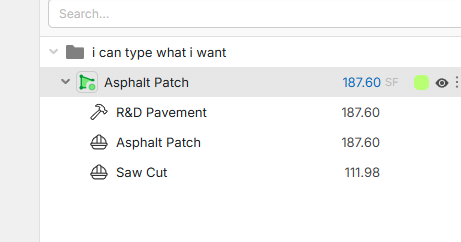
tghen if i take a template and am doing a wacky one off i can type in the folder section to make it whatever i want instead of my presets
Thanks for sharing this guys, I'll give it a go.
I'd still prefer a place to add folders right in the take-off item but this is a nice work around ... for now (hopefully). :-)
👍1So, using the grey folders definitely helps for most things that are standardized, but I still think it would be nice to make a folder on-the-fly right in the takeoff form.
Hopefully this gets implemented.
🚀1What i did above works in the takeoff level to type any folder you want to make but i could definitely not understand what you are asking for
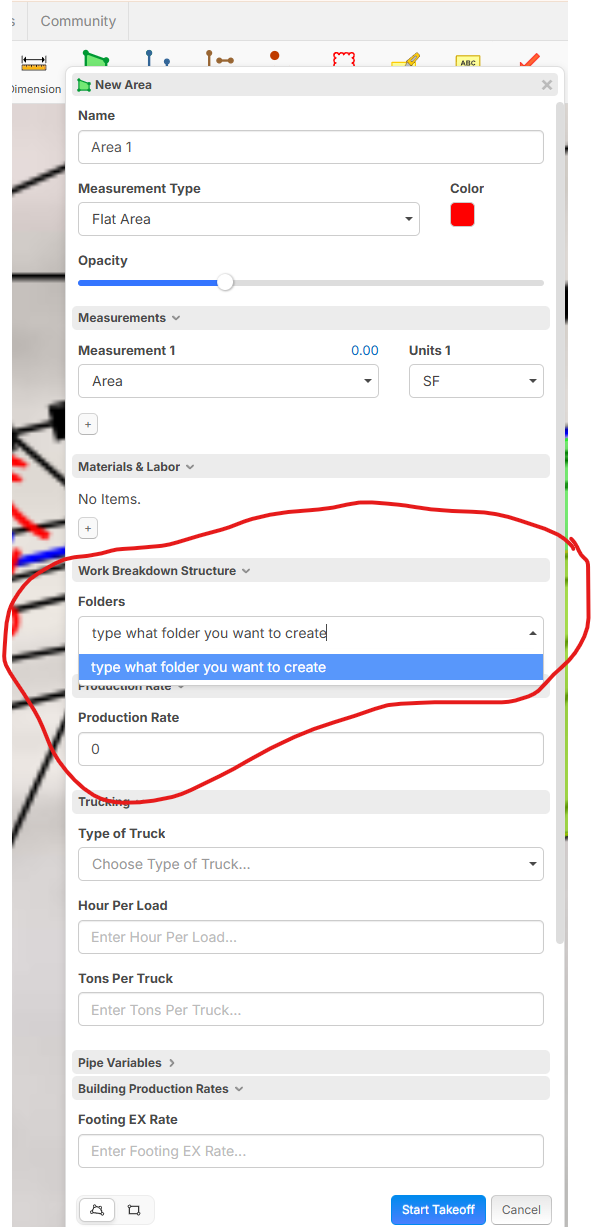

Hi, you are correct this allows on the fly editing and selection of grey folder names.@Justin did this solve the problem for you?
👍1Chris, thanks a lot this is a satisfactory solution for me.
Stephen, thanks for following up, I'm all set.
👍1
@chris thats a good idea! I added to our enterprise structure: