










 Feature Requests
Collaspe of Folders for Takeoff and Drawings?
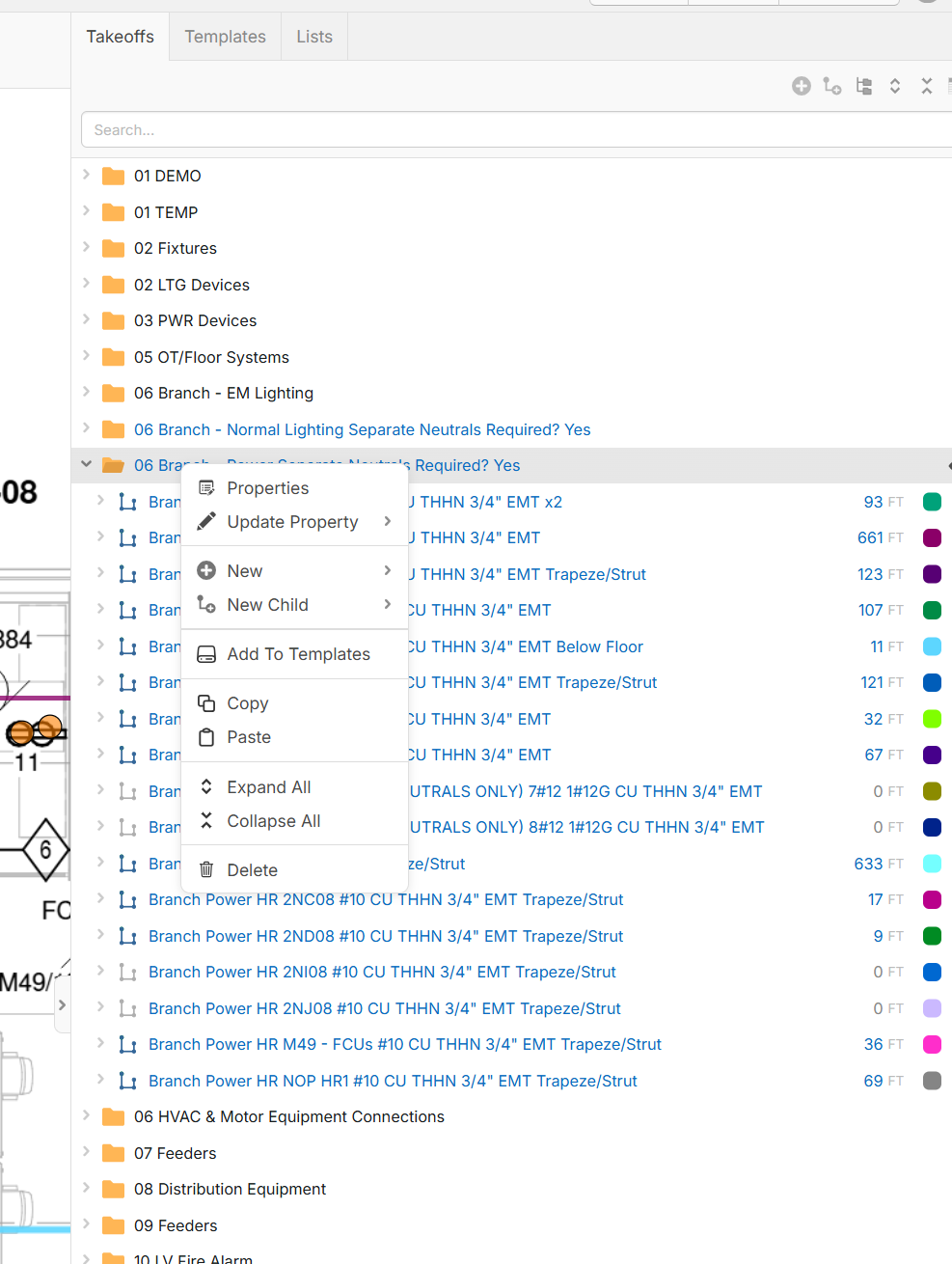
Are you guys looking at adding a collaspe/expand selected? Sometimes I dont want to collaspe all, only a particular folder. Let me know

Hey Jeffery, if you want to collapse a specific folder, you can select the arrow to the left of the folder, or if you have the folder selected, you can use the arrow keys to expand/collapse it.
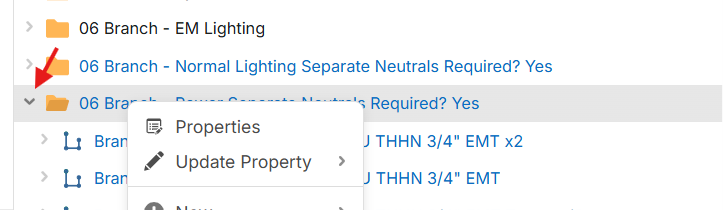
Right now, the Expand/Collapse Selected only shows up in the right-click menu if you have more than 1 row selected. The reasoning behind this is to avoid cluttering the right-click menu. Would you prefer the right-click expand selected (even if it's just 1 folder)?
%22%2F%3E%3Ctext%20x%3D%2232%22%20y%3D%2233%22%20text-anchor%3D%22middle%22%20dominant-baseline%3D%22central%22%20font-family%3D%22Arial%2C%20sans-serif%22%20font-size%3D%2226%22%20font-weight%3D%22600%22%20fill%3D%22%23fff%22%3EJO%3C%2Ftext%3E%3C%2Fsvg%3E "Jeffery Osborn")
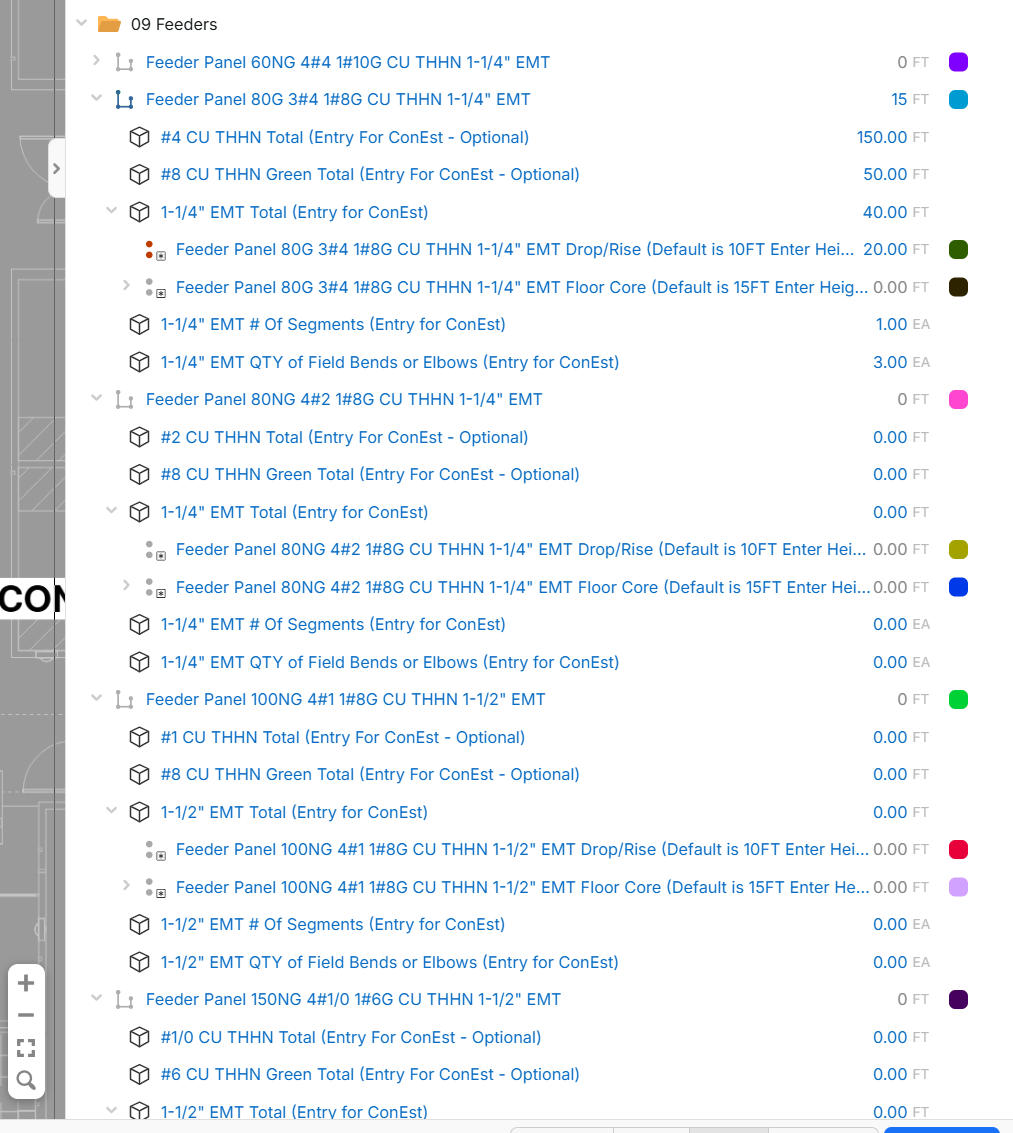
That will not collaspe the sub items in that folder though, right now it looks like this:
In order to collaspe the sub item, I have to collaspe all and the get back into that folder to get it to look like this:
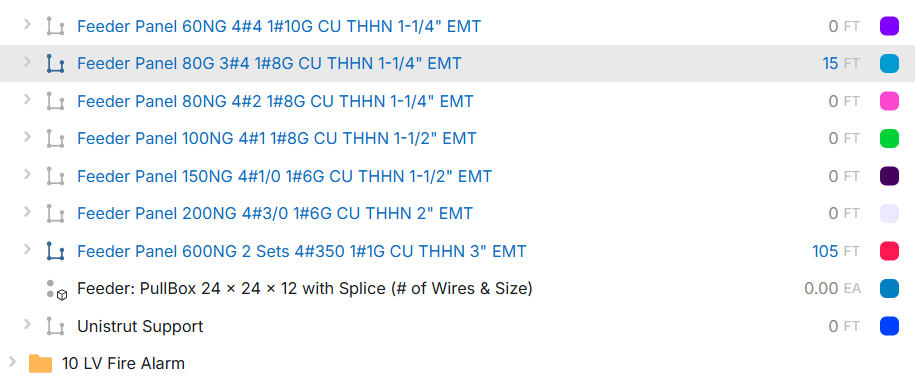
It would be nice to have a collaspe selected so that I can collaspe everything in that folder to create less steps. Would like that same feature on the drawing side, becasue also the take off items show up un collaspe at times. Or if you can make the arrow collaspe the sub items as well and then when I click the arrow again it looks as shown above.
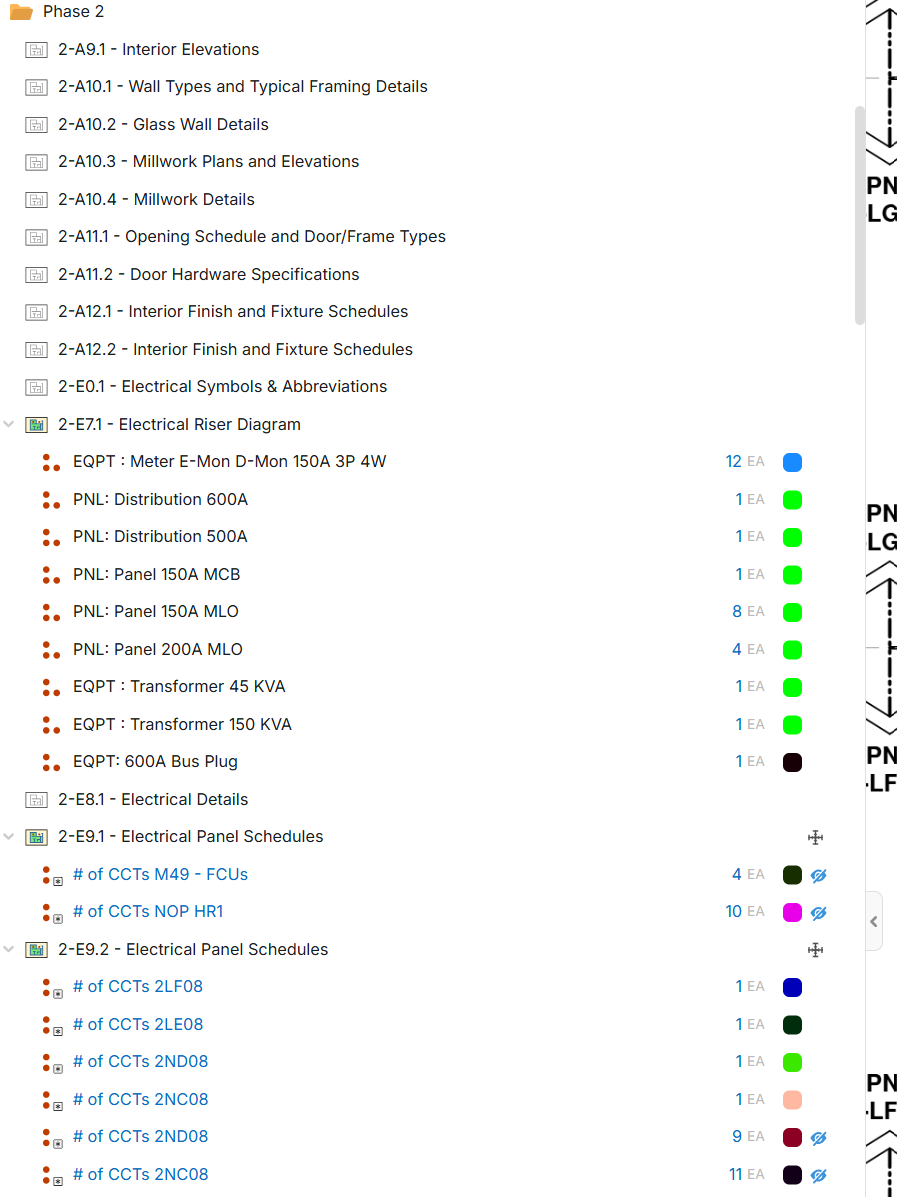

Also would be nice to have it remember last setting, so every time it doesn't revert back and have to do it all over again.
👍1