Project Showcase
Unit Prices and Multiply Takeoffs ALL in a Takeoff Property??
Did you know that you can apply a unit price and a multiplier to a Takeoff Property?
With one of our recent updates the team has made it so you can convert a Takeoff Property to an Item.
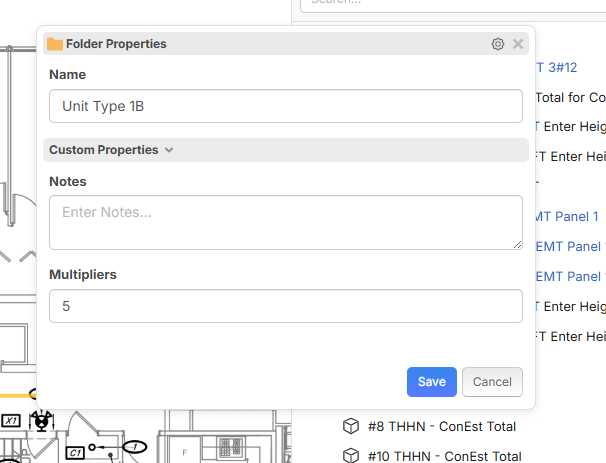
If you add a multiplier at the Folder level and do a little formula magic you can turn zzTakeoff into a Unit Price takeoff machine as well as add a multiplier for all takeoffs in a folder.
Watch and see if this video can help you along in your template development in zzTakeoff!


%22%2F%3E%3Ctext%20x%3D%2232%22%20y%3D%2233%22%20text-anchor%3D%22middle%22%20dominant-baseline%3D%22central%22%20font-family%3D%22Arial%2C%20sans-serif%22%20font-size%3D%2226%22%20font-weight%3D%22600%22%20fill%3D%22%23fff%22%3EJO%3C%2Ftext%3E%3C%2Fsvg%3E "Jeffery Osborn")
I couldnt get this to work?
Ok so I have this situation, I got this multiply, but in my situation its mutliplying the QTY field, I want it to Multiply the Measurement 1 field?
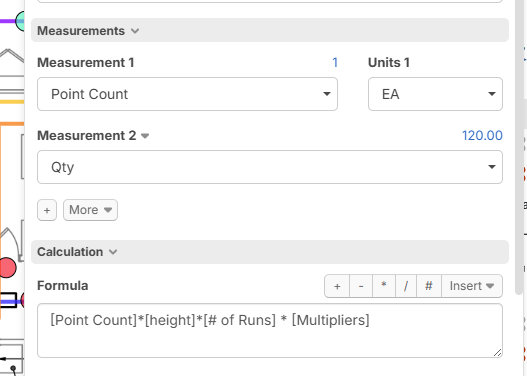

In this case, I have 2 runs, so when I count the floor core in this case, I want to see Qty 2 EA based on my multiplier. Is that possible? I still need the footage of 120FT to stay so that it gets added to the overall length in the parent above

Where is the [Multipliers] in the formula getting its value from, meaning where is the other [multipliers] that has a value in it?
You want the 120 LF to multiply based on the Point Count of Floor Core?
Down in the custom properties varible:
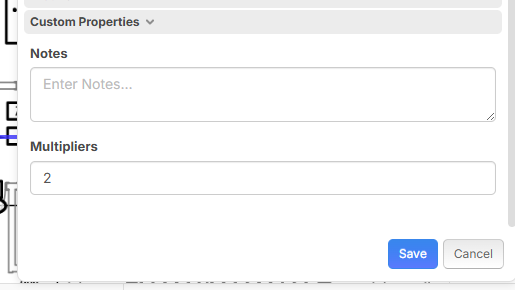
I want to mutlipply the number of floor cores, it works for the length, cause techinically this was 2 runs with 2 floor cores and an additional 30FT per core, the footage part works, but the results for the point count I want to say 2 in this case
So it seems that the formula box only ties that back to the QTY field. In my case I dont want this particular item to be in the QTY field as that will end up getting added to my conduit length total, I want this as a separate item but want to keep it as a child under that item so I know where these floor cores appear. I guess I can simply create a new item separate from this, but was hoping to get it to work under that particular parent
so, you want the parent to have the LF Qty is has, correct? You want the Floor Core to multiply?
you are manually adding the number in the [multipliers] box?
Yes, but it is inherited from the parent as the parent is a multiple run, so I still want to know my lengths, and add the lengths, but I also want it to multiply the point count so on my report I see 2, not 1, I only want to takeoff item once where this occurs.
Like this?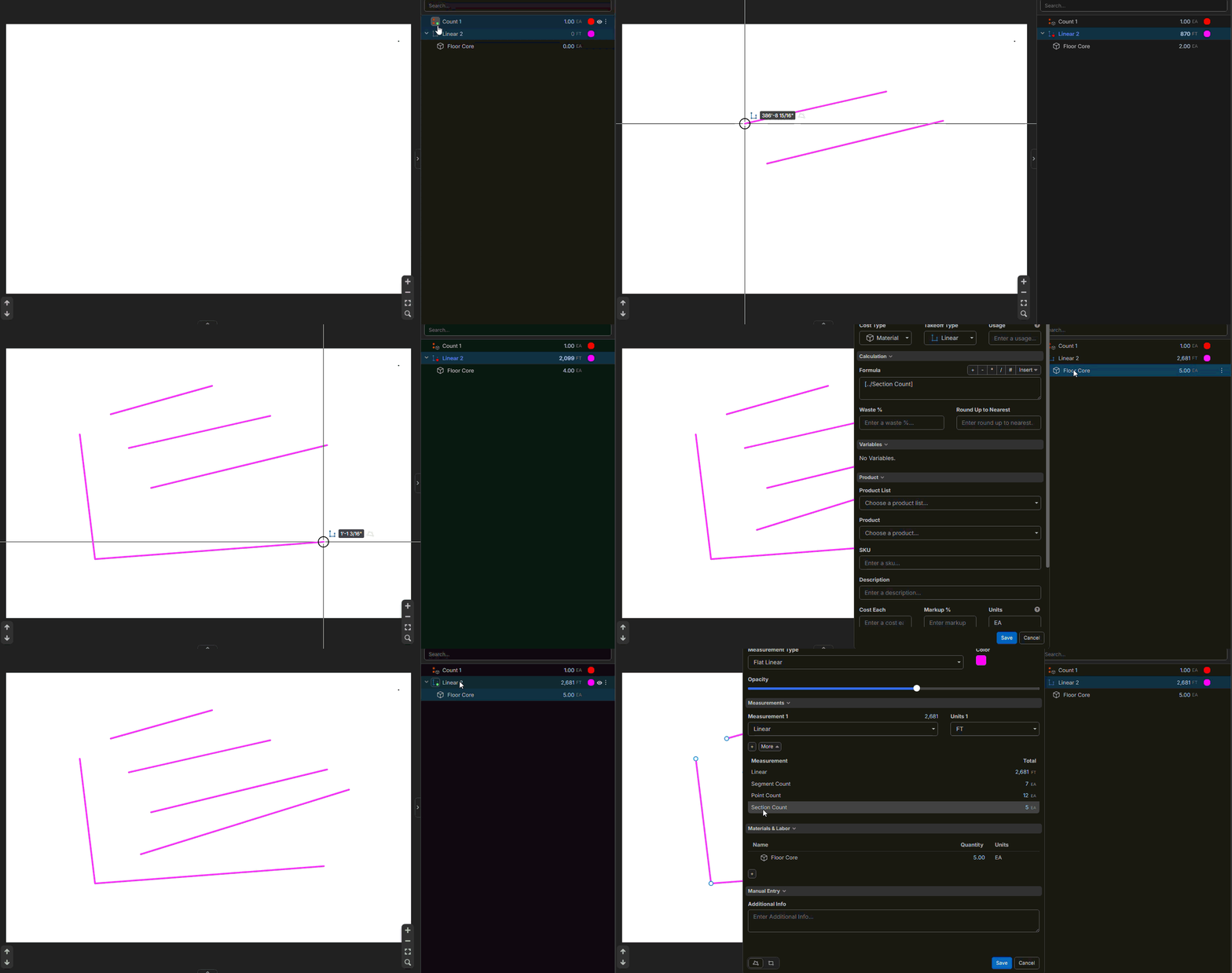
No your putting those cores automatically, let me see if I can do a GIF and show you
👍1I cant get the GIF to load. Put hopefully your understanding what I'm looking for?
I dont want it tied to my point counts or section counts on the linear takeoff, I manually locate where the cores are to occur.
I'm just having to note it in the name that I will need to times the QTY by 2 when I put into my pricing system. But it will defeat the purpose if I can price items here in ZZ

so, you want the Core to change based on the number you put in the parents [multipliers]?
Yes on the point count value


I want these to say 2, but only count once
So I have 2 things I am doing with that one count, I am figuring how much conduit & Wire I need, in addition I am figuring the number of cores through the floor are needed to get to a next floor level
in this case its 2 for that run since the run has 2 conduit runs with floor core location at 1 spot, if that make sense
But you have that set to the QTY field, and what going to happen is that its going to take that and add that to my conduit and wire length, since my formula for my conduit total is taking the sum of all the child qtys
The thing also is why does this have to be an item to multiply, this should multiply based on the parent vaule
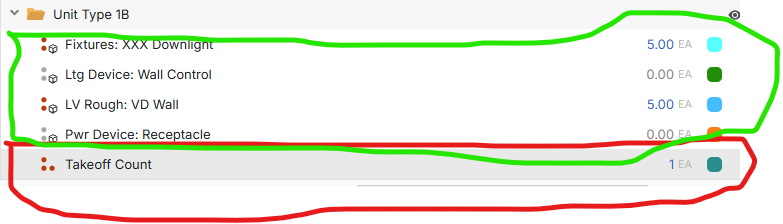
The green are items that multiplied and the Red is just a standard takeoff, anything that is put into this folder should multiply, this is probably because you need to use the formula, the formula field should be available in the standard takeoff condition as well
I agree with you on that; I would like the option to add a formula to a takeoff without having to make it an item.
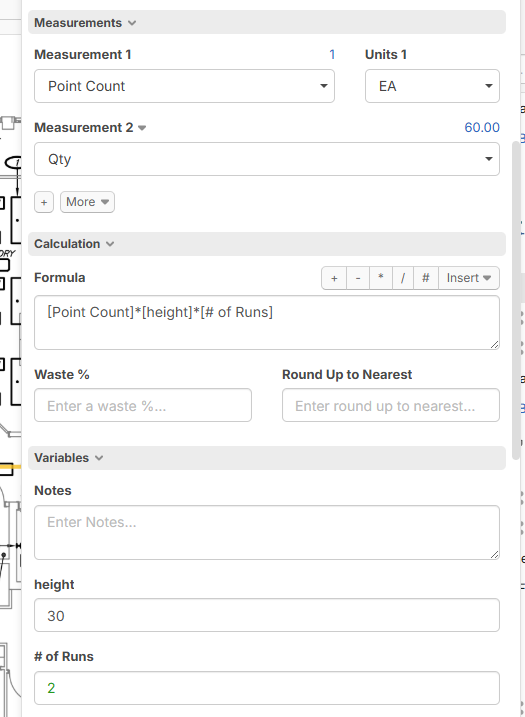
going back on your other item, I have 2 field here, the count, and then the QTY (which is the footage that is needed per location) The footage part works fine as I need and times based on my number of runs in my variable, but the count is always 1

Could I send an invite to a zoom mtg to see if I can help in any of this?
Ok, I just want to get that point count to times by my multiplier
Thanks Todd!, So after talking with Todd, I had to make the floor core a child under that item