










 Inside Track
Ready to Test: Preview Window, Image Tool, Drag & Drop Bookmarks and Pages onto Canvas
We just deployed a minor (but useful) update to the Test Server.
Preview Window
For your bookmarks, you can now open those in a preview window that stays open while you zoom/pan around the page. Very useful for keeping section details and other reference details visible. You can open multiple preview windows at the same time. You can zoom/pan around in the preview window independently of the main window. You can also show a preview window:
1. Right click on a hyperlink (if it's a hyperlink to a page or bookmark) -> Preview Window
2. Right click on a page in left sidebar -> Preview Window
3. Smart select a box anywhere on the page -> Preview Window
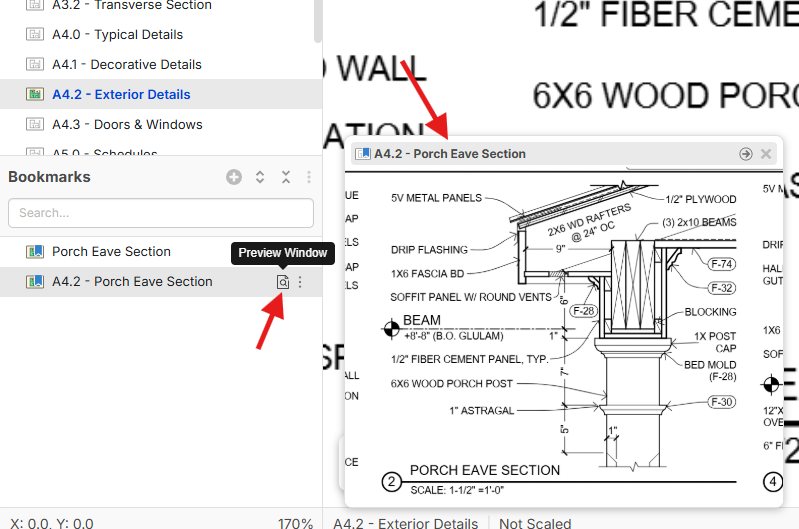
Image Tool
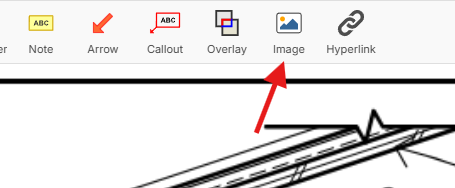
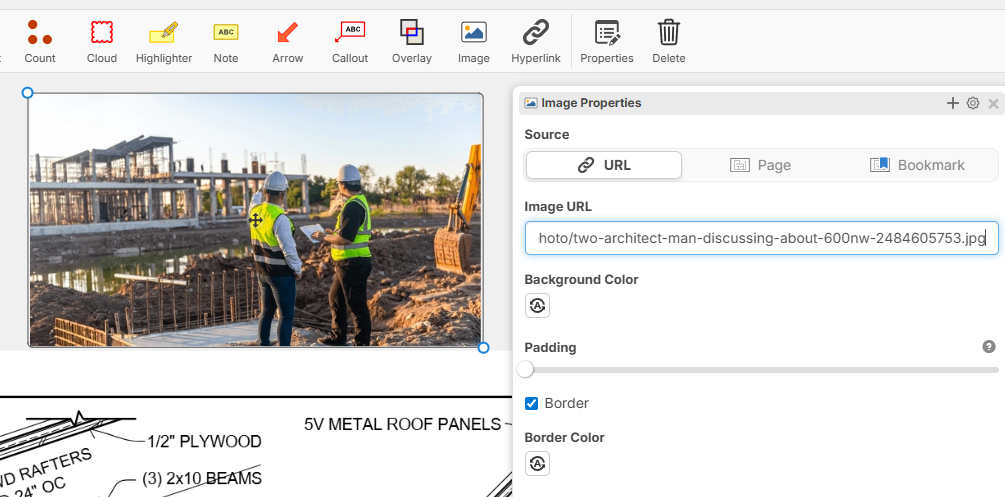
Now you can put in any URL you want for an image to be displayed on the page. In the future, we'll add the ability to upload them to be hosted in your project, but for now you can use external URLs:
Drag & Drop Bookmark onto Canvas
This is an easy way to create an "Image" on the page that shows the contents of a bookmark. Great for easy reference images that can be dragged around the page:
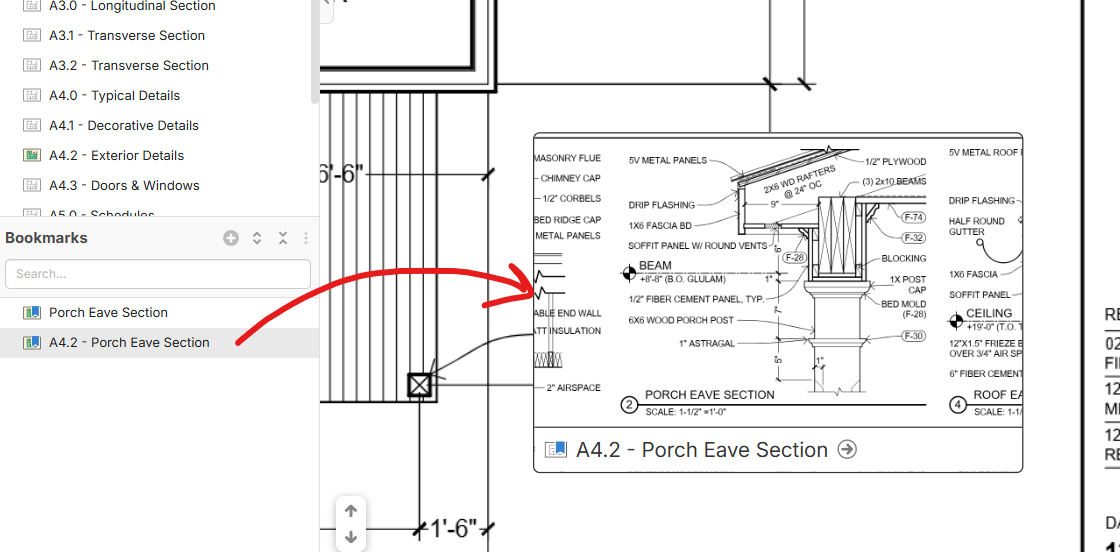
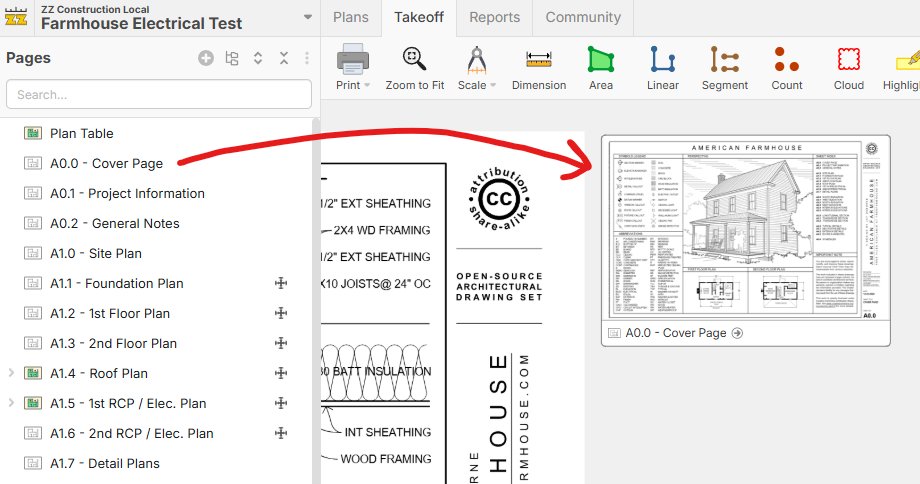
You can also drag & drop a page onto the canvas:
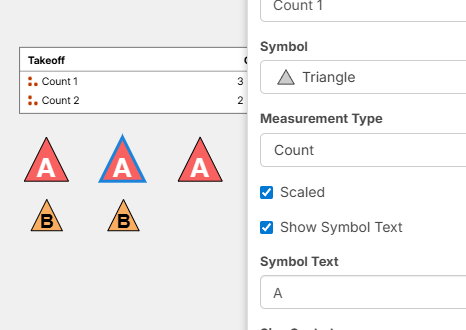
Ability to Use "Symbol Text" on "Triangle" shaped point counts

We just deployed this to the WWW Server 🙂 Just refresh your page to get the latest.
👍4💯1
This is slick! But what we ALL use in bluebeam is screenshot, then paste into a PDF. If only control + V would magically paste my screenshot on the zzTakeoff page.
👍3💯1
Really love the bookmarks improvements. A real game-changer to to the process.
The ability to zoom on the bookmark window while staying on the "main" or active drawing sheet is really a clutch concept that I feel is unprecedented.
Thanks you again zzQTO visionaries and implementers
👍2%22%2F%3E%3Ctext%20x%3D%2232%22%20y%3D%2233%22%20text-anchor%3D%22middle%22%20dominant-baseline%3D%22central%22%20font-family%3D%22Arial%2C%20sans-serif%22%20font-size%3D%2226%22%20font-weight%3D%22600%22%20fill%3D%22%23fff%22%3EJ%3C%2Ftext%3E%3C%2Fsvg%3E "Jes")
Just discovered the new 'preview window' feature. Looks like this gets me closer to being able to hover my mouse over a section detail and have a little window pop up with the detail that I can zoom into without leaving the page. Obviously this would probably take some user assistance to adjust how it gets displayed, but I just tried it out with a bookmark and it was clean.
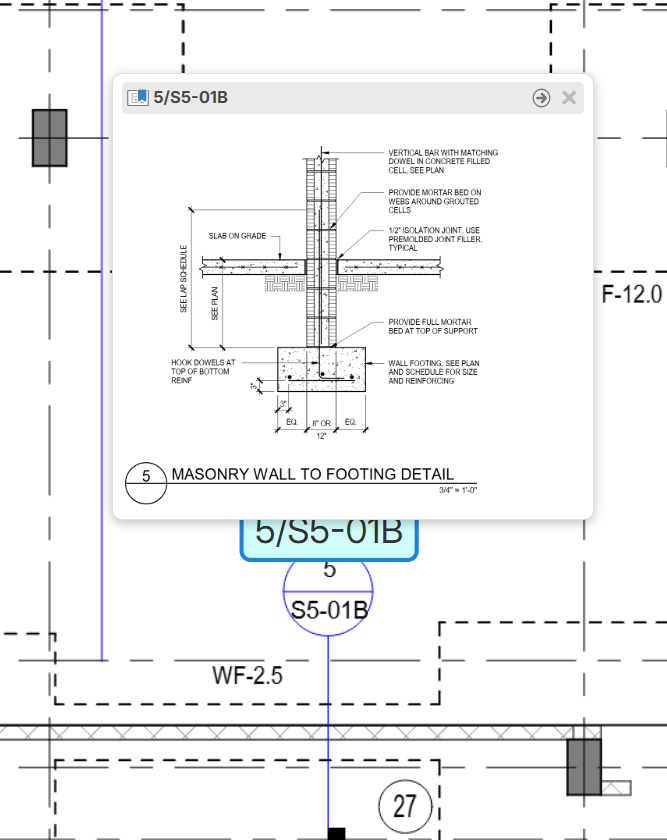
So naturally my request would be to have a 5 second mouse hover over the bookmark = activate preview window 🙂🙏
👍4%22%2F%3E%3Ctext%20x%3D%2232%22%20y%3D%2233%22%20text-anchor%3D%22middle%22%20dominant-baseline%3D%22central%22%20font-family%3D%22Arial%2C%20sans-serif%22%20font-size%3D%2226%22%20font-weight%3D%22600%22%20fill%3D%22%23fff%22%3EVT%3C%2Ftext%3E%3C%2Fsvg%3E "Victor Tengowski")
It would be cool if you were able to drag the preview window to the edge of your browser and pull it out to a new browser window/tab.
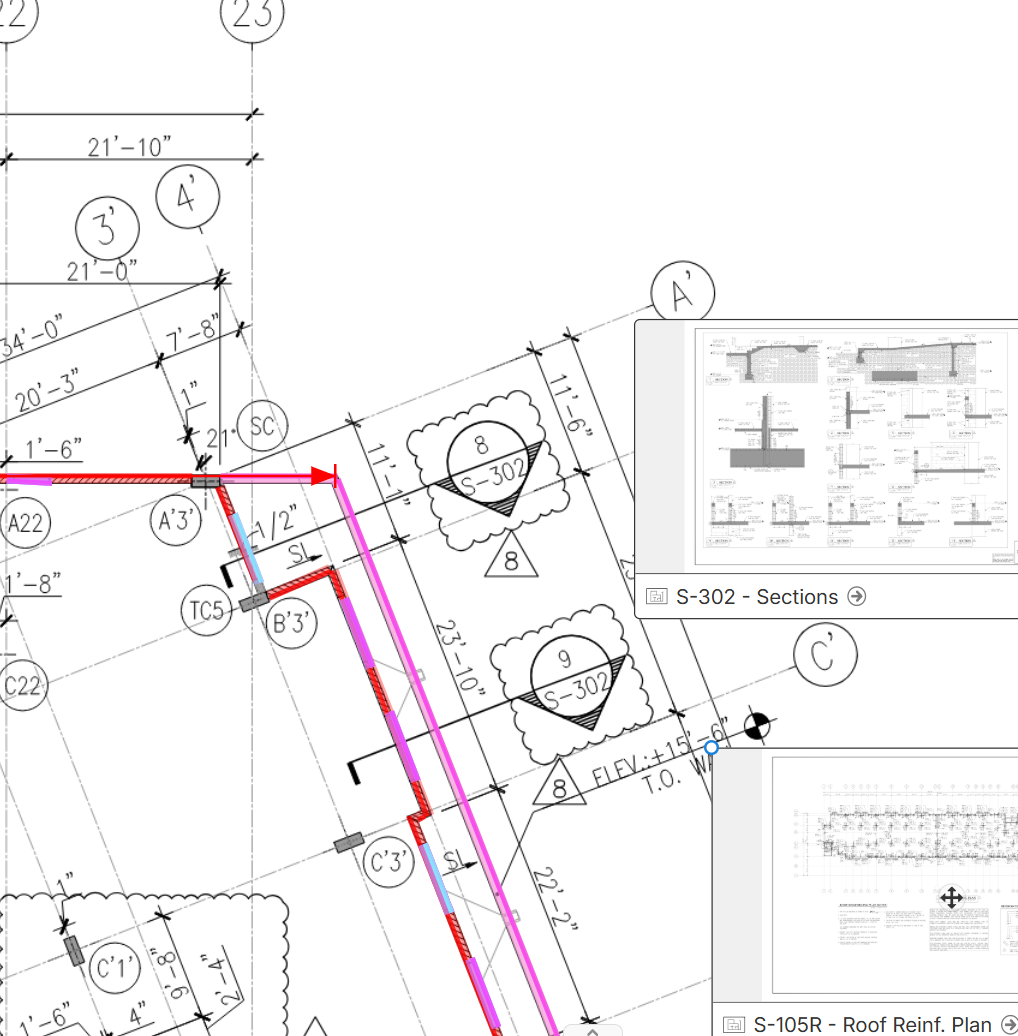
👍2I realized that when you drag and drop another page from the page panel onto the current page you are viewing (like by a section callout), you get a mini view of the page instead of a hyperlink, which you can then zoom further into and blow up so that it fills your screen. No bookmarks required.
This is very cool, reminds me of one of those infinite zoom art pieces. 😂 This works for me. I love how I no longer need to leave the floor plan I'm currently working on or look over at another screen or tab.
%22%2F%3E%3Ctext%20x%3D%2232%22%20y%3D%2233%22%20text-anchor%3D%22middle%22%20dominant-baseline%3D%22central%22%20font-family%3D%22Arial%2C%20sans-serif%22%20font-size%3D%2226%22%20font-weight%3D%22600%22%20fill%3D%22%23fff%22%3EJO%3C%2Ftext%3E%3C%2Fsvg%3E "Jeffery Osborn")
I like the preview option. Awesome job guys! Now lets get that auto count feature going
👍1