Q & A
Q & A
Inherit function
Good afternoon everyone,
I have multiple pre-built assemblies for siding created. Every child assembly within the parent is "Inheriting" a "deduct" function that is set in the parent (dropdown) and when set, makes all the values for the child assemblies within, negative. I wanted an easy way to toggle deduct when crediting material without having to go in and adjust formulas every time and that is what I came up with.
The problem I am running into is if I copy a child assembly over from one pre-built assembly to another. The Copied child is no longer "inheriting" from the new parent it was copied into despite the function within the child still being set to "inherit". If I go into the copied child assembly and toggle it off "inherit" and then back to it will then work properly.
There is a lot of copying and pasting going on and this could be something that could easily overlooked if not careful.
Wondering if anyone has any ideas?

I use a custom switch wich I call use in bid and default off with a fabric I use once in a while. I don’t know if that would work for you. I know it’s a little different usage but it results in a 0 quantity until I go in and select it on then it gives me my fabric roll count

That sounds tricky Ethen, could you record a screenshot/screenshare and email to support@zztakeoff.com . I'd love to test this out and see if we can fix it for you.

I found a video that is along the lines what you're trying to accomplish: from Zztakeoff
Deductive and addive swiches
https://youtu.be/Tu2oK0c8qQM?si=q-Ow_7iO401AjCo5
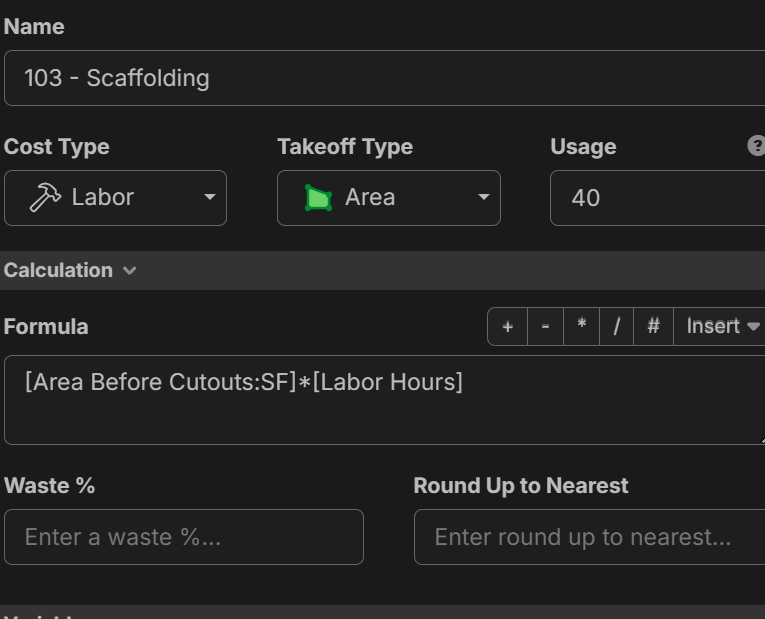
For Exterior cladding it is easier to do straight walls than a building with many openings and should still charge labor.
I do this by using the area cutout takeoff . I recommend still determining the labor using the gross area. [Area before cuttout] and for my material if i use the cutout take off will now refelect the Net area using [area] in the formula.