










 Q & A
Q & AFormula in Name Property
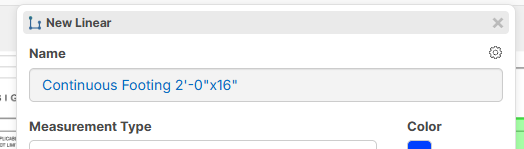
Is it possible to write a formula in the Name property for a linear takeoff which will include the [Width] in feet and inches plus the [Depth] in feet and inches. I would like the Name to automatically read Continuous Footing 2'0"x1'4"d as an example.
%22%2F%3E%3Ctext%20x%3D%2232%22%20y%3D%2233%22%20text-anchor%3D%22middle%22%20dominant-baseline%3D%22central%22%20font-family%3D%22Arial%2C%20sans-serif%22%20font-size%3D%2226%22%20font-weight%3D%22600%22%20fill%3D%22%23fff%22%3EKP%3C%2Ftext%3E%3C%2Fsvg%3E "Kory Podgaysky")

Hey Ben, you can now do this in the new update with the ":dimension"
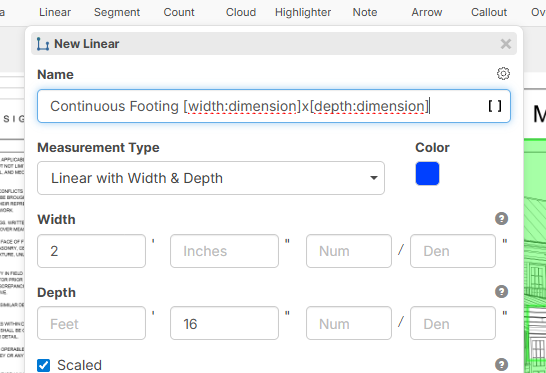
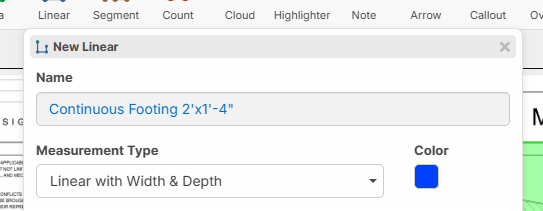
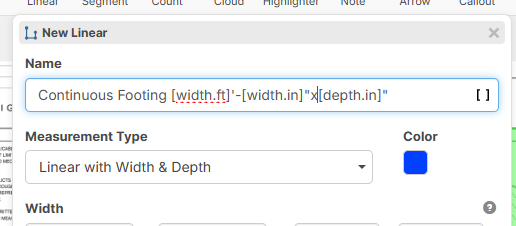
As a side note, we also added the ability to directly access the feet and inches of the custom property dimensions (like width/depth) via ".ft" or ".in"
%22%2F%3E%3Ctext%20x%3D%2232%22%20y%3D%2233%22%20text-anchor%3D%22middle%22%20dominant-baseline%3D%22central%22%20font-family%3D%22Arial%2C%20sans-serif%22%20font-size%3D%2226%22%20font-weight%3D%22600%22%20fill%3D%22%23fff%22%3EBS%3C%2Ftext%3E%3C%2Fsvg%3E "Ben Stewart")
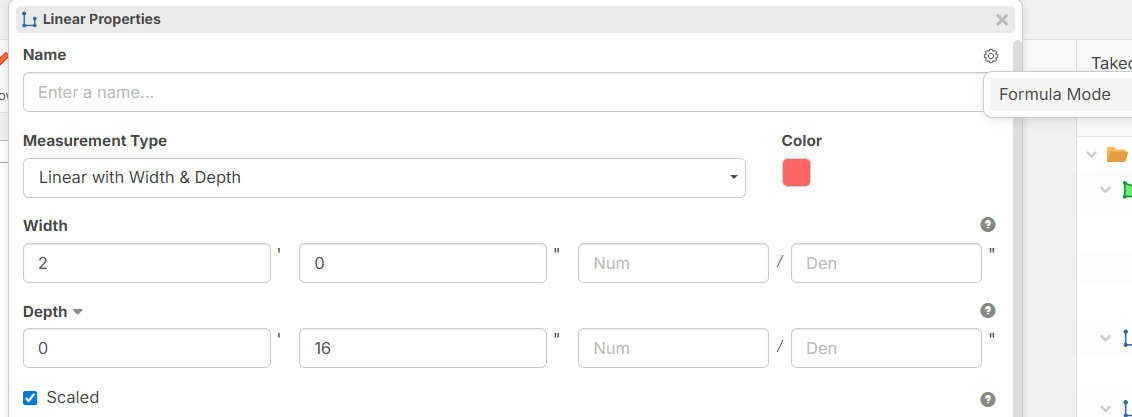
Loren, I discovered that the formula as you have written above only works with "Text with Tags" mode. If I select "Formula" mode for the name, I get an "Error evaluating formula".
Hey Ben. In the latest update, we switched "Formula" mode to "Text With Tags" so that formula mode could be a true formula. Most users will only need to use Text With Tags, but we added the formula mode for users wanting to round, add, etc.
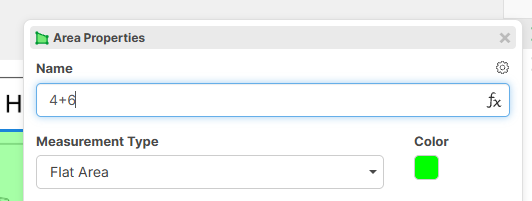
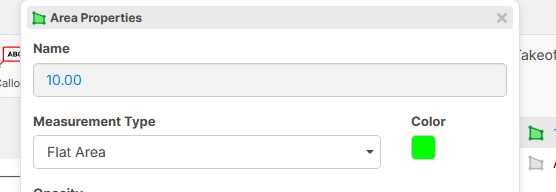
To use text in the formula mode, it would look something like this:
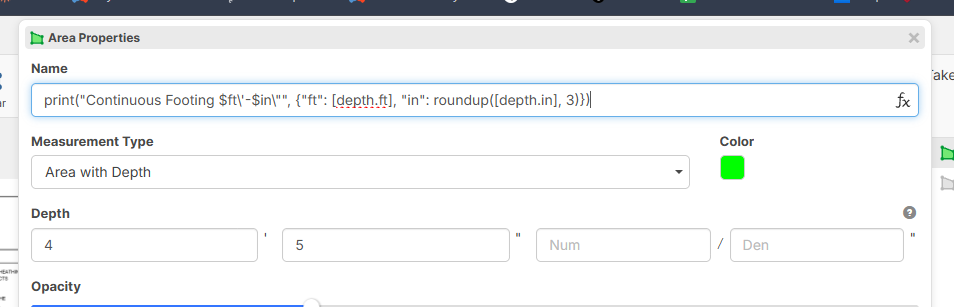
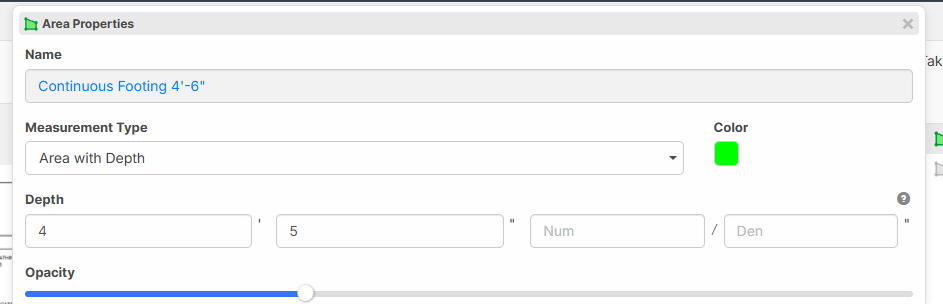
This example formats the name with the inches rounded up to the nearest 3.
🚀2%22%2F%3E%3Ctext%20x%3D%2232%22%20y%3D%2233%22%20text-anchor%3D%22middle%22%20dominant-baseline%3D%22central%22%20font-family%3D%22Arial%2C%20sans-serif%22%20font-size%3D%2226%22%20font-weight%3D%22600%22%20fill%3D%22%23fff%22%3EVT%3C%2Ftext%3E%3C%2Fsvg%3E "Victor Tengowski")
@Lorin is there documentation we could look at to help us build our own naming formulas?
The syntax of using print and $ft\ & $in\ is not intuitive and I wouldn't have guessed that's what would have had to been written to have it print that way.
Most of our documentation focuses on quantity formulas for items, but we will hopefully be adding more information about how to use formulas in the name, etc. soon.
Just for interest's sake, in my example, the $ logic is specific to the print() function, and the \ was to string escape the " and ' for inches and feet.
The print currently functions as following: print("Your text with $placeholder", {placeholder: value})
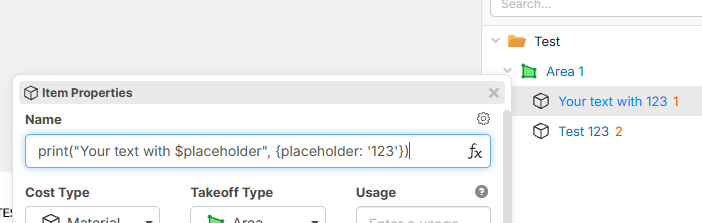

It took me way to long to understand how Lorin's example worked, since $ and \ scare me. I did get it to work and it is great since it lets you use the ' & "
I used a different method to get my problem solved (Since I didn't see Lorin's example until I already solved my problem), which uses the concat() & string(), it just doesn't let you use the ' & "
I needed my description with the area SF rounded and include the thickness
04. Demo/remove (E) sidewalk up to 2411 SF x 4in thick
concat("04. Demo/remove (E) sidewalk up to ",string(round([Area:SF]))," SF x ",string([depth:in]), "in thick")
Breakdown:
concat() lets you combine your text -> concat( "Text", "Text", "Text") -> TextTextText
string() converts values into text (Also drops .0s at the end) -> string([Area:SF])
round() rounds the value
Also for those who don't want to type out Lorin's formula
print("Continuous Footing $ft\'-$in\"",{"ft":[depth.ft], "in":roundup([depth.in],3)})
🚀2Awesome! The concat method is probably more user-friendly, and the approach we will most likely recommend to users. Thanks for sharing @Casey. 🙂
😎1