










 Q & A
Q & ADeleting Layers
Looking into this further, I copied a layer, I decided I didnt want that layer anymore, so I deleted all takeoff and annotations from the newly created layer, there were overlays also, what I found out, that even if takeoff and annotations are deleted, it still thinks there is something there because of the overlays, if I delete the overlay from the layer, it deletes it on all layers. Can it be fixed so that it does not look at the overlays as a takeoff or annotation item so that unused layers can be deleted.

I have a similar situation I have no overlays I deleted all takeoffs and annotations can’t delete the layer
%22%2F%3E%3Ctext%20x%3D%2232%22%20y%3D%2233%22%20text-anchor%3D%22middle%22%20dominant-baseline%3D%22central%22%20font-family%3D%22Arial%2C%20sans-serif%22%20font-size%3D%2226%22%20font-weight%3D%22600%22%20fill%3D%22%23fff%22%3EJO%3C%2Ftext%3E%3C%2Fsvg%3E "Jeffery Osborn")
Thats even worst. It should delete at that point

Hey Luke, if you have your layer open thats empty, and switch to Reports, do you see anything there?
NATA
Can you click Takeoff Tree Reports and click All Columns on the left?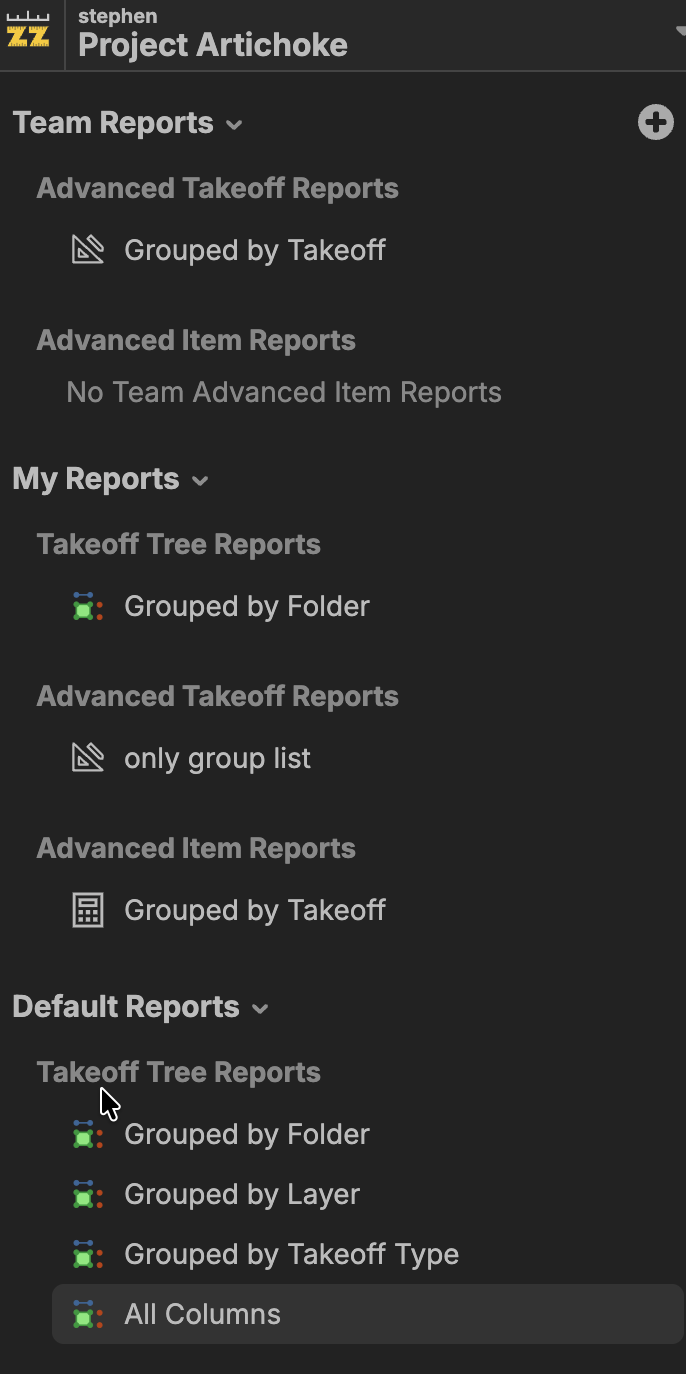
ok that worked. thanks .strange though it those takeoff items were not in my takeoff window until after i found them as you suggested in reports