










 Feature Requests
%22%2F%3E%3Ctext%20x%3D%2232%22%20y%3D%2233%22%20text-anchor%3D%22middle%22%20dominant-baseline%3D%22central%22%20font-family%3D%22Arial%2C%20sans-serif%22%20font-size%3D%2226%22%20font-weight%3D%22600%22%20fill%3D%22%23fff%22%3EJD%3C%2Ftext%3E%3C%2Fsvg%3E "Jason DiCicco")
Is there a way to assign Zoom to Fit to a mouse click command?
I’m used to working in Bluebeam, where I can quickly zoom out by double-clicking the middle mouse button rather than going up to the toolbar.

Hi Jason! We could add this unless anyone has objection.

This would be a cool little feature.
We finished this locally. You can expect it in the next update.
%22%2F%3E%3Ctext%20x%3D%2232%22%20y%3D%2233%22%20text-anchor%3D%22middle%22%20dominant-baseline%3D%22central%22%20font-family%3D%22Arial%2C%20sans-serif%22%20font-size%3D%2226%22%20font-weight%3D%22600%22%20fill%3D%22%23fff%22%3EVT%3C%2Ftext%3E%3C%2Fsvg%3E "Victor Tengowski")
@Heber, it might also be nice to have a 'Zoom to Window' in the context menu after drawing a selection box. Basically, like using F10 without having to search for the hotkey.
👍2@Victor Good idea. One challenge with the selection box is that if there are objects in it, those will be selected unless the user is pressing Ctrl. Still very useful, though.
👍2Another useful tip I'll absorb!

LoL didn't even know that bluebeam did that, I don't think I would use it in zzTO tho, not opposed to it either.
One thing I would love now that I got a new mouse is the ability to scroll left and right in with this new wheel in my MX Master 3s mouse that I just got. Tho the scroll wheel with holding control and shift work epic as is.......just trying to use my new toy to the max :)
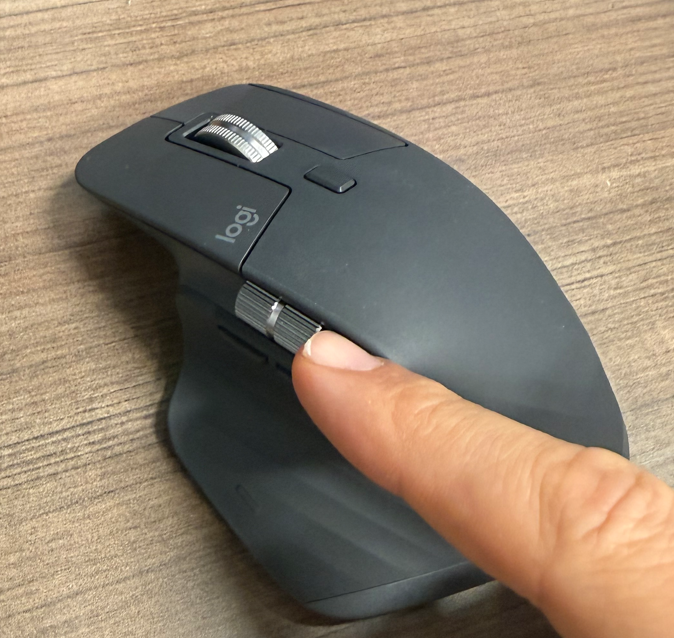
I have the exact same mouse, and I've ran into the same thought that it would be nice if I could make use of the side scroller with zzTO.
😆2This feature is released now 🙂