










 Feature Requests
Copy takeoff with quantity's
Has a way of copying takeoffs with quantities been implemented yet?

Hey Kevin, you should be able to duplicate a takeoff & all its sections using the "Duplicate As" option in the takeoff sidebar (accessible by right-clicking the takeoff). Is this what you are after?
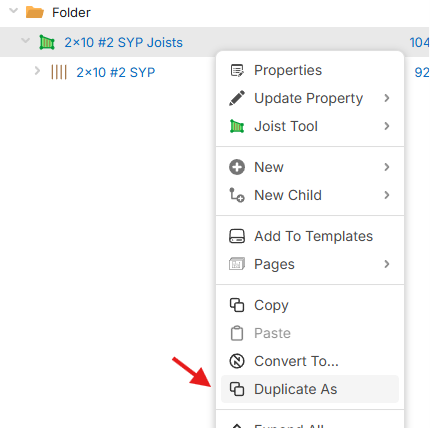

Does that include the quantity's?
Hi Lorin
I have just had a look, no thats not what I am after, I want to be able to copy and paste items/takeoffs/folders and have the qty copy with it, currently the qty will be 0

you can also highlight a whole page of takeoffs or select one or multiple takeoffs and copy and paste or paste as new those wherever you like within a project or another project or layer etc.
What would that look like visually on the page where would these paste to? Are these manual counts or are the takeoffs you’re wanting to copy and paste have visual takeoffs on the page(s)?
That doubles up the quantities, I want to copy a takeoff as a new item with the same quantity
Do you think this is something that will get a solution?
%22%2F%3E%3Ctext%20x%3D%2232%22%20y%3D%2233%22%20text-anchor%3D%22middle%22%20dominant-baseline%3D%22central%22%20font-family%3D%22Arial%2C%20sans-serif%22%20font-size%3D%2226%22%20font-weight%3D%22600%22%20fill%3D%22%23fff%22%3EJ%3C%2Ftext%3E%3C%2Fsvg%3E "john")
So copy and paste as new with an added prompt for a new name? Is that what we are after?
No, copy and paste takeoffs as new takeoffs with the same quantity, currently the quantity will be 0
if you dont want to double the quantity i assume you mean that you want to have it be the exact same takeoff but populate separately. if thats the case select then copy the takeoff then paste 'as new' if this is not what you want you're going to have to explain better what you mean
kevin are you copying from the wrong place? if you copy from the takeoff sidebar you wont get what you're after.

I agree with Kevin — copy and paste. It would be helpful to have a "duplicate takeoff" button alongside it.
For example, when pricing a VE option, you could copy an existing item and just change the material while everything else stays the same, but you don't have to retrace or redo the takeoff to get the VE option
I'd want it as an optional button, though, because I also like copying items to a separate layer with the takeoff quantity zeroed out. I use that for change orders — it keeps the original job pricing intact when the owner's rep wants a breakout (to scrutinize why we're ripping him off so bad, LOL)
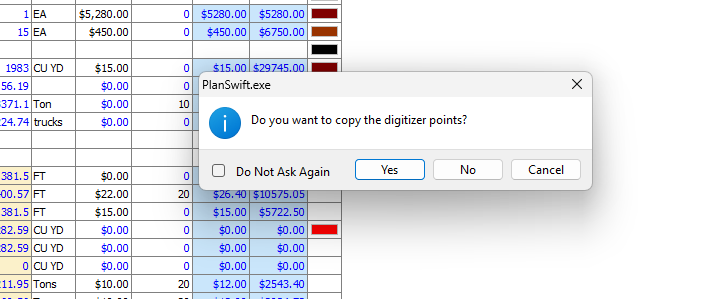

Hi, is this likely to come soon as this is really a crucial feature for me and others it would seem.
Thanks