










 Feature Requests
Choose a "Product" from "List" at takeoff level
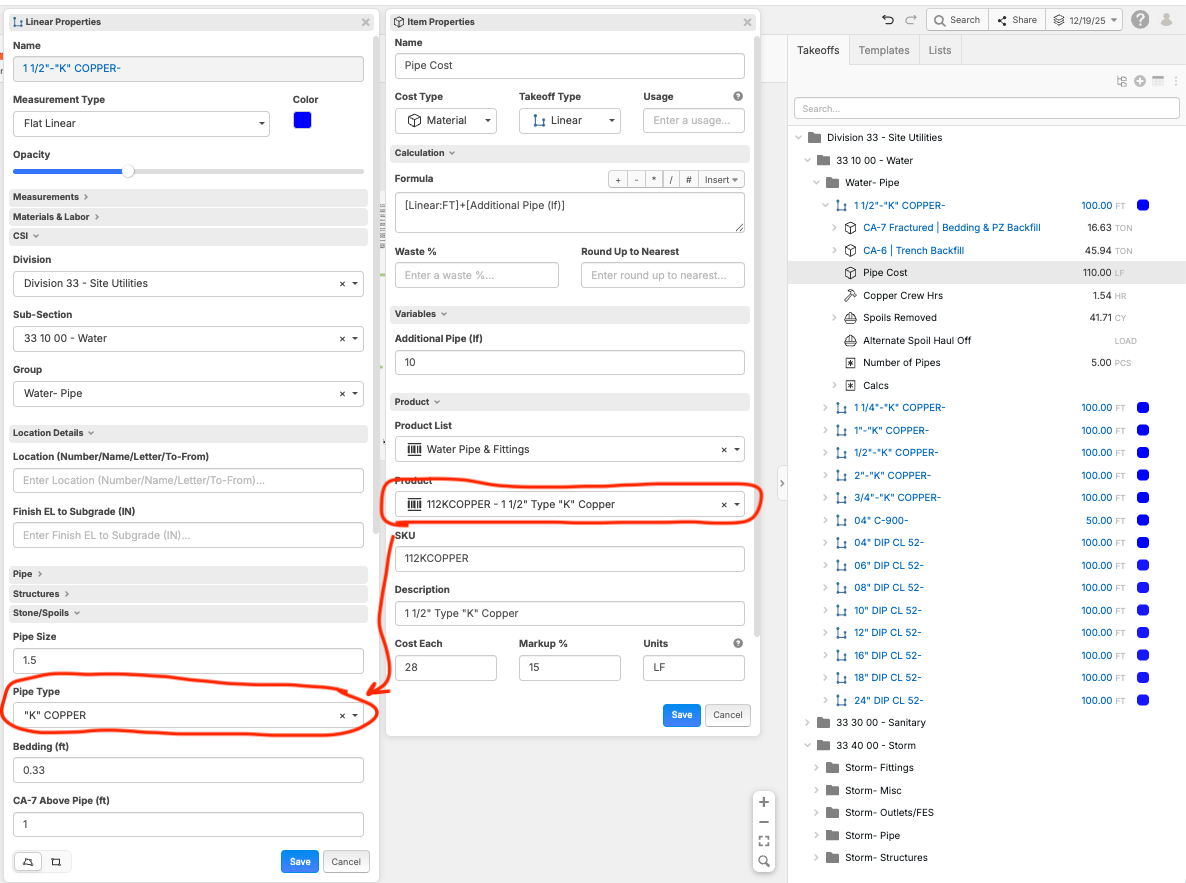
Hello, Would there be any interest in having the ability to choose a certain product at the takeoff level (having the ability to have Products as a custom property)
I am building some piping assemblies and feel it would be more efficent to be able to make a "high level" template and then choose the specific product that would in turn update the cost, takeoff name, etc, without needing to open up the assembly (currently I am just making multiple assemblies around that specific product with a custom property with a drop down that changes only the name, but I need to remember to change the item product.
 ?
?

That would be Awesome. I have made a Workaround with inherits and would love to brainstorm with you to get out of the ruts i find myself in.
Reading these help free up my creative assembly making
👍4%22%2F%3E%3Ctext%20x%3D%2232%22%20y%3D%2233%22%20text-anchor%3D%22middle%22%20dominant-baseline%3D%22central%22%20font-family%3D%22Arial%2C%20sans-serif%22%20font-size%3D%2226%22%20font-weight%3D%22600%22%20fill%3D%22%23fff%22%3EJL%3C%2Ftext%3E%3C%2Fsvg%3E "John L")
I would also love something like this especially if it would allow every child of said take off to inherit the choice.
I have have multiple linear take offs that are children of area take offs all with thier own material and labor child items but the "product" is always the same so if I could set the product at the top level and have it inherit all the way through that would be a nice QoL. As it stand now I have to change each one manually. I haven't fully replaced our previous estimating system with ZZ yet as I'm still building formulas/work flow and comparing results to our current system but this would have to be something implemented before I could realistically do it regardless. Manually changing every item to the proper product is a big time sink and opens you up to mistakes. Especially since, at least in my case, that product drop down will have hundreds of options once everything is fully implemented.
👍1
Hi, there has been some internal testing allowing using Item level features within a Takeoff. This would logically mean also addind Products to Takeoffs.
my child items inherit what I select from the takeoff so I select my pipe size and pipe material from custom properties then the child item inherits the size and pipe material in the name

@Chris, will you share how you are doing this for the "child" properties please and thank you?
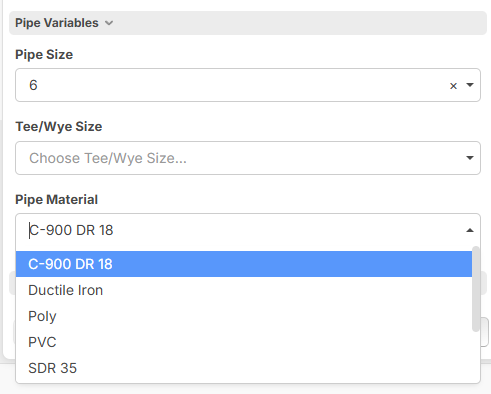
This is one of my templates for count
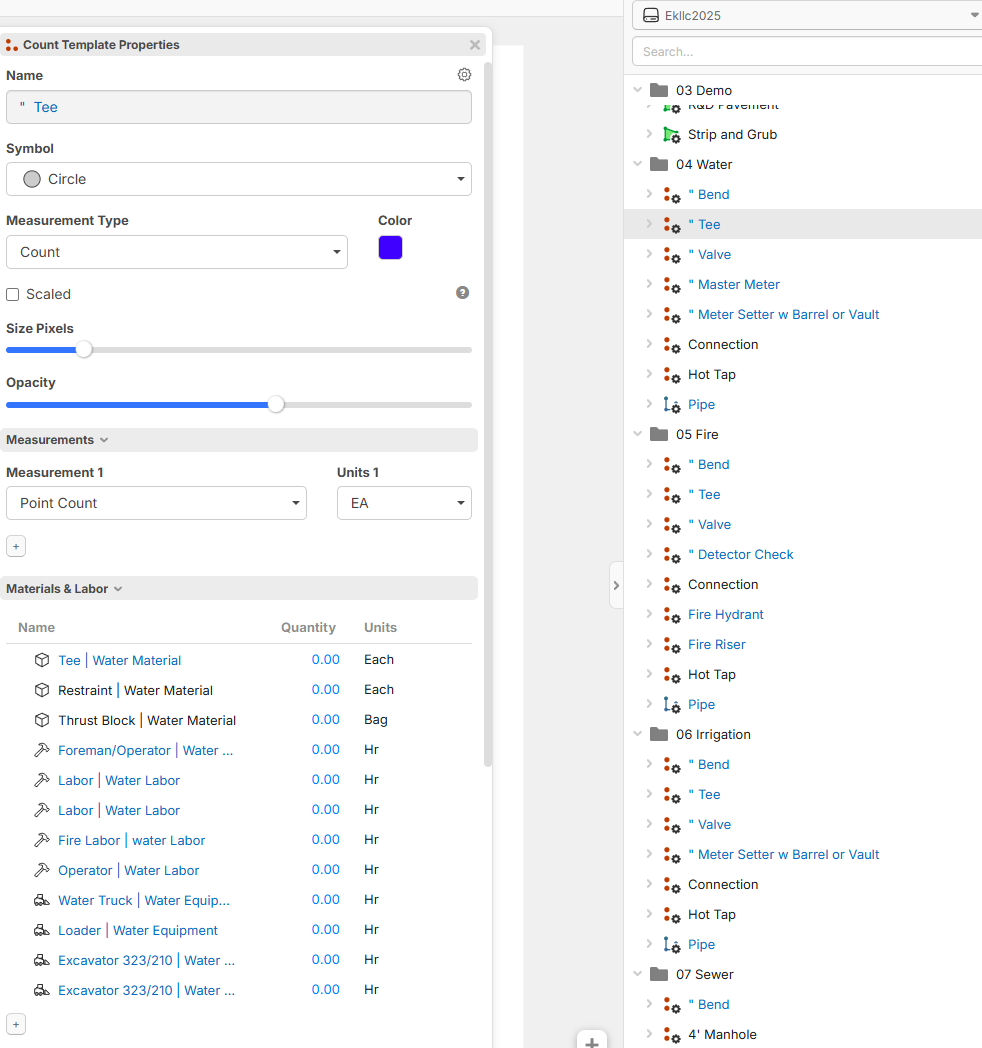
when i go to do a takeoff i select my pipe size and material or my wye or tee
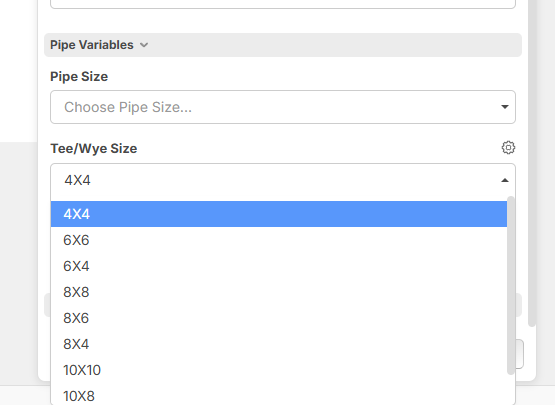
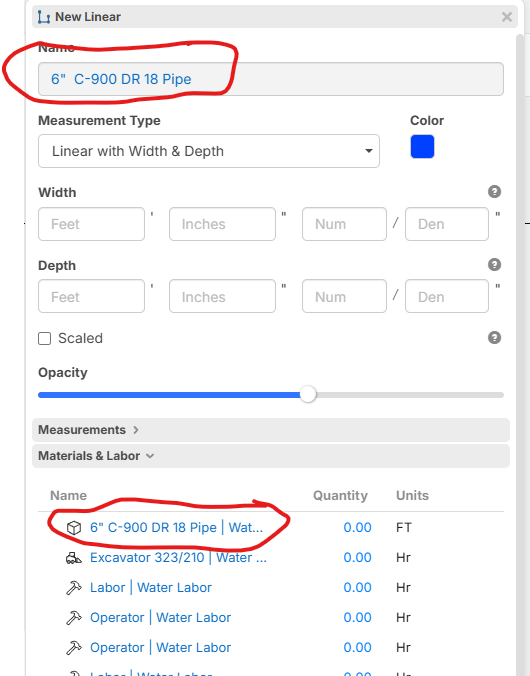
then the name on the takeoff and the name on the material change automatically

and if i do a linear
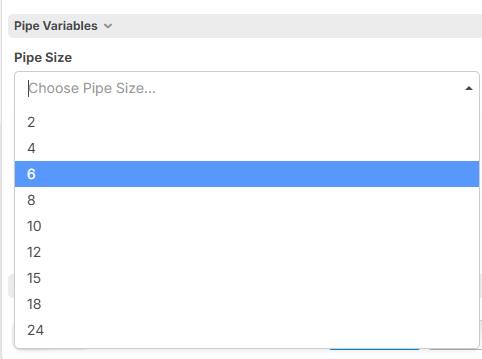
then it auto populates then names
I also have it to roundup to the next length depending on what pipe material i pick for instance RCP=8' and C-900=20' and DI=18' so on and so forth. I also use the width and depth and have my pipe zone to Automatically calculate and structural fill above pipe zone to populate and then i have it so the trucking for those material to calculate and to take it a step above i have it so if we use native and not structural fill above pipe zone then the trucking for structural does not calculate and same with pipe zone if the citys let us use native on pipe zone but that is rare. Sorry this got lengthy
Rulon with ZZ helped alot with the roundup codes and Todd Helped as well so shout out to them
❤️1
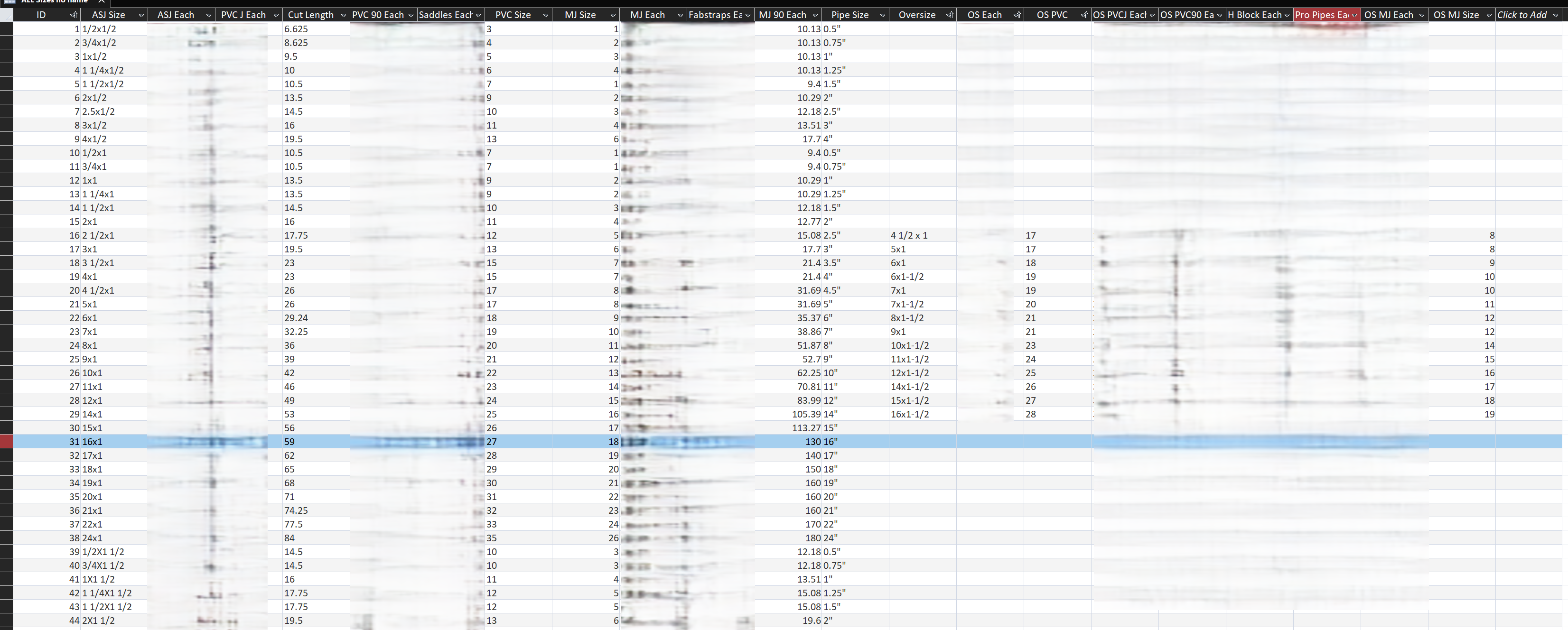
having abiility to create a robust list at the takeoff level is what I'm looking for too.. So I can send any information I want down to my items. Ideally I could create a whole bunch of custom properties or variables, and use formula mode to send the names and prices of all associated products down to my items. Then if I change my selection at the takeoff level everything I want to change, changes from that one selection.
example.

Hi All, I would like to chime in after having the pleasure of building in ZZ for multiple customers, I really like the way Chris has his set up, because it shortens the products list into almost nothing. I have built templates for our customers with extensive material product lists, minimal material product lists and like this, extremely minimal or no material product lists. Of course you will need labor and equipment lists, but that is controllable.
Many distributors and builders do the same by creating part names based on multiple selections from drop downs.
1). It helps them with the quoting software and as they can match up the created product name to their quoting software.
2). I personally think you need to shop every job material list, as the prices change almost daily in most trades. So by creating a part ID/Name it forces you to do that and this takes the pressure off of keeping an up to date pricing list. I have a 250k part list that would be impossible to keep current!
3). this is so much easier to build!
As a side note, after talking with Bryan K. you will need to make sure your production rate is tied to the pipe size, depth and more so the equipment and labor costs change when you change the pipe size and depth of trench.
But yes, less is more in this case... Nice work @Chris King!
We have so many brilliant users and it is impressive to see how willing they are to share their knowledge and experience
Replying to @Stephen
is there not a way to allow lists at the takeoff level without having products in the takeoff level ? Basically looking for a way to have information in the list at the takeoff level, create items
in this situation the item level would work differently. Wouldn’t require a list per se just to be created and connected to the custom properties at the takeoff level and customized to suit the needs of the specific template .
Hi currently you cant use a list from the Lists sidebar to drive dropdown values for a custom property. This would be a great feature to add! You can however setup a dropdown with values you enter in the custom properties (not a nice but a workaround for lesser lists).
Yes that however you want to word it
lists at takeoff level with columns that can represent custom properties. make a selection and everything changes. Then I link my results to wherever I choose down to items
👍1