










 Feature Requests
Child Takeoffs in Report
Can the Child counts be listed under the main count:

The A3 CCT Feed, cross fitting, Elbow are child counts to the A3 Linear Pendant

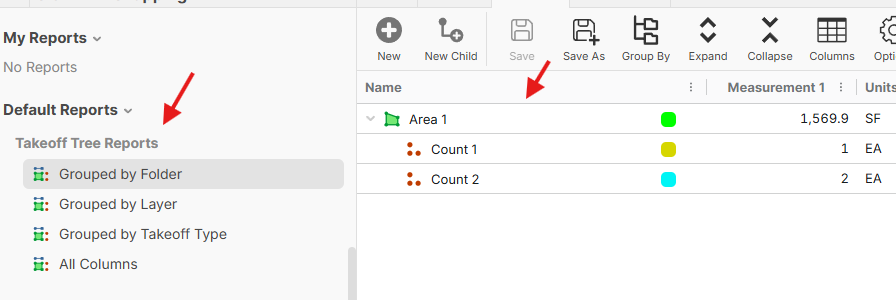
Hey Jeffery, this should already be possible if you use our Takeoff Tree reports.
%22%2F%3E%3Ctext%20x%3D%2232%22%20y%3D%2233%22%20text-anchor%3D%22middle%22%20dominant-baseline%3D%22central%22%20font-family%3D%22Arial%2C%20sans-serif%22%20font-size%3D%2226%22%20font-weight%3D%22600%22%20fill%3D%22%23fff%22%3EJO%3C%2Ftext%3E%3C%2Fsvg%3E "Jeffery Osborn")
I dont use that report, I have a custom report, how can I get this to work in my custom report to have the child takeoffs noted below the main takeoff
That report also shows all takeoff even if they have a 0 value, that option does not work for me
%22%2F%3E%3Ctext%20x%3D%2232%22%20y%3D%2233%22%20text-anchor%3D%22middle%22%20dominant-baseline%3D%22central%22%20font-family%3D%22Arial%2C%20sans-serif%22%20font-size%3D%2226%22%20font-weight%3D%22600%22%20fill%3D%22%23fff%22%3EJL%3C%2Ftext%3E%3C%2Fsvg%3E "John L")
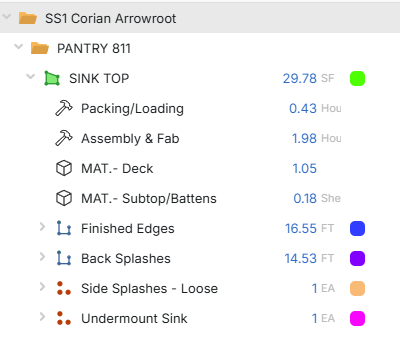
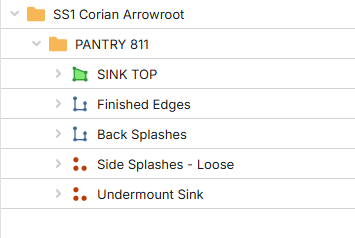

@Jeff,
I would build another custom report but start with the Takeoff Tree Reports. Kind of a cool thing they made here and I bet it will get better as this is your work-around for now that works great, aside from the fact you have to update your report. It does act a bit different than the main reports.
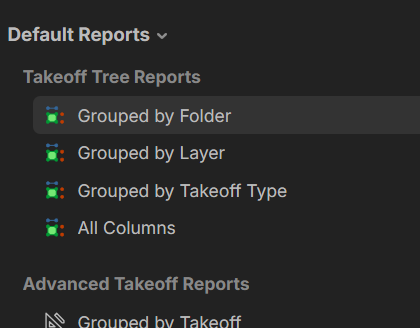
That shows all of the takeoff even if there is no takeoff, I tried turning off the empty option and they still showed up. I like the name option with text with tags you can use for the child, that way at least they sort with the main takeoff item and that works just fine for my needs.

Hi Jeffrey, Lorin is correct, to view the hierarchy displayed on the Takeoffs sidebar within the Reports screen, you will need to utilize the Takeoff Tree Reports. Additionally, you have the option to filter out zero-quantity takeoffs and save the configuration as a new report for quick, single-click access in the future. To do so, click the menu to the right of the **Measurement 1** column, select **Column Filter**, change the dropdown to **Greater Than**, and enter **0** in the field below. This filtered view can then be saved and reused at any time. Please note that the Takeoff Tree Reports are currently the only method available for viewing the original hierarchy found on the sidebar in Takeoffs. While this reports does function somewhat differently from the pre-existing reports, they are a very effective solution for this purpose.