










 Feature Requests
1st real take off issues
Yesterday after getting set up for a while I tried a real world takeoff and came across a few issues.
- Every time I do a takeoff it jumps from templates to takeoffs, I tried as was suggested to undock the templates which stopped it jumping for a bit but then went back to that behaviour, could we have an option for this?
- Could we have a keyboard shortcut to start the takeoff? I kept missing the start takeoff button once I had clicked on a template as its at the side of the screen and requires moving the mouse over each time, I think the space bar would work well, Once a template has been opened the space bar starts the takeoff but opens the tools shortcut at other times.
- Segment lines - these snap to what ever they can, Is it possible to have them so they naturally snap to 0, 45, 90 degrees as I found them snapping to different sides of a wall, also coould we have adjustable line width for different templates?
- Copy takeoffs to new page / folder I have been speaking with Todd about this, I need to be able to copy a take off from a similar House/Floor/Room to another including the qty, this is a huge time saver as I can then just change the bits that are different if there are any.
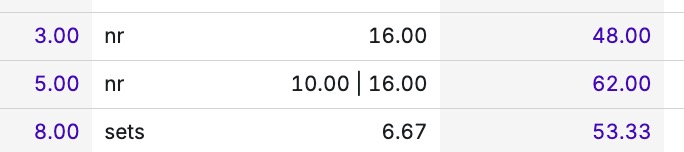
- If I select new take off when using a template that has already been used in a takeoff I would like it to be completely separate to the previous one because some of the templates I have built give a different price based on takeoff properties I select, this then gives me 2 rates in the reports (see attached picture) This will not work as a number in excel once exported.
- Finally in reports I need the folder column to show the parent folder name at the item level and the option to show job properties in reports (Project name)
Sorry for the long winded post but all these are important to me, hopefully you can help as you have been great so far with my progress.🤗


Kevin,
Here is a 3 min video that might help with some of these. Cheers. LINK
Great to hear from folks over-sea's in England. Maybe someday we will get over ourselves and move to the practical metric system.
😜1
Thanks for the tips @Kyle, did those help you out @Kevin ?
PS: America would sooner measure its highway speeds in Bald Eagles per Doughnut and declare July 5th "Anti-Metric Day", before it *ever* considers adopting something as sensible as the metric system.
🤣2😂1I am hoping to have a look soon Stephen ,I'm tied up with other things at the moment
%22%2F%3E%3Ctext%20x%3D%2232%22%20y%3D%2233%22%20text-anchor%3D%22middle%22%20dominant-baseline%3D%22central%22%20font-family%3D%22Arial%2C%20sans-serif%22%20font-size%3D%2226%22%20font-weight%3D%22600%22%20fill%3D%22%23fff%22%3EJO%3C%2Ftext%3E%3C%2Fsvg%3E "Jeffery Osborn")
Kevin:
Here are some suggestions:
For the takeoff I typical copy the entire template into the job, this way I am not going back and forth between the template and the takeoffs.
For your snapping, turn off both Snaps, this lets you draw freely, keep the ortho on and this lets you stay 0, 45 90.
To copy, to a new page, select all of the takeoff, right click, copy, then go to your new page, move your cursor off of the page and then use cntrl-V, that will copy in place, I have a request to have them include the takeoff with duplicating the page, they are also working on making a page multiplier, they did say they have a mutliplier option, I'm still not able to get that to work.
To make separate takeoffs, you can create a separate takeoff folder and have those separate items in that folder, this allows you to generate report for the separate takeoffs
The report option I'm not clear what your looking for, typically I am sorting by folder, then takeoff, but this only sorts the takeoff folders, I requested to have an option to also include drawing folders.
Hopefully this helps, I'm a new user myself so still working out some issues myself.
🚀1👍1Also, starting and stopping takeoffs is used with the enter key, also what is neat, if you select a takeoff already on the screen you can click it, then hit enter and it will start the takoff for that item, work great for me when I have different takeoff items I'm switching between on the fly.
🚀1👍1Thanks Jeffery,
I will give it a try when i get a minute
Hi All
Again thanks for all your help and hard work, I am so close to getting it to work for me.
I have had a look though all these suggestions but still struggling
1.Copying the templates to the takeoff works as you say but as I usually price multiple houses I tend to work down my list for each house so I know where I am. If I copy them all to the takeoff first I would have to copy the templates over multiple times and I could see this getting very confusing.
2. The solution relates to point 1 again
3. Solved but would be nice to be able to adjust line width
4. I can copy to another page but I cannot copy that to another folder and have it as a separate takeoff, the numbers accumulate
We might be pricing a job of say 200 houses of which there might be 10 different types an 2-3 variations of each type, In this situation I usually create a folder for each type then copy the folder to create a variation and adjust the take off where it varies.
Or we might price a site with say 10 houses and 3 different types so I just want to copy a take off and call the 1st plot 1, 2nd plot 2 etc. I usually create a folder for each plot number in this situation.
5. This relates to having variables in the item, The 2 items bellow are the same but because I have uses variables I end up getting different price each for them so in the reports I get the result show,
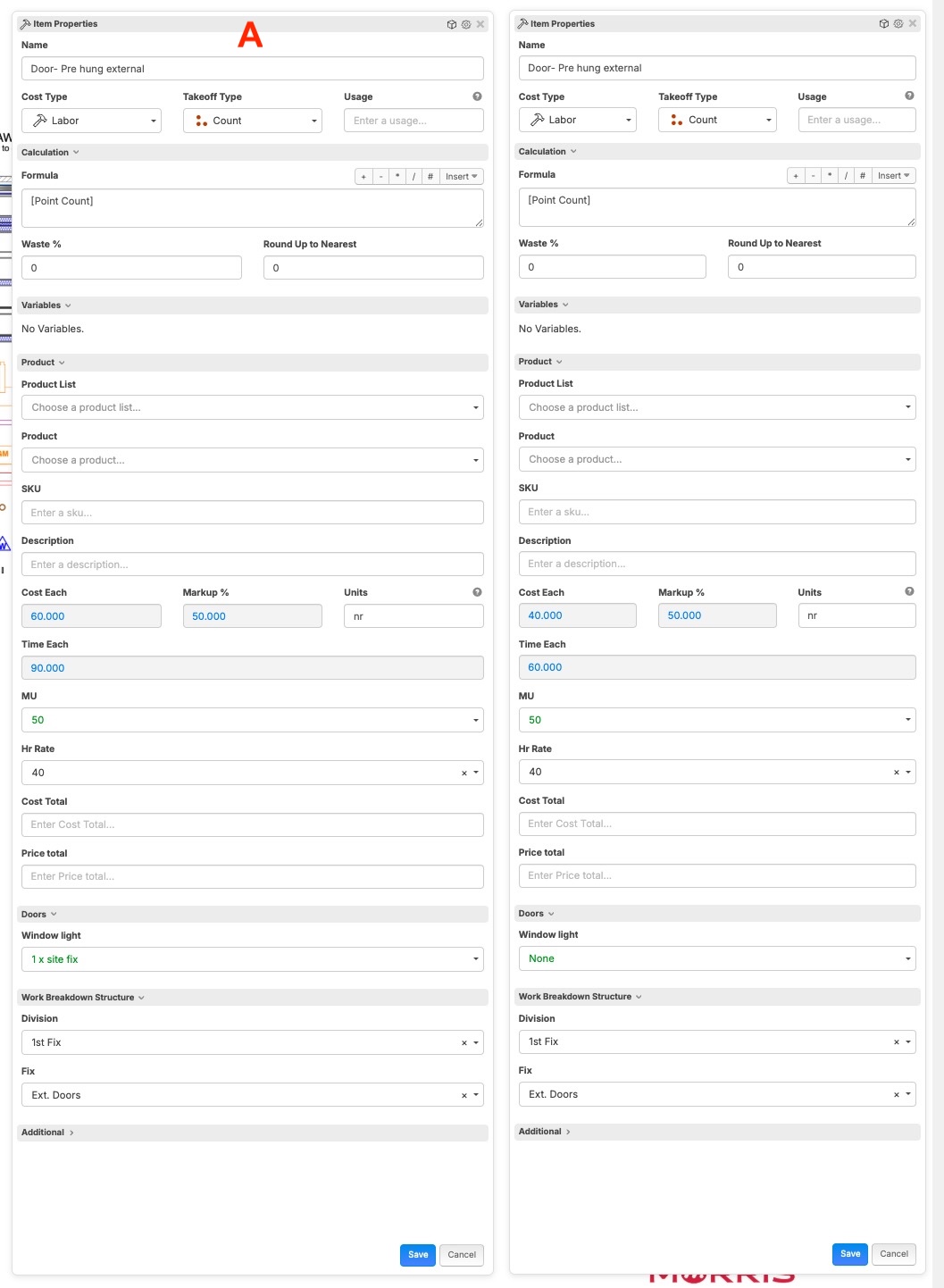
Result in report

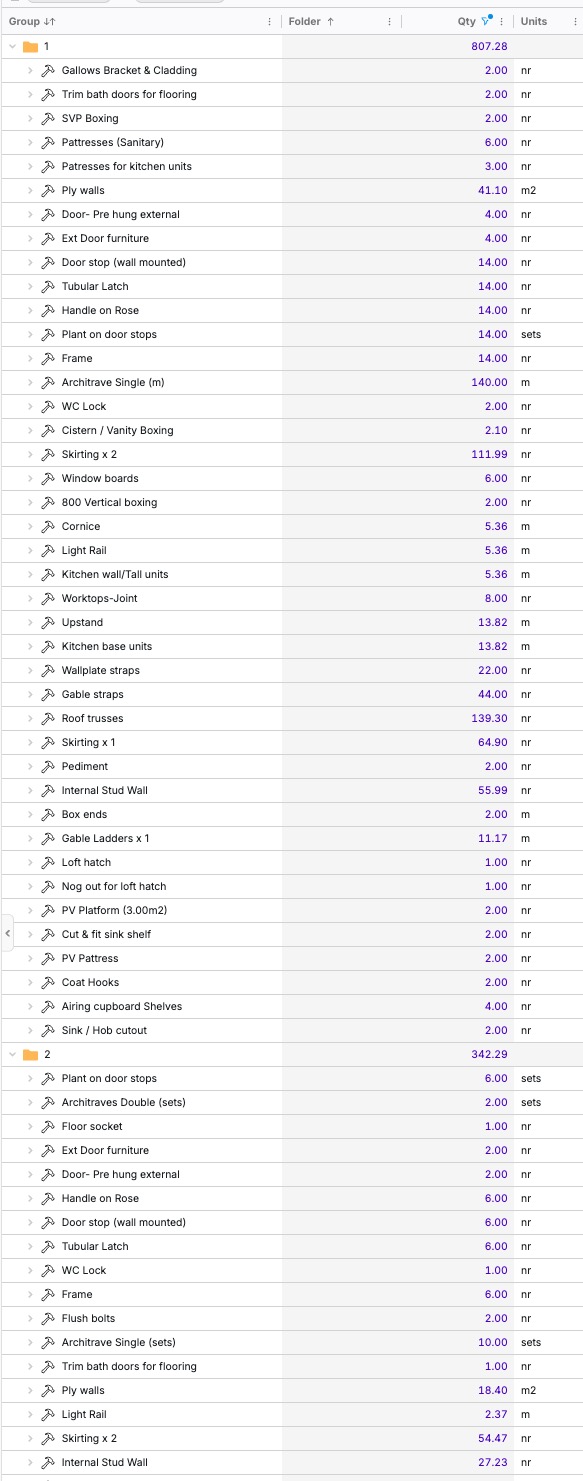
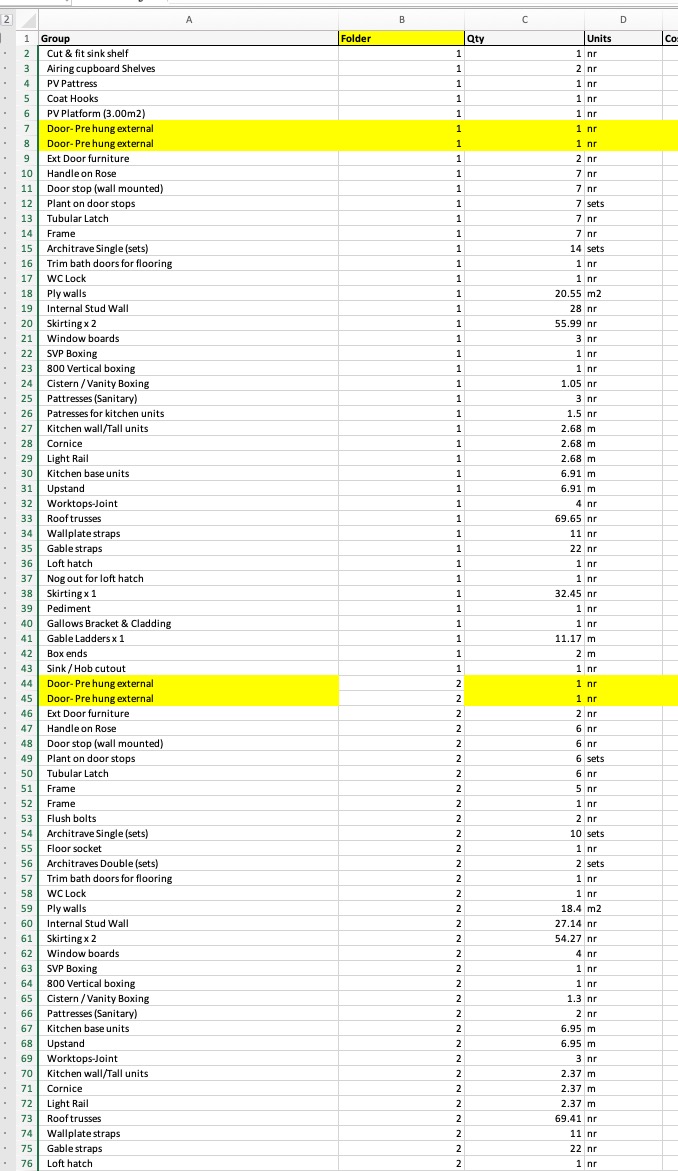
6. This one relates to the folder column in reports, I want the column to fill down the folder name the same as I have done in the 2nd picture on a spreadsheet
@Kevin which reports are you using for your one with the Folder column you want populated? Takeoff Report, Item Report, or Takeoff Tree Reports?
Item report but not sure which is the correct one.
Are these items such as "Gallows Bracket & Cladding" in a folder in your Takeoffs right sidebar?
Yes they are in folder 1
Can you share a screenshot of the Takeoffs right sidebar with these items under the folder?
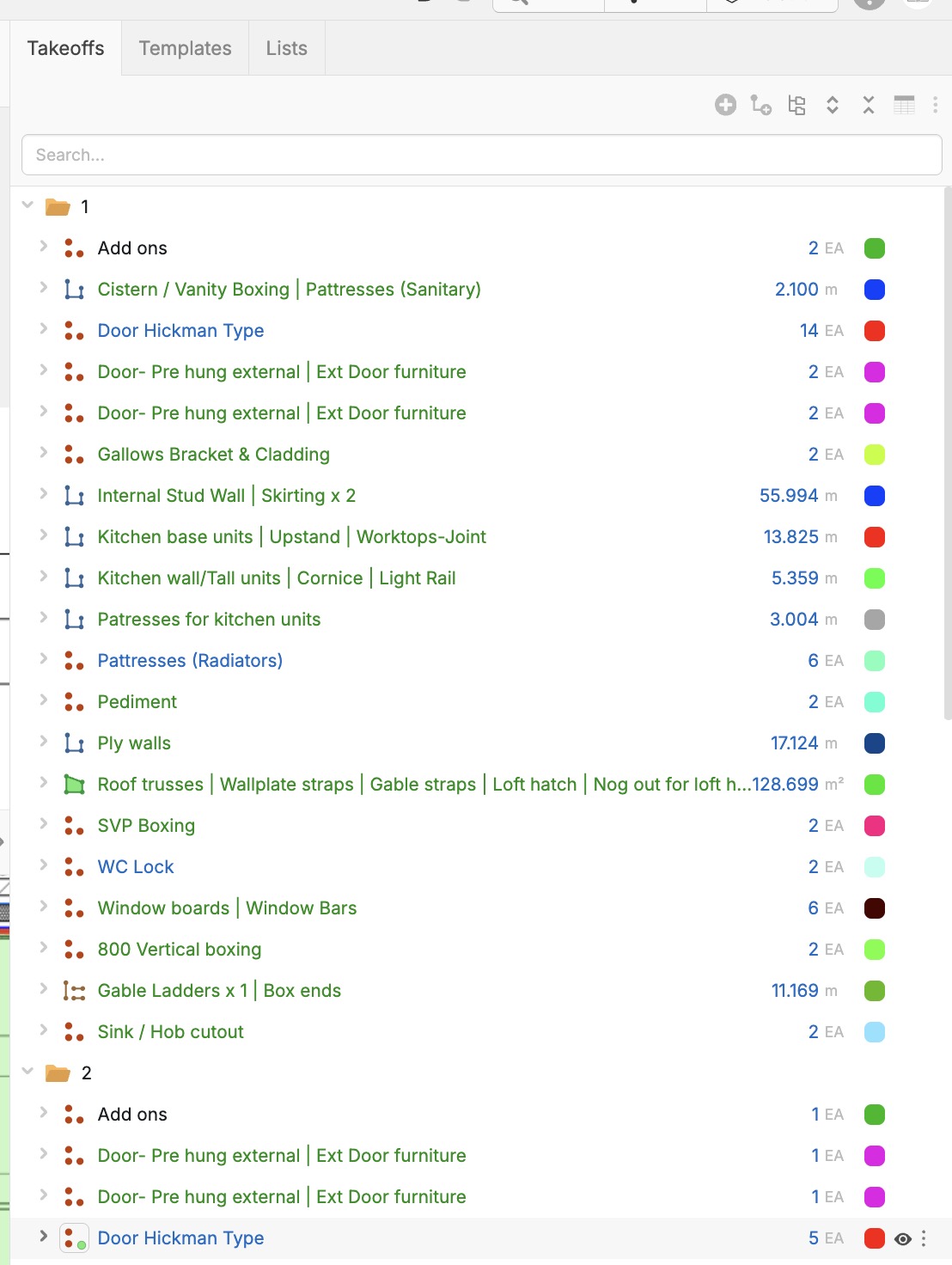
You should be able to have a custom property like FolderName and set it to show up on Takeoffs only, and set a default Text with Tags value of [../Name] . This will make it so on your report, if you click Columns and show FolderName, then that will show the name of the folder for each takeoff.
Thanks Stephen, Is there any way I can batch that or is it one by one?
I believe you can do it from Reports, just click Columns at the top and then check the property name you want to see. You can copy a cell, and then multi-select cells and paste.
👍1Hi Stephen
I have had a play around with this and it sort of works but does not work for my current templates so would require a load of work updating them all as there is not a mass updater yet,
but can I request an update to folders as I think it is an important way of grouping, unless there is a better way I am missing?
Folders need to be a property I can create or select from inside a takeoff, if i move a takeoff from one folder to another the property should update, If the takeoff is not in a folder and I select one (The property should be a dropdown list of all the folders in the current project)or type a name in the property it should create the enclosing folder.
They also need to show in reports at item level, they currently only show at takeoff level
I hope that makes sense and you can help😘
👍1