











Resize Nodes / Auto Size Legend
We're working on some improvements to how objects get resized, including auto size for the legend.
Try it out at this URL (using your Test Server credentials) and provide feedback below in the comments:
https://computed-nodes.feature.zztakeoff.com/app
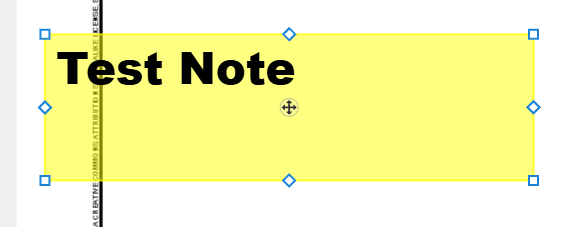
Now, when you select a note, instead of 2 nodes, you get 8:
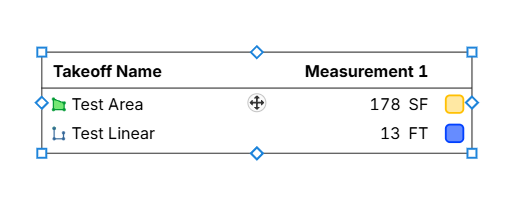
Legends automatically resize the height when you add new takeoffs:
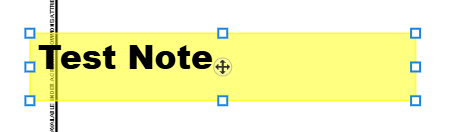
On the rectangle shapes such as legends, notes, and highlighter boxes, we have square nodes on the corners. This is different than the round nodes we have on an area, linear, etc. Any input is welcome on if you like or dislike this.

Works great, looking forward to being able to do the Same on Areas and Linears with Width to adjust the Width
👍3
If this were to be brought to areas and linear takeoffs I think having these new nodes would need to be something other than diamonds or the arc node would be something different.
If memory serves me correctly, I think OST has flatter rectangles/bars for this (wild I already hardly remember what OST looks like at the granular level considering I used it for nearly 10 years).
Shameless plug to a previous related feature request: https://www.zztakeoff.com/app/community/feature-requests/add-a-midpoint-vertex-along-segment?source=userProfile
👍2
Thanks for the feedback. We just deployed another update:
1. We swapped the nodes to all be square instead of diamond on rectangular resizable objects (eliminating the confusion with arc points):
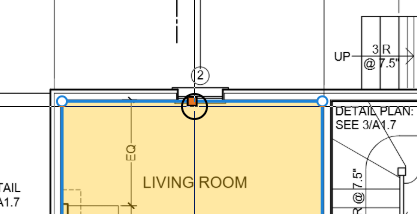
2. If you select a section and then hover over one of the segments, the midpoint becomes visible as a draggable node. You can click & drag it to extend the area (or linear), or you can click to select and use arrows to move specific distance. This is handy since you can double click it to create a point at the midpoint as well.
:
3. Bonus: thanks for the reminder on the extrude request. If you hold CTRL before you start dragging the midpoint node to extend the segment, it will extrude instead.
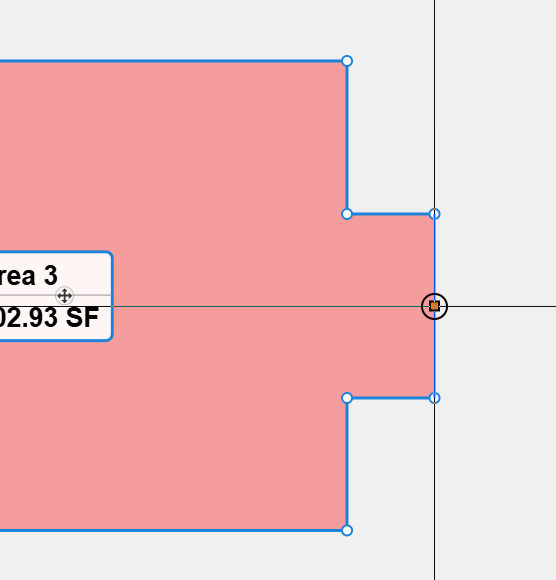
This is working beautifully and exactly how I envisioned it for area takeoffs. I really like the visual feed back of the line changing color, but it doesn't automatically change back when you release.
Linear takeoffs on the other hand might need some tweaking. If it is a single segment linear that is selected the middle node isn't clickable because it's covered by the move handle. Maybe that's fine and as intended, but I like that the mid-point node snaps (both orthogonally and to other snap points) and it might be nice to be able to click directly on this node to create that midpoint.
👍2@Victor Regarding having it not automatically change back when you release, that's because the segment is actually selected. You can use arrow keys to move the selected segment an exact dimension. We could maybe make some options to adjust that.
Hmmm...maybe we just make the midpoint selection only available if there are more than 1 segment on the linear?
👍1