Page Stitching
We're planning to work on stitching multiple pages into a single page soon. We have some ideas how to make it work, but we're interested in your input if you have any wishes for how it should work.

Can I send you our plugin/can you access it? It's not perfect, but it's a start........
👍3😜1
Align by points onthe pages is probably most reliable, especially when dealing with site drawings. At least 2 points should orient and align pages in different rotations or scale.
👍1
@Justin That would be great! With your permission we could use it as a reference while we build our version directly into the core software.
👍2As long as you don't tell anyone.......
@Heber Let me know if you can pull it yourself, or if I need to get the package from GitHub and email it over. Also, know that I am pushing an update shortly......
😂2@Justin we can access it from our end 😊 So you don't want us to tell anyone because it's so good or because it still needs work? 😂 (we haven't checked yet)
👍2😂2
I was just stitching together pages in Bluebeam and I hate my life. I literally was talking to Justin H about this topic today. This is magical synchronicity. LOL
👍2😂2Just curious, do you generally have to rotate the pages you stitch or are they generally the same orientation?
We are rotating constantly...... Arch/Struct plans are "normally" straightforward, but Civil plans rarely are.
👍2Heber, here’s my wish list from someone who just spent the afternoon stitching civil sheets in Bluebeam.
Mission one: match Bluebeam’s speed. Pick two points on each sheet, align, paste, next sheet. Fast and simple beats fancy.
Mission two: let the AI do it. Read the civil set, find the demo plans, read the match lines and key plan, and stitch them without me. Build it so Claude can run it through MCP, and I only adjust what’s off.
What I want:
- Stitch only the plan area inside the match lines. Leave out title blocks, notes and legends.
- Show the legend in a flyout or pin it to a corner so I can see it while I take off. Legends are nearly the same on every sheet, so one is enough.
- Slip sheets just work. When a new revision comes in, the stitch rebuilds in the same spot and my takeoff stays put.
- Align with two points for scale and position. Skip rotated sheets for the MVP.
- Keep the source sheet behind every takeoff on the stitched page, so page references still point to the right drawing.
Start with civil. Demo, grading, utilities and site plans have clean match lines and few surprises.
When we do have to rotate it, it sucks so I would say 98% of the time it's matched orientation.
👍1@Heber, it does ok. Needs improvement, for sure, but you guys are actual programmers. Tell the world that we are making it better together!
🔥3🚀1We have a preliminary version available to test at the "Test It" button above. It creates a new page using the vector data of the pages being stitched. We are planning to add more sizing/alignment options, but this is a good start. Any input welcome.
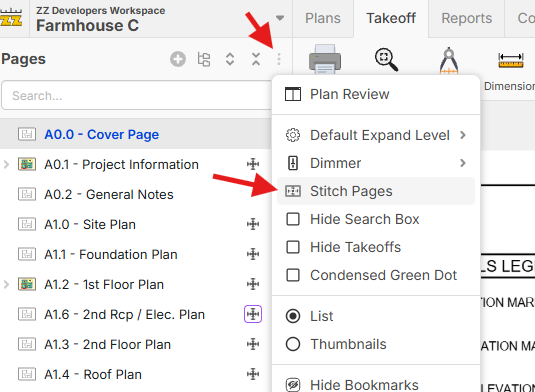
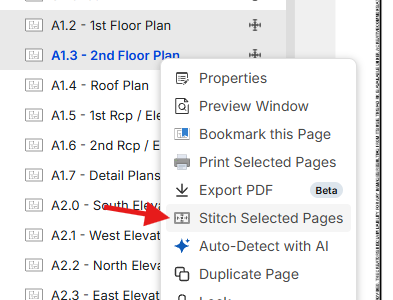
If you multi-select pages in the left sidebar, you can also right click and have an option to stitch the selected pages:
It does not auto-stitch (with AI) yet, but it will in the future using the MCP.
👀2🚀1This seems odd, but I can learn new things......
I would expect to select the sheet that I want to move to the "base" sheet. From there, I would pick two points from the sheet that I want to align/move to the base sheet. Point 1 from the first sheet would correspond to the same point 1 on the page I am aligning to, and so would point 2. The point selection seems backwards as is. I select points 1 & 2, then I have to pick the second point first on the "base"?
When I want to move my "next" sheet, I select it, then pick points 1 and 2 from it, then pick the corresponding points on the base sheet, and the selected sheet moves to the base. It always seems to move the sheet I originally moved and doesn't let subsequent sheets move to the "base."
👍1I played with this again this morning. As long as everyone understands that page 1 is your "base" sheet that you want every other sheet to align to, I can get behind that. The points still feel backwards to me. Though, I am only one opinion.
@Justin Thanks for the input. This is just a start point. Maybe what we have as "align" needs to be a separate type of alignment called "Continuation Line". The "Move" command works the same way move does on the main canvas which some users may think of as "align" (first clicking point on the object/page to move, then clicking the point you want to move it to), so we'll test some more and put out some updates.
👍1Wow! I played with it, and the workflow is amazing. I can stitch faster in this than in Bluebeam. I love how you select the pages then those are the ones we're doing, boom go do it, you nailed it. I need a hotkey for cropping, but other than that gold. I tried the alignment feature and didn't like it, as moving worked fine for me.
Now when I saved the file that's when it went "bad." Main problem is rendering, as I had 15 sheets, and it just sat there and was really laggy to re-generate while moving around.
Also like to see a "Scissor" symbol next to the page, so people know its stitched. I do wonder what happens when we slip sheet tho, as I have not gone that far testing yet.


Cool feature!!
We added some additional alignment options, and did a few misc bug fixes. @Justin I think the "2 Match Points" option is what you're after. We can add more ways to align easily as well if needed.
@Kyle it also shows a more distinct icon for the pages that have been stitched. Regarding speed...hmmm. That's a lot of point data. We'll work on tuning as much as we can.
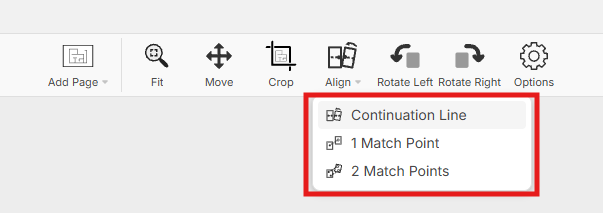
That's what I was after. I'm assuming that in the stitching, it defaults to the scale that was set during job setup/import, so we shouldn't have any issues with mismatches? What if the sheet wasn't scaled? Could it move, rotate, and scale?
Can we integrate the arc functionality into the crop tool? What about those who want to get crazy and go freehand? My hands are not that steady anymore, so I don't see it for me.
I ran into one today where the profile view of the first sheet didn't match the subsequent sheets. Can we "split" the view so that we can have the profiles aligned?
For takeoff purposes, when we do our takeoff on the stitched sheet, I would like to print the takeoff on individual sheets as well so that we can give that to our field team. Can we print each sheet and be able to have the objects (I forget what you are calling them these days) and legend that pertain to that sheet only?
You guys are killing it!
👍1@Justin Good feedback. Hmmm...regarding printing on the un-stitched pages, that may be a little tricky but we'll discuss internally. This may impact how we go about this. Currently it's actually generating a new PDF file with the stitched pages, but if it needs broken back down at some point back into individual pages for printing, etc., we may want to track them as separate pages (just visually merged but not actually as a new PDF page behind the scenes). There are pros/cons for each method.
👍1Heber,
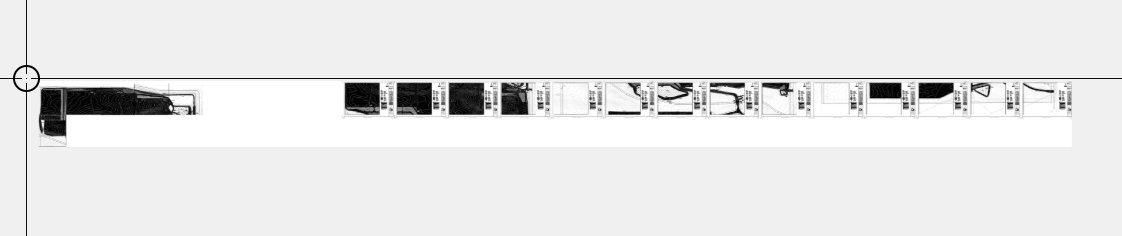
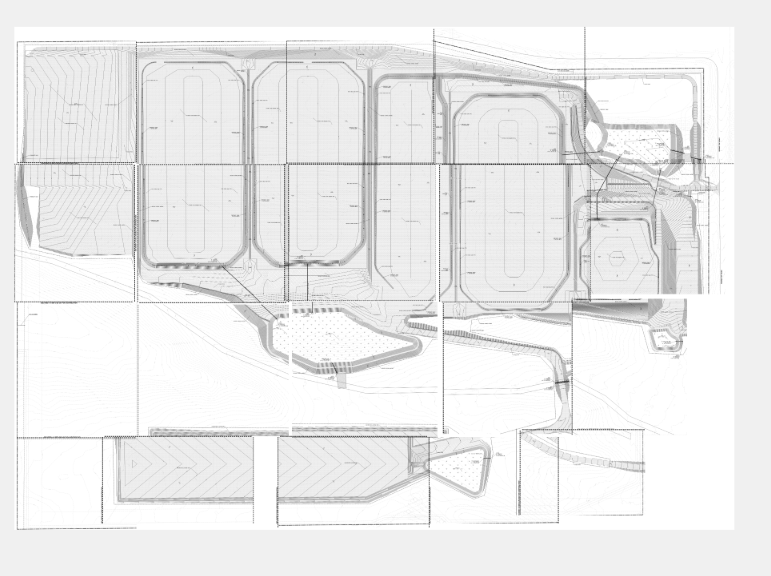
Initially I didn't finish stitching it and it looked like picture 1. And it was really laggy, right, but then I'm like, "Well what if I finish it?" So I finished it in picture 2. It's the same drawing. It was like 15 sheets. For some reason the finished one worked fine as far as lag. So it was just me, the user, who didn't finish it. So no lag now with no rendering issues now that I finished the stich, vs that long page 1.
Now the thing that didn't seem to work is that I just wanted to edit my stitch pages, right? I wanted to edit picture 1 below but it won't let me edit it. I had to make another page, which is not good. We've got to be able to go in. Oh crap I had a match line off. I want to adjust it. We need to be able to go back and adjust it. That is my problem now.
Cool symbol, that works :)

PICTURE 1
PICTURE 2

@Heber,
The stitcher that I (AI) created has the ability to print plans solo again. The plan view is just a copy of the merged plans; you can't edit them.
it works by adding a break line between the plans and then the program knows where the line ends and begins on each plan.
you can also right click plans and unmerge them should you need to rearrange it.
Shoot me an email if interested in anything.
Pay no mind to the program name. lol. I needed to call it something.
👍2A Pivot point might be better than putting in a percentage amount. My opinion.