










 Inside Track
Locked Object Behavior
We are improving how locked objects behave (including the imported PDF hyperlinks).
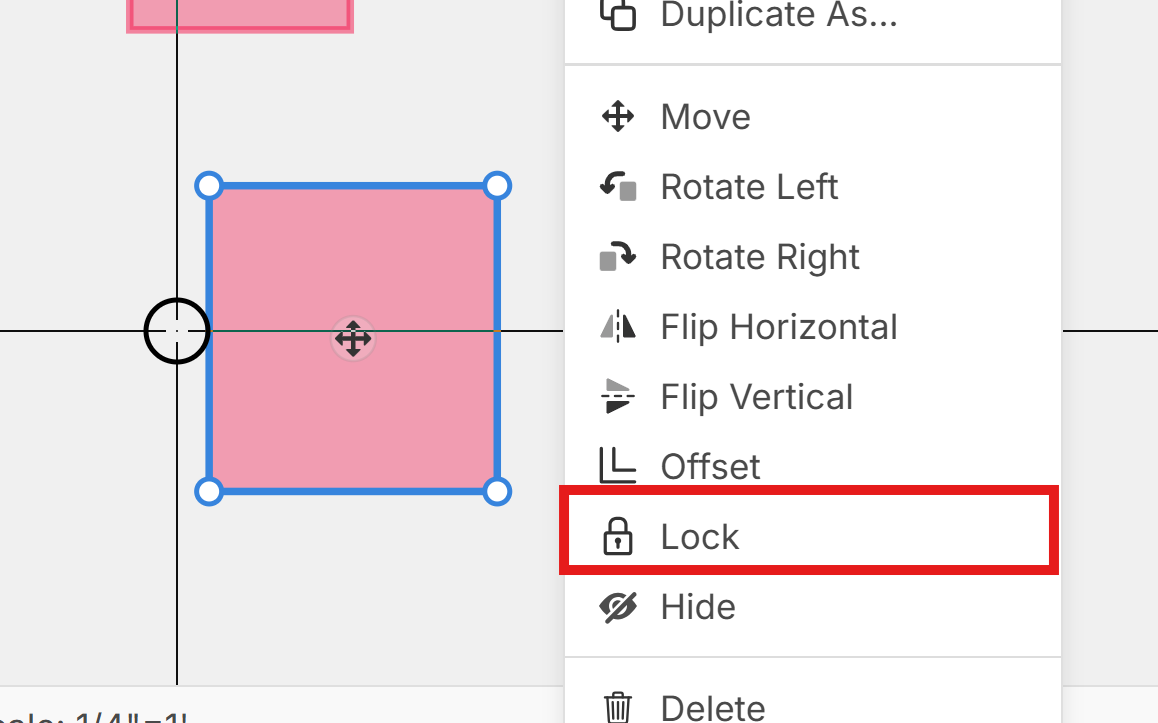
What behavior would you like to see when an object is locked?
1. Dragging a Selection Box - we're planning to fix so that the object does not get selected by selection box
2. Ctrl + A - do you want it to skip selection or include when pressing Ctrl + A (typically selects all objects on the page).
3. Direct Click - do you think it should skip selection even when clicking directly on it?
4. Right Click - maybe the only way to select a locked object is by right click (so you can see the menu to unlock it)?

I'd like to see a feature to skip the links or hide links when uploading plans, I've been selecting thru Ctrl+A, unlocking the pdf hyperlinks, then deleting as they aren't useful to me. Just a burden when you accidently click and takes you to another page, also that is shows as there is take-off on the pages when you've added nothing basically making that feature useless since most all pages now have links automatically added. It's now just part of the process when uploading, but it's a step that shouldn't be necessary.
Other than that, I've not used the lock function.
👍1
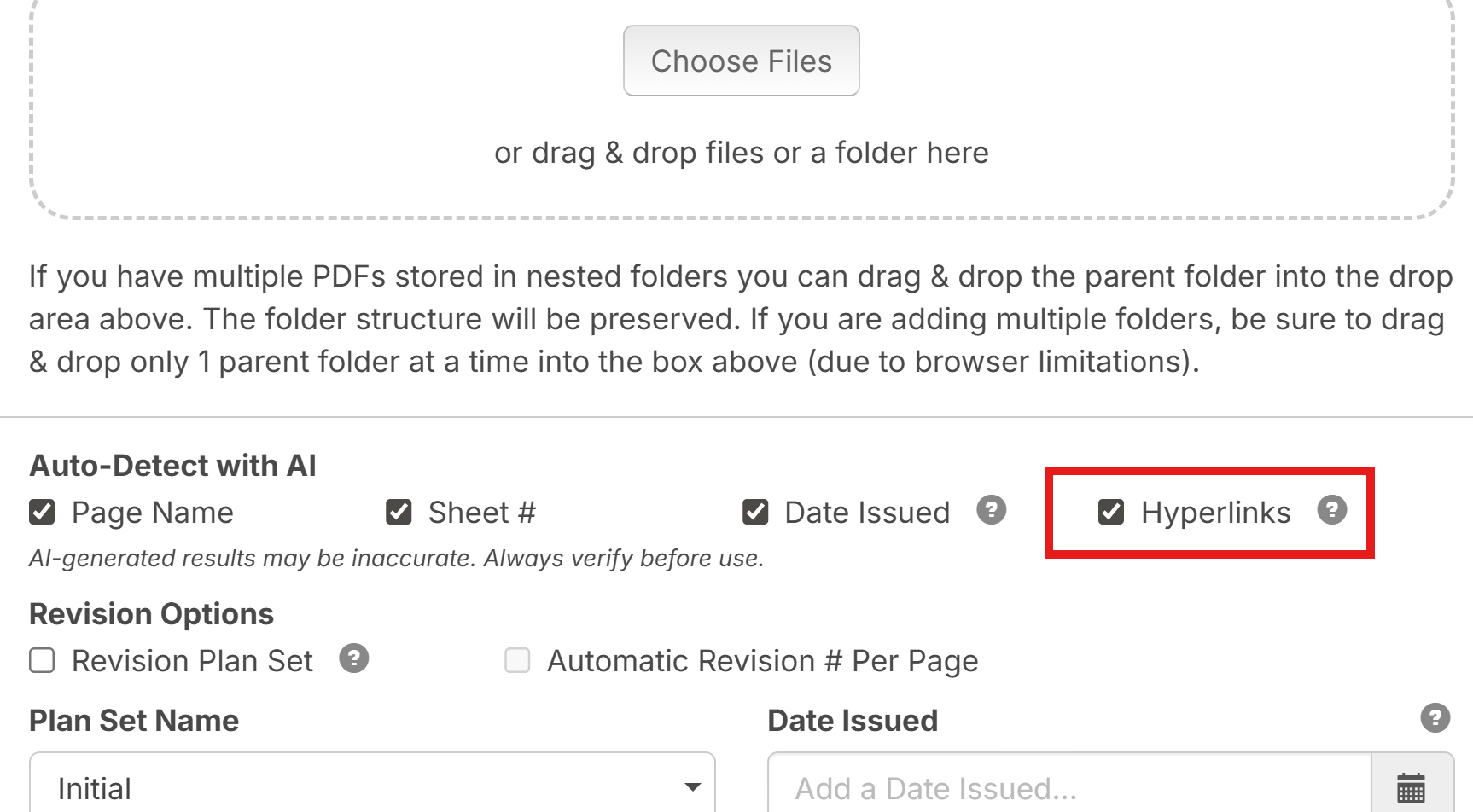
@Tim Thanks for the input. We recently added a checkbox here. If you uncheck "Hyperlinks" it will not create those:
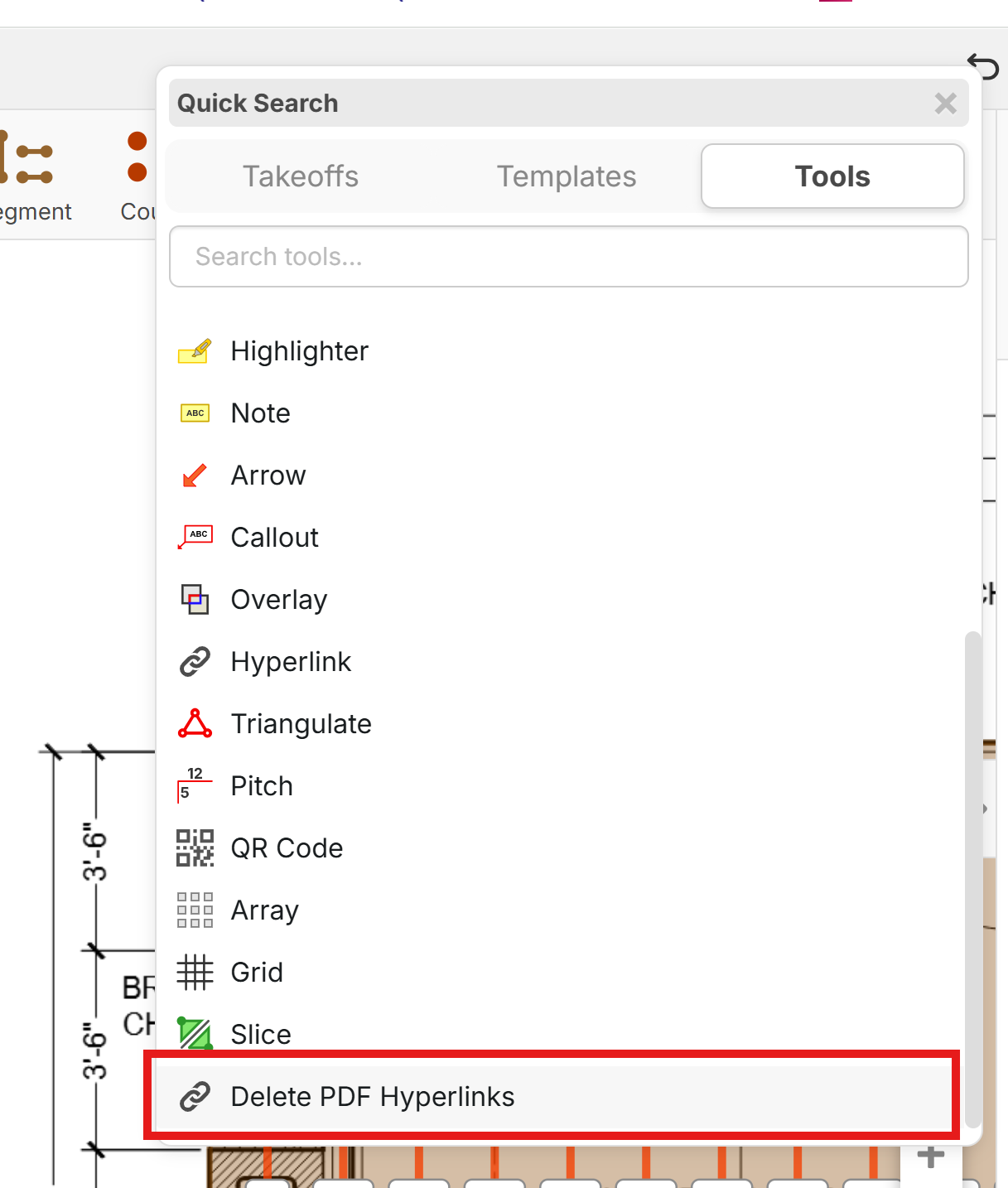
Also if you have a set of plans and you want to wipe out all the hyperlinks you can press the / hotkey and search for "Delete PDF Hyperlinks".

Hi Heber,
Locked objects should behave as non-interactive / protected, and only accessible via right-click when needed.
👍3%22%2F%3E%3Ctext%20x%3D%2232%22%20y%3D%2233%22%20text-anchor%3D%22middle%22%20dominant-baseline%3D%22central%22%20font-family%3D%22Arial%2C%20sans-serif%22%20font-size%3D%2226%22%20font-weight%3D%22600%22%20fill%3D%22%23fff%22%3EJ%3C%2Ftext%3E%3C%2Fsvg%3E "Jes")

I second Steve Golubov opinion. right click only.....make these things hidden....even to the point to give me a option when I import to "make transparent" so I dont even see the things.....I just know that if I click on a section it magically works :).
To add to what Jes said, I feel like they shoudl not even show up on the reports and hidden by default.
As another request, love to have a option when I make a new layer there is a box that says "copy hyperlinks too?" on by default.
💯1👍2