











Flood Fill Areas
We're working on a feature for flood fill in areas. This is early beta, and we're working on accuracy still. We're also interested in your comments for how to activate it, and the flow for the user.
Try it out at this URL (using your Test Server credentials) and provide feedback below in the comments:
https://flood-fill-updates-2.feature.zztakeoff.com/app
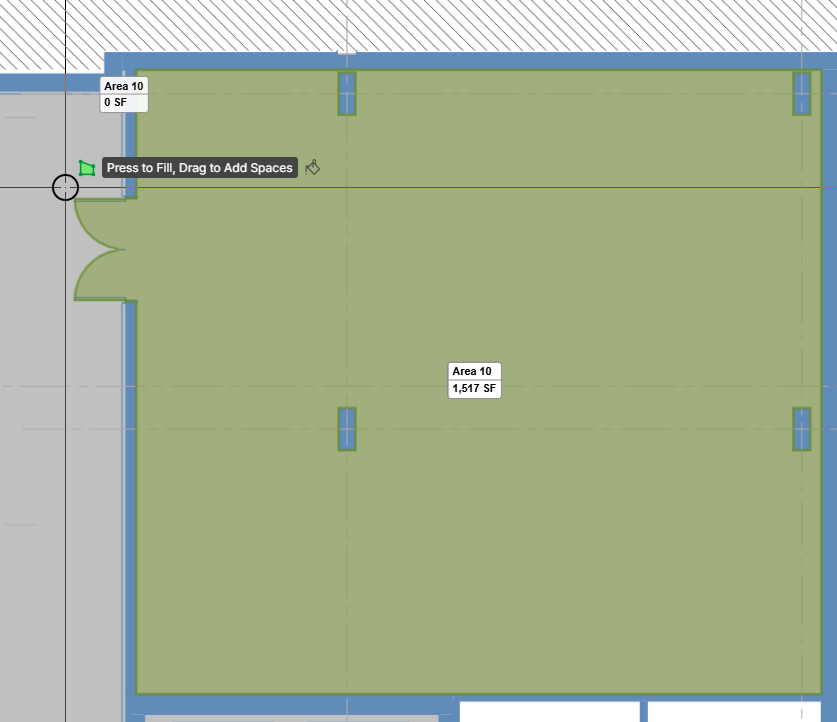
To activate it, press the Flood Fill mode button at the bottom when you are in the middle of drawing an area:

Then when you hover over an area it will show a potential area to fill:
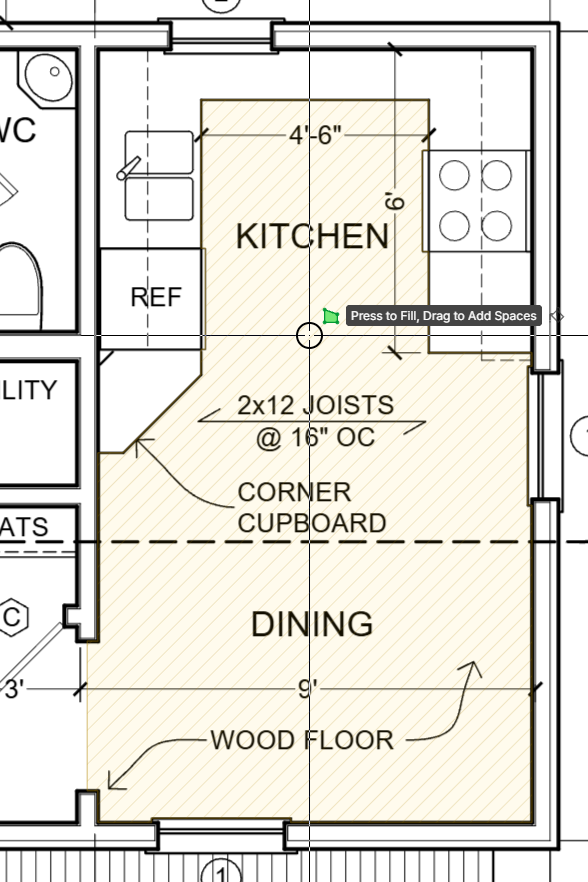

one issue I can see just by looking at this picture is that most architects want materials to continue under millwork. Not sure if you can make that be an option or not. Also is the hatching shown going to be an added option?
👍3
@Nik Good point. We could maybe make an option that forces it to go to walls. We are doing some detection of doorways as well, so might not be too difficult.
👍1
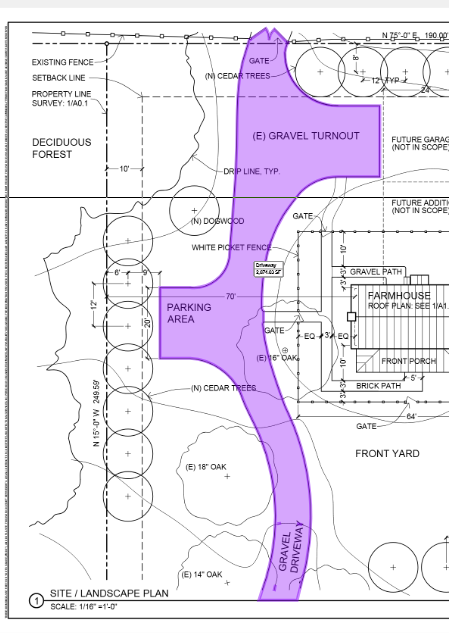
I've seen this work semi-well for Architectural plans, but it lacks when it comes to Civil scopes such as concrete and asphalt. I am excited to see this develop!
👍2@Justin We've got it working pretty good for curves like this driveway and other odd shapes, but yes, it will need a lot of tuning to make it work right. 🙂

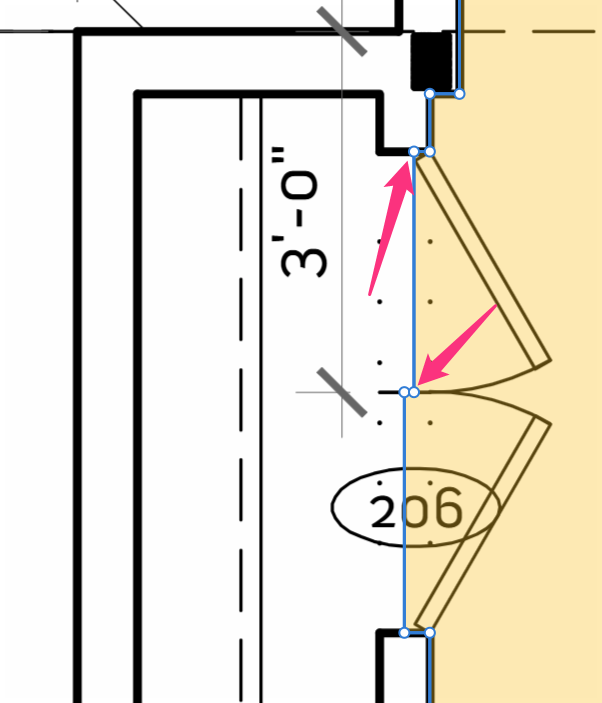
I think it's really nice that it goes to the center of the doorways. But I did find one where it didn't quite get it right for a double door. (one door is mid-door way, but the other isn't)
This is on our Smith Residence plan - 2nd floor (if you want to test it)
Another idea...maybe holding the ALT key while drawing an area temporarily puts the tool in Flood Fill mode without the need to click the Flood Fill button? Eventually these modes might all be obsolete. I know Kyle has been asking to get rid of them. Originally, we added "box mode" before we added "automatic box mode" (via click & drag even when the user is in point-to-point mode), so the need for these modes is diminished.
👍3🙏1👀1🎉1💯1❤️1🚀1😎1😜1
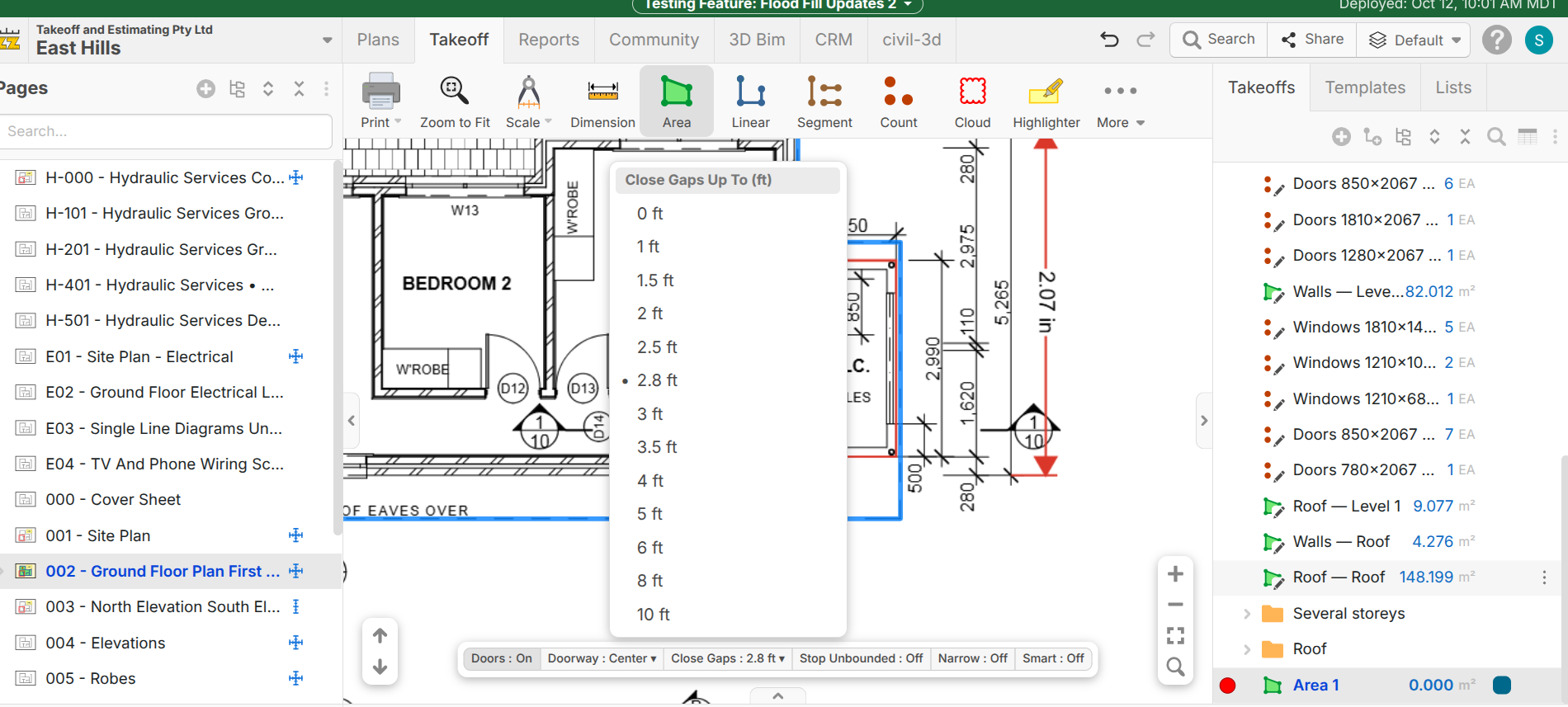
When Adding additional Sections for door Swing, The door Leaf is not added.
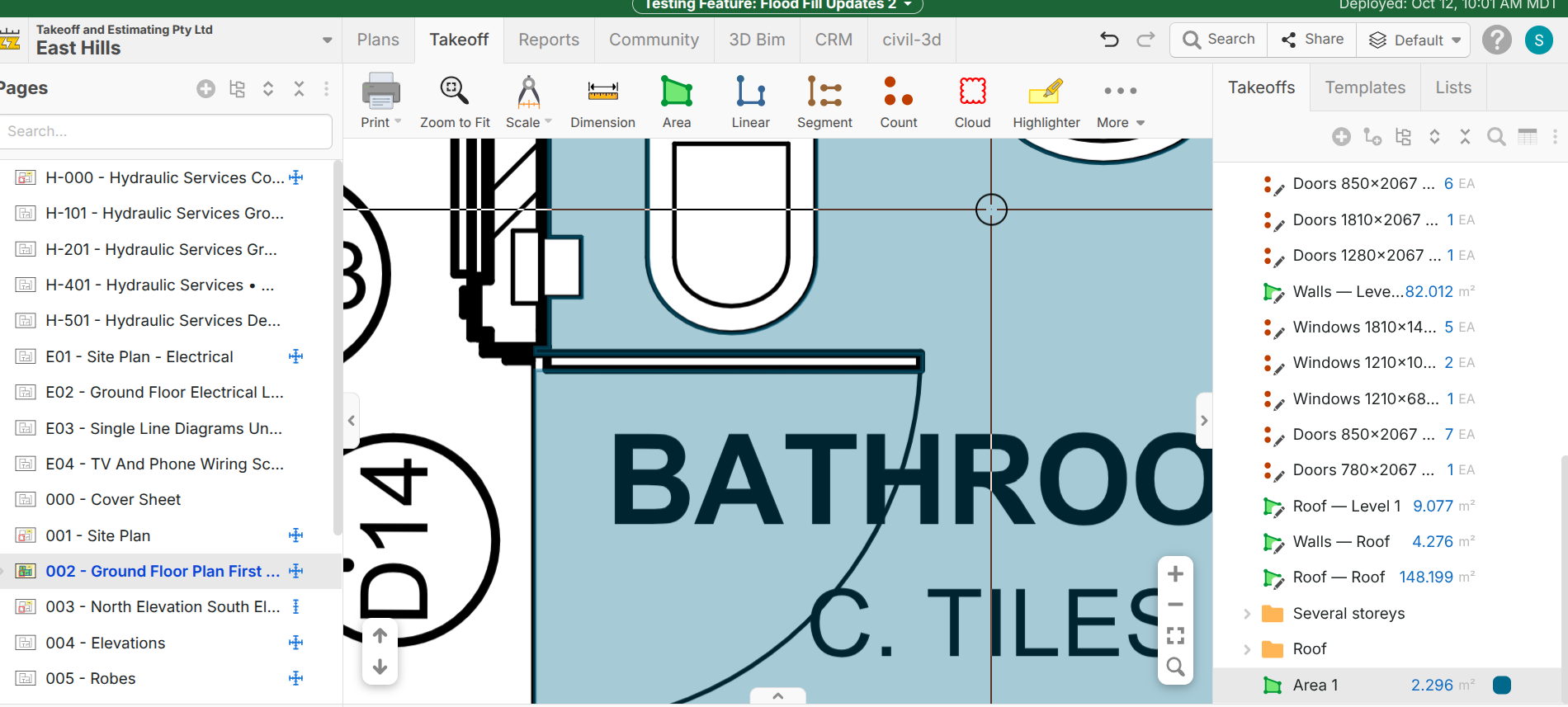

I want it to be smart enough that if I hold Control then hovers over that door below, it takes out the door. This feels like this one thing we could use with our Claude credits for so it's AI-smart? There are just so many variables here. If claude knows the context that we're doing it, the AI would assist the fill.
Now unfortunately, I got to trace a bunch of asphalt. errrr, till this gets deployed lol.
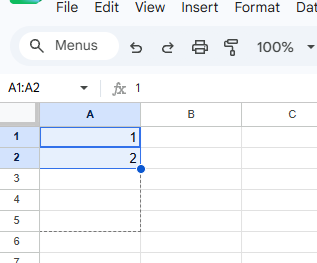
We have a terminology conundrum. We actually like "Auto Fill" better than "Flood Fill" but spreadsheets are starting to use "Auto Fill" (previously "Fill Down") for clicking the corner of a cell and extending it. Any thoughts on us calling this "Auto Fill" vs "Flood Fill" vs some other name?
There's tons of fear that AI is taking people's jobs. My advice is: don't ever use the word "auto." Remove the word "auto" from the ZZvocabulary. Everything should be "assist": area assist, my final answer.
👍3
Ok had a discussion with some smart people. We are going with "accelerated takeoff" for our problem we are trying to solve....... so how about "areas accelerated" as my 2nd final answer. Or more fun. "areas xcelerated"
👀1👍1