










 Inside Track
Collecting Input: Array Command
What options would you like to see on an "Array" command?
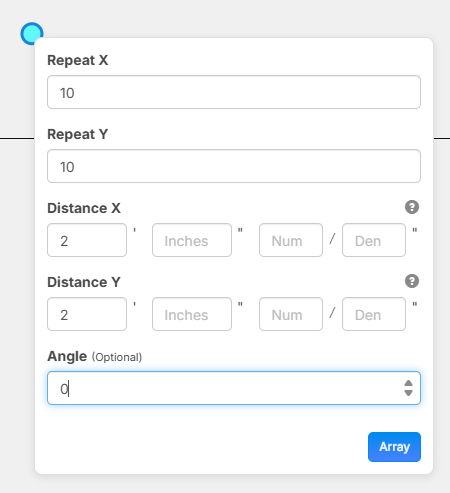
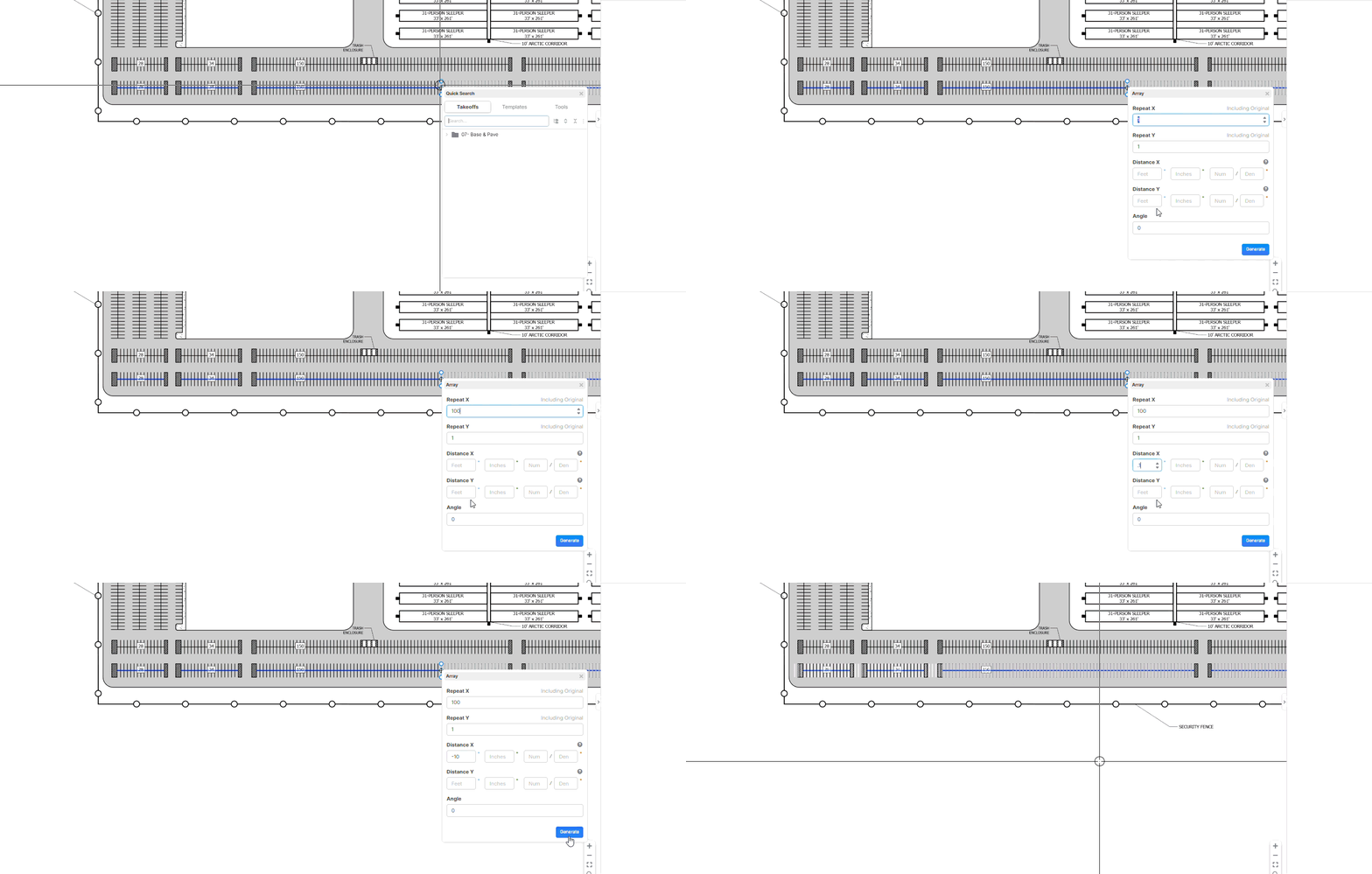
If you Repeat X 10 would you expect a total of 10 including the originals? Maybe the verbiage should say something like "Including Original". Any input welcome for how you would use this and any settings you would like to see here.
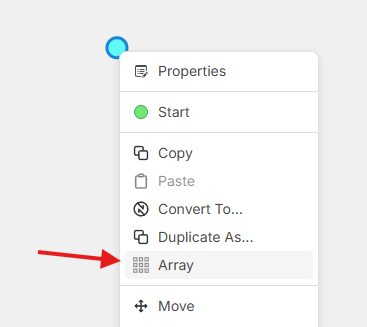
Inputs
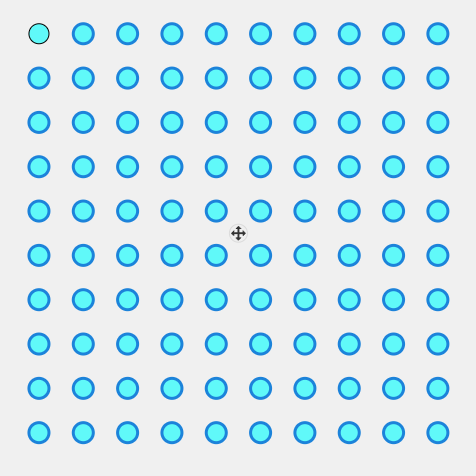
Final Result

I've seen this in another program, and it would come in handy for sure......
I know we could just move the array, but I think it would be helpful to specify "left, right, up, down" from the starting point? Being able to do this with the arrow keys, perhaps?
👍1

Thanks for the input. What is the highest realistic number of repeat X or repeat Y that would be needed? For example, if a user selects a point count and duplicates it 100x100 that's 10,000 points and that will take a while to save and hammer our servers pretty good. What max do you think is realistic?

Hi Heber,
I would not let users go anywhere near 100 × 100 by default.
For a construction takeoff workflow, a realistic max depends on what is being arrayed:
For most normal use
Linear repeat X or Y: cap at 200
Grid array: cap at 50 × 50 = 2,500 instances
That already covers almost all real-world estimating cases without being silly.
My practical recommendation
Set two limits:
Soft limit
Warn user once they go above:
100 in one direction
or 1,000 total instances
Hard limit
Do not allow more than:
250 in one direction
or 2,500 total instances
That feels like the sweet spot.
Why 2,500 total is realistic
In your type of work, users are usually arraying:
piers
pads
trench points
setout points
repetitive footing elements
grids for layout
Even large residential or light commercial jobs usually do not need 10,000 individually saved duplicated objects from one command. At that point it stops being normal user intent and starts becoming either:
accidental input
misuse
or a case better handled by a smarter pattern/reference object instead of raw duplication
Best product rule
I would use this:
Hard cap:
Max 2,500 generated objects per array action
Warning zone:
Over 1,000 generated objects show warning:
“This array will create 1,248 objects and may be slow to save.”
Absolute emergency cap:
5,000 objects max only if you really want to be generous
But honestly I would still prefer 2,500.
My honest recommendation
If this is v1, use:
Max Repeat X: 100
Max Repeat Y: 100
Max total generated objects: 2,500
Warning at: 1,000
That gives flexibility while protecting performance.
So even if someone enters 100 × 100, the system blocks it because it exceeds total object cap.
Even better for users
In the dialog, show live:
Selected objects: 12
Repeat X: 8
Repeat Y: 6
Total result: 576 objects
That will stop a lot of accidental server abuse before it happens.
My bottom-line answer: 2,500 total generated objects is the highest realistic hard cap, with a warning from 1,000 upward.
👍2🚀1
Would this be for a count only or could this also be applied to a segment line?
👍1@Camille This could apply to areas, linears, segments, or almost any other type of object on the page (including if you have multiple selected at the same time).
🎉1
%22%2F%3E%3Ctext%20x%3D%2232%22%20y%3D%2233%22%20text-anchor%3D%22middle%22%20dominant-baseline%3D%22central%22%20font-family%3D%22Arial%2C%20sans-serif%22%20font-size%3D%2226%22%20font-weight%3D%22600%22%20fill%3D%22%23fff%22%3EFR%3C%2Ftext%3E%3C%2Fsvg%3E "Fred Reykdal")
Can you add the option for a negative number in the repeat X and repeat Y fields? Right now you can only array to the right and/or down.
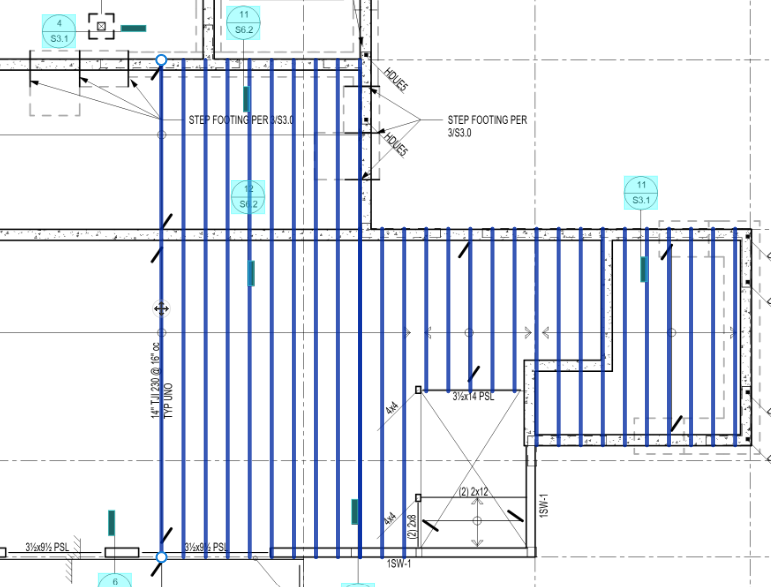
@Fred, I was able to use the "minus" key to make this happen.....

@Fred, I gave this a whirl again today. It is working for me when I use the array command from the "Spacebar" menu. Also, one of my estimators told me to just use the "arrow" key. I don't know why I haven't tried that, but it works well to. This made counting parking stall striping, and utilities slick today.
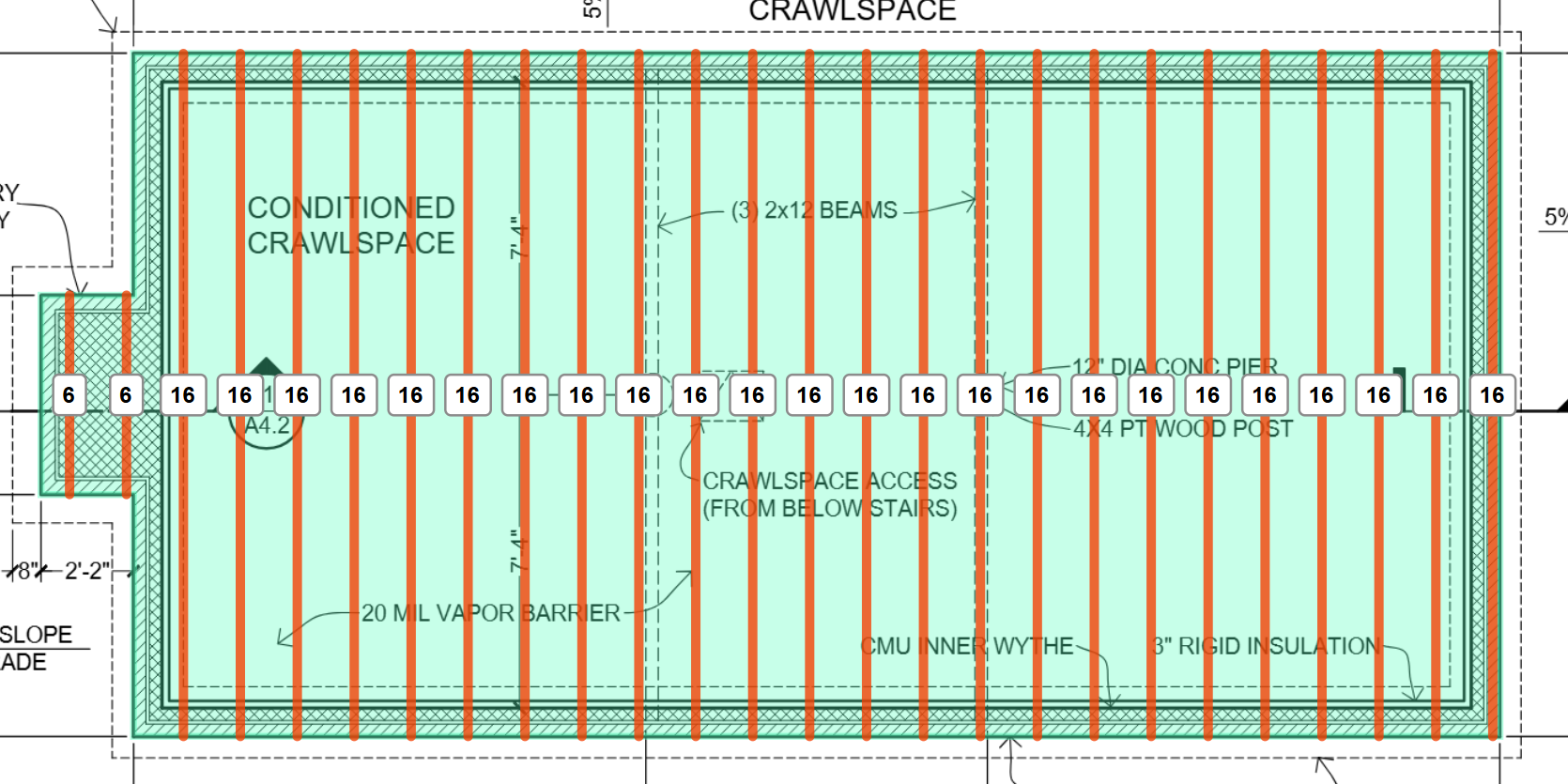
Good input guys. The next update will allow you to put negative values either in the "offset" or "repeat" inputs.
@Fred and @Brendon We also have a joist tool coming out in the next that will make what you're doing a lot easier as well.
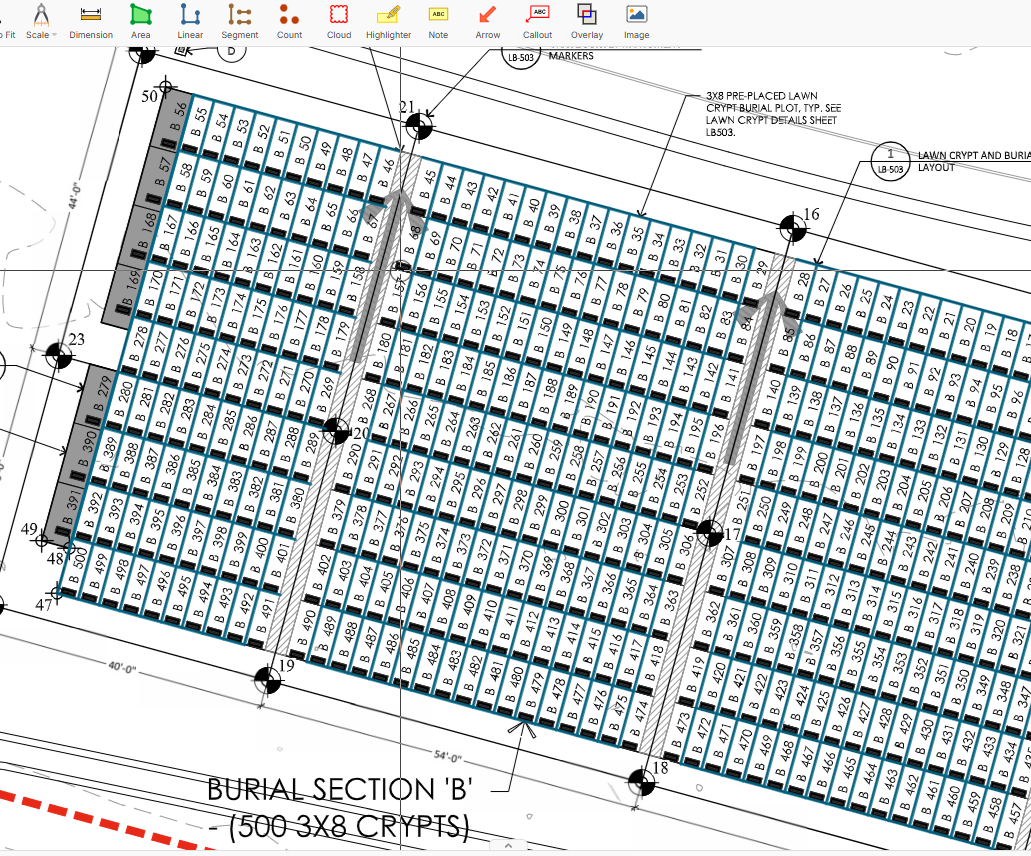
zzTeam, on this, I ran into one today, and I am surprised I haven't seen it sooner, but I need to use the array command for a "rotated" field. Rotating the object(s) after the array function is used doesn't work, so I am wondering if we can get a function to set an "angle/direction" for the array to "build".......

Thanks for posting @Justin. I'll mention this to the team. 🙂
As a workaround, if you are arraying Point Counts and want to rotate the selected objects, not the orientation of the counts, you can build the array, select the arrayed counts + an annotation (or linear/area takeoff), then rotate the selected objects. I'll also see if we can add an override key for the Point Counts to toggle between Point Count orientation and rotating selected objects.
In this case, I was using it on Lines, and that throws it all out of whack.
👍1