










 Q & A
Q & AWhat is an assembly?
I have some items in a folder inside a takeoff and I wanted the qty in reports to be the takeoff qty not the qty insider the folder so I thought this is probably a job for an assembly but when I created one and tried to add child items I found I couldn't.
Can you explain the use case for assembly's and any way I can achieve the desired outcome?

HI Kev,
Not sure if I understand what eactly you are looking for -- Can you go into Reports>Advansed Item Reports>Grouped by Item.
Let me know if this is what you would like to achive, cheers.

Hi Steve
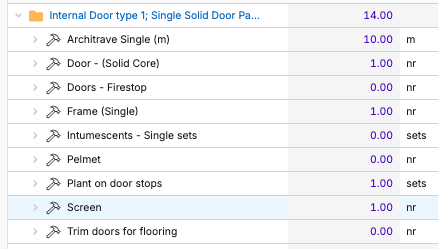
What I am looking for is the folder qty to show the takeoff count rather than the sum of qty withing the folder, so for example I did a takeoff and counted 1 door so on this screensot the folder should say 1 not 14
I understand you now Kev. I know there is away to do it but I havent learned yet. Hopefuly sombody will jump in and help you soon.
👍1
I think in your case you would not want a folder, but a point count assembly, with items that use that point count for its measurements.
Here I created two assemblies that are situations In the type one I have the items that would be non-zero. And in type two I just added more items that are needed. The governing quantity is the count of the doors. All of the quantities are part of the count assembly and use the [point count] quantity for their own quantity, so as you count more doors of type 1, all the counts will go up accordingly.
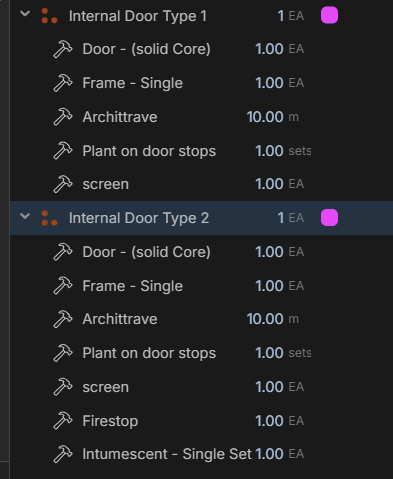
Does this help? or am I not understanding the question exactly?
Not sure how you want to get the architrave length, there are several ways to do this, I just made a custom variable inside that item for the length and then multiplied it by the point count. But this could be its own measurement as well.
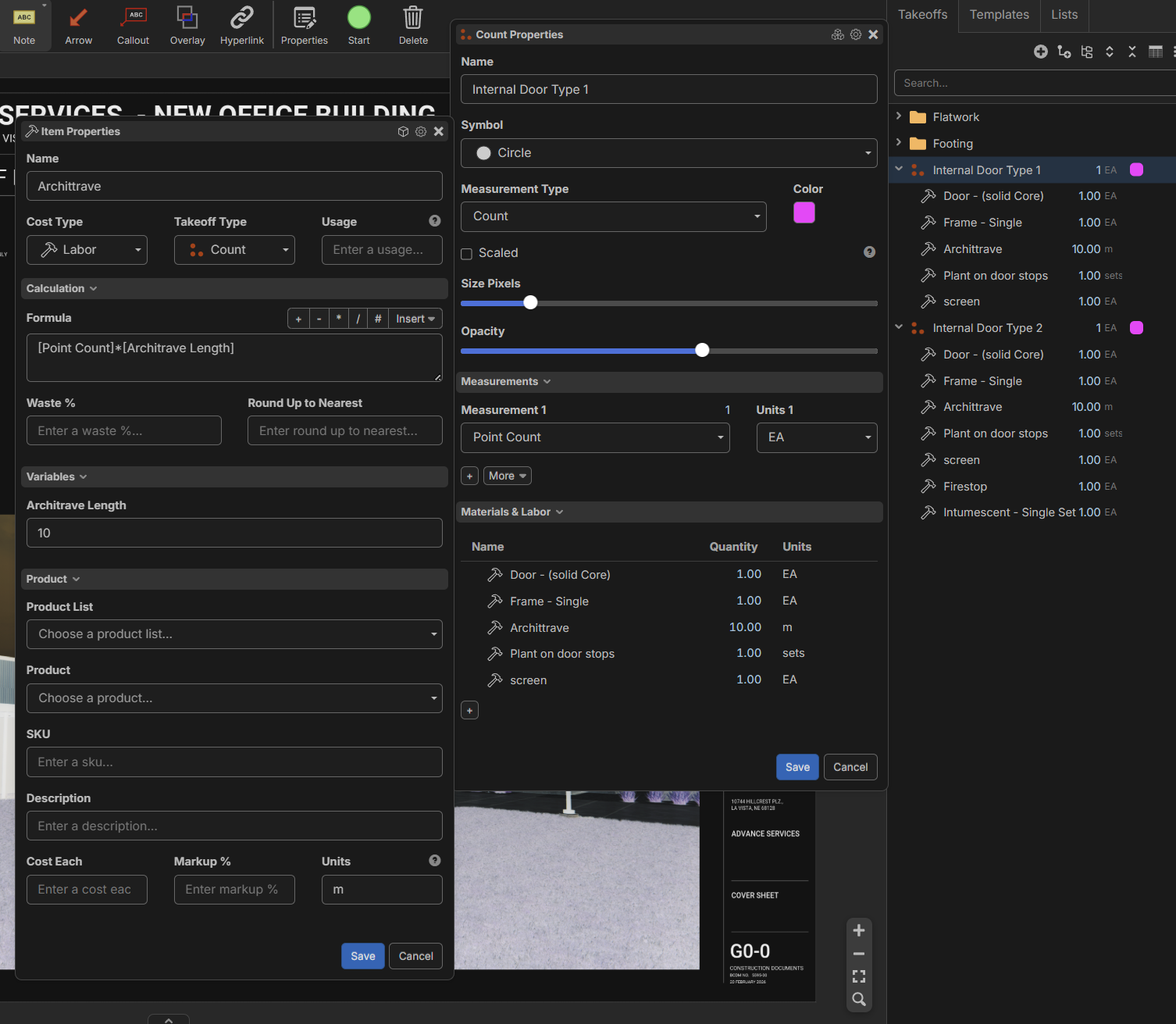
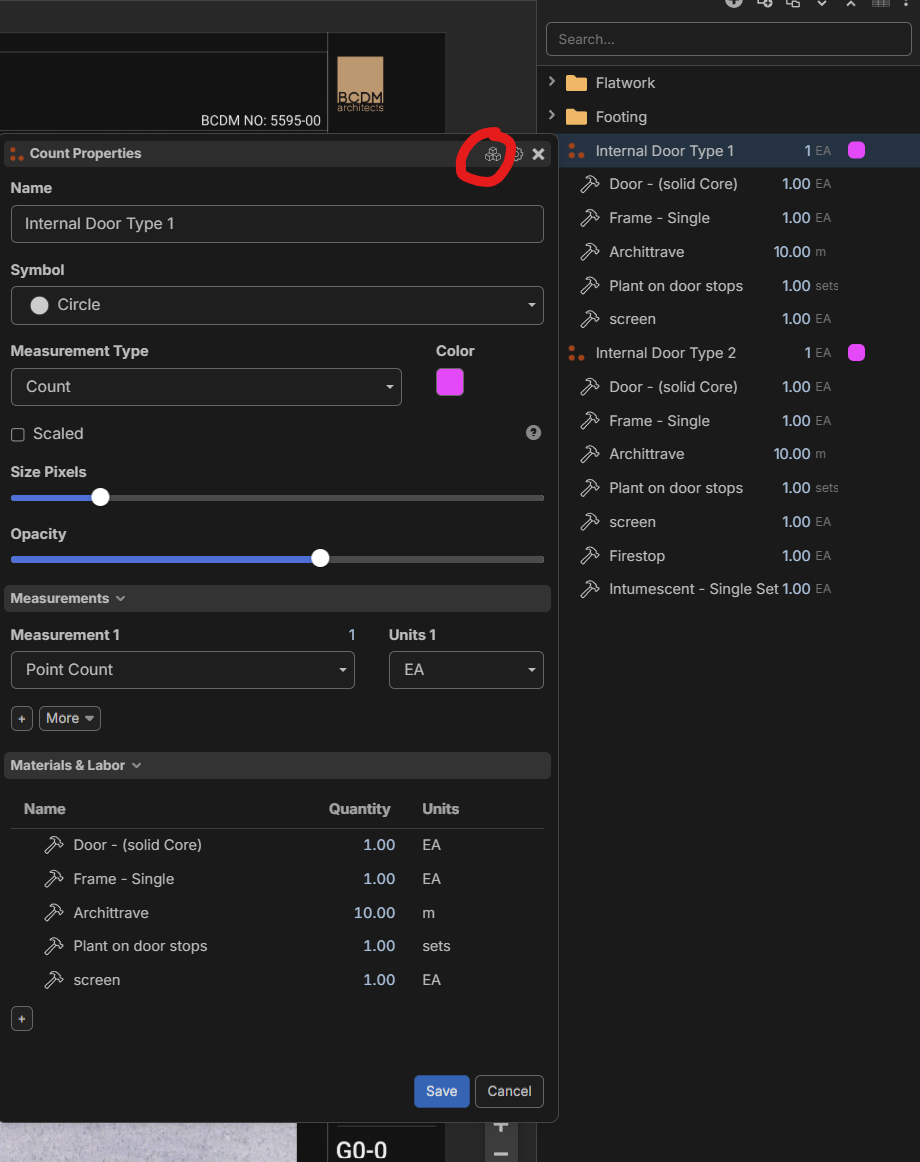
Make sure you are in assembly mode with this button here: (if you use assemblies more than items you can change the default take-off mode to assembly in the settings so it will always start in assembly mode)
Thanks for your help David, I have sort of got it as a point count but then got 2 subfolders , so maybe I should just change the folders to counts and add them as subitems?
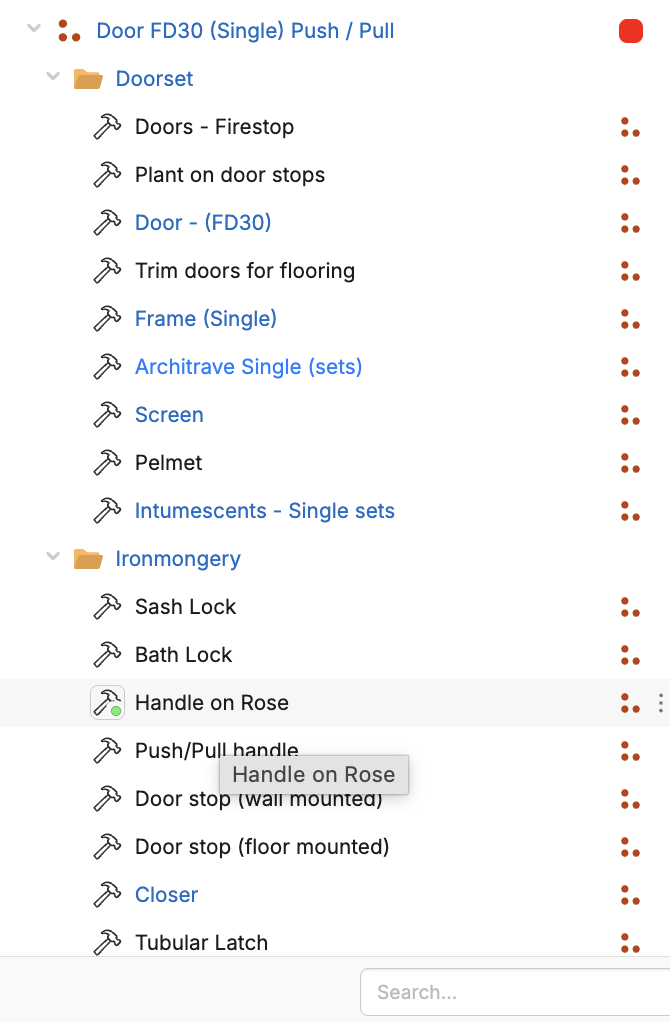
Folders in general will not have great summing up capabilities in my experience. It can be done, forced through custom properties, but it gets cumbersome.
What I have found more effective is to sum though a Manual Point Count:
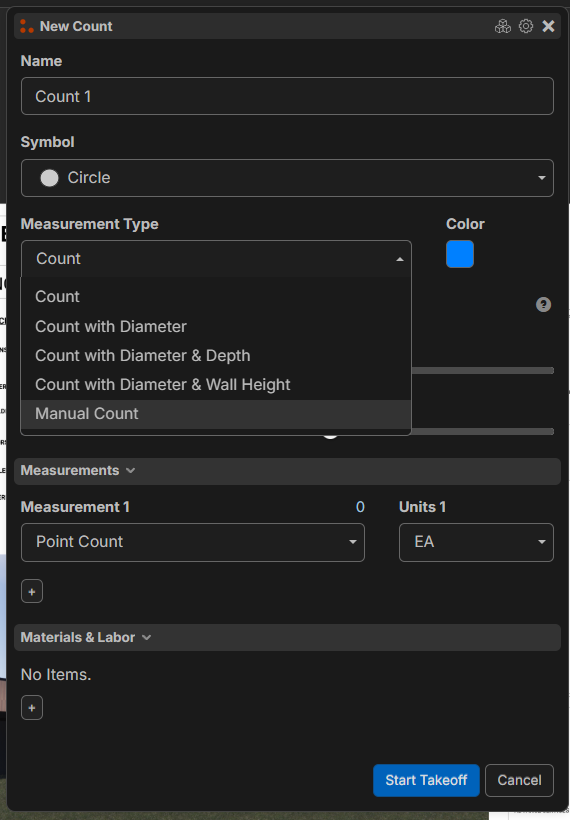
Change the total you want to a formula:
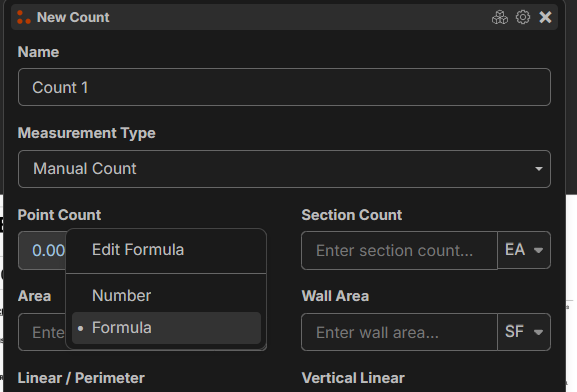
Type in this:
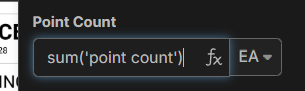
Anything that is a child to this manual count assembly will be summed up.
It is worth noting that this will only sum the direct children point counts. Not grand children. (which is handy in my experience)
I am not sure if this is what you are after with the folders?
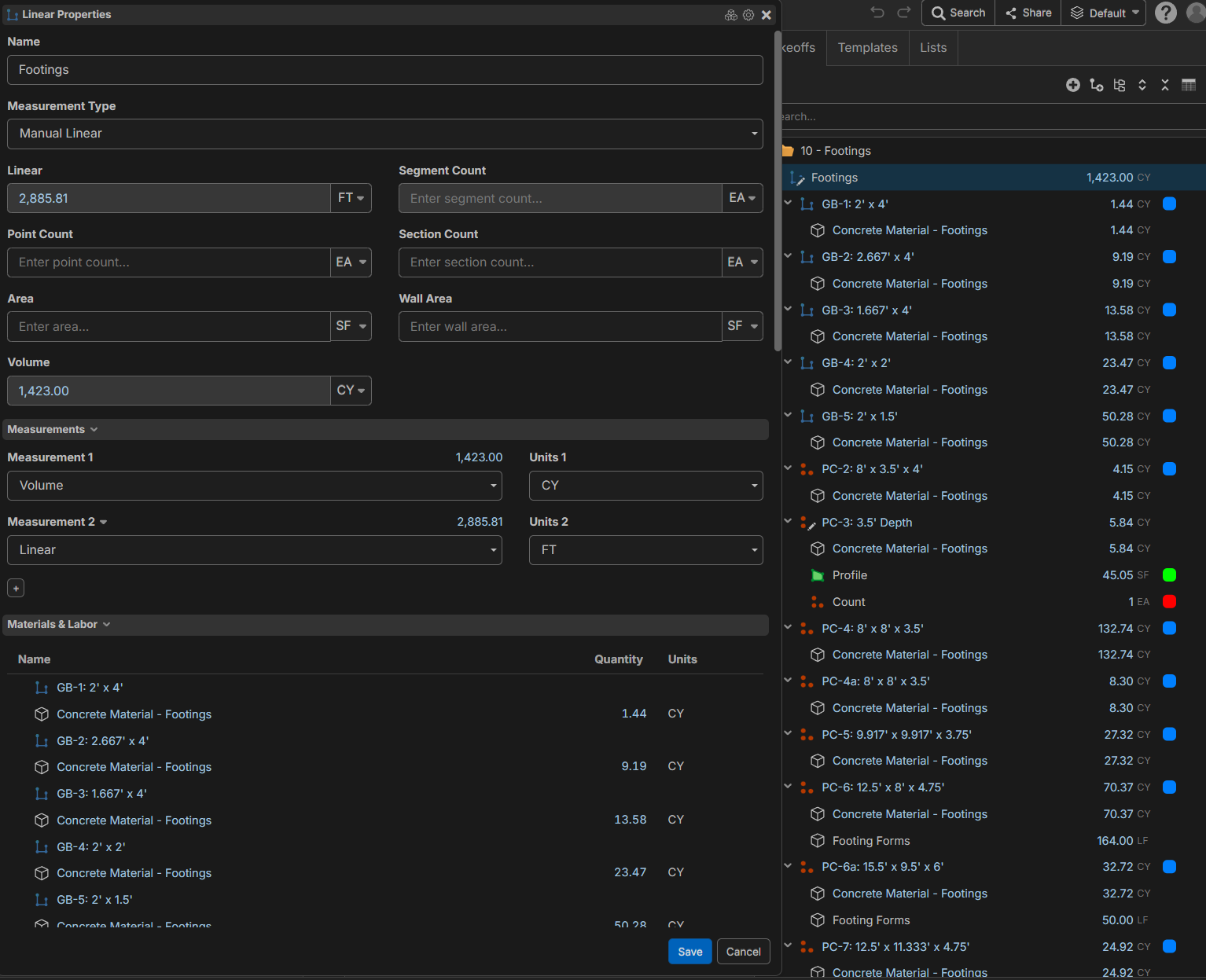
Here is how I have used it: I have multiple footings below, I want them summed up in a group. So the manual Footings line sums sum('volume') from all the children. so the 1.44 + 9.19 etc are all summed into 1423.00 at the top. Its just a matter of organizing the tree correctly to get the result you want.
Thank you David - That is a great help!