










 Q & A
Q & AValue from dropdown
Is it possible to use the value from a dropdown (Value & Name) in a formula?
%22%2F%3E%3Ctext%20x%3D%2232%22%20y%3D%2233%22%20text-anchor%3D%22middle%22%20dominant-baseline%3D%22central%22%20font-family%3D%22Arial%2C%20sans-serif%22%20font-size%3D%2226%22%20font-weight%3D%22600%22%20fill%3D%22%23fff%22%3EJL%3C%2Ftext%3E%3C%2Fsvg%3E "John L")
You mean without selecting the correct option in the drop down? Wouldn't it just be easier to select the correct drop down option then reference that custom property by name rather than by value? I feel like that's the entire point of Value and Name drop down

No I have task descriptions in a drop down and I want to have a value for each, to use the description would require a long set of if formulas

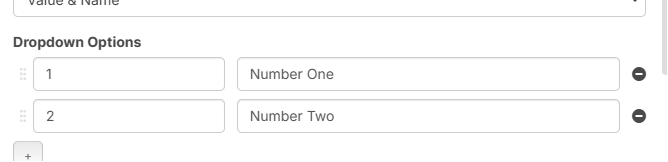
I believe this is the current behavior. Right now, if you add a dropdown that is value & name, and choose (for my example below), "Number One" when you reference that property/dropdown in a formula, it will pull the value "1". Separately, we are considering adding a way to reference the "Name" from the dropdown.
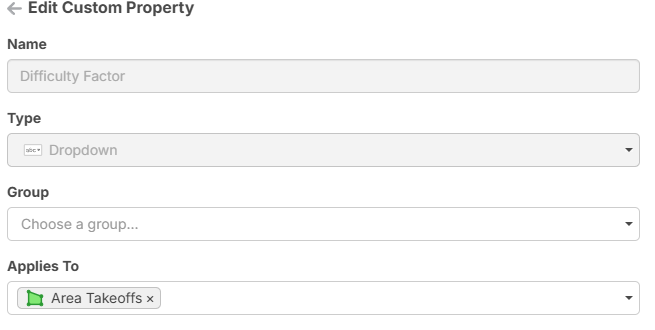
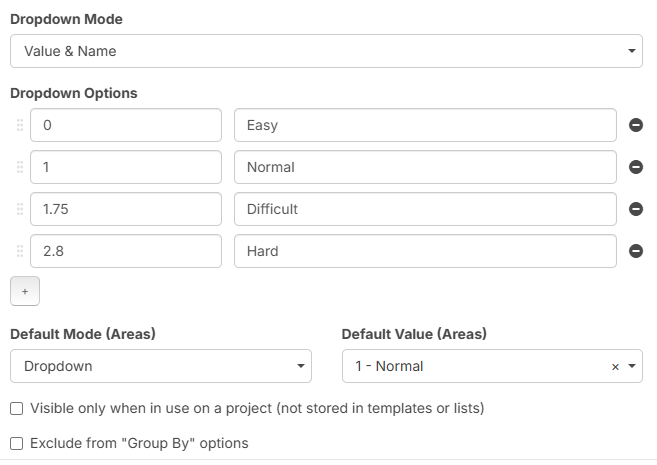


John - this is exactly what I want it for
The problem is I can only pull the name not the number
Lorin - my behaviour seems to be the opposite, I want the number but getting the name
In that case, you need to swap the columns for your dropdown options. The left column is the "value" or what will be used in the formula, and the right column is the "name" or what will be displayed when you choose the dropdown.
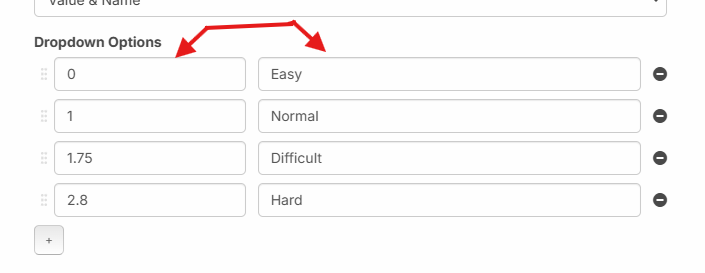
I had a play around and after deleting and remaking it it worked but the issue I have now is the name will no longer show only the value, is there a different way to get the name? i.e [Difficulty factor] gives the value "1" ([Difficulty Factor][Name]) gives the value "Easy", or could it be implemented to work if you added quotation marks?
Hey Kevin, currently, it's only possible to reference the value in "Name & Value". As I mentioned previously, we are planning to add the ability to reference the "Name".
👍1