Q & A
Q & AUnits - to match measurement type
Hey team,
i don't know if its just me, if i have a set default setting or something... But
is there a way to make it so the units automatically changes to match the measurement type?
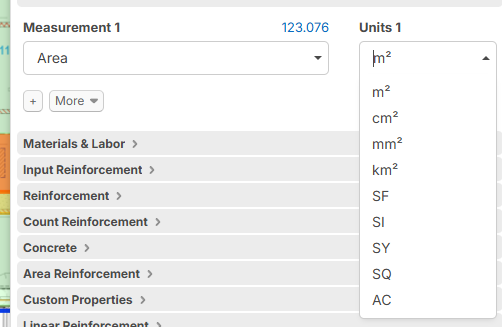
I extract the schedule and it auto selects Linear, but the units are Ea... then I have to change the type to wall area, and the units remain each, and have to be manually changed to m2
Is there a way for the units to match the measurement type? if its Ea, m or m2 or m3 etc etc, without having to manually update it?

Hey Thomas, are you talking about the units for a takeoff/item combination? What are you changing to "Wall Area"? Are you changing measurement 1, or the qty formula to "[Wall Area]"?
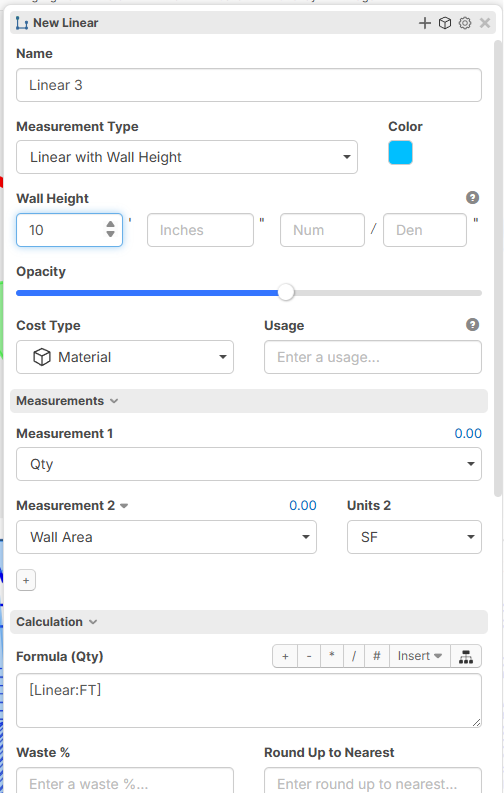
Right now, we specifically set the units to "EA" because we didn't want users to modify their formulas, forget to change the measurement 1 or units, and think that measurement 1 is their "Linear:FT", or in this case, "Wall Area:SF" instead of whatever Qty is calculating.
We could probably add a setting to change the behavior for this.
👍1
i was changing the qty, however now you mentined it, when i change Measurement 1 it does auto switch.
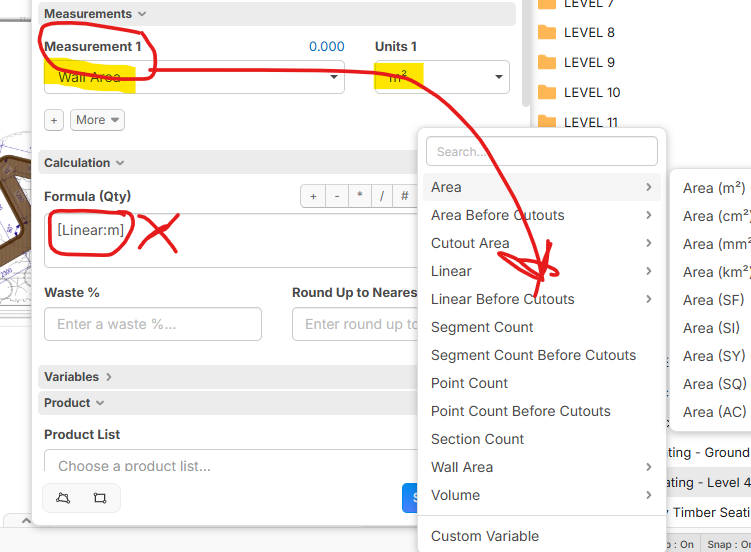
I guess i still get confused with the Measure 1, 2, Qty etc because i always focus on Qty as that drives the cost... Maybe if you could add the Measure 1,2 etc in the dropdown for the insert formulas so it goes straight to Qty?
Lets see if you can decipher this hahahaha

Yeah this is something we need and I asked for right when items came out! I want to make "items" the default for our people but its just way to confusing right now if you make a measurement a "item" vs a assembly. SOS
👍3We've considered adding measurement 1-3 as formula variables, but the main holdback is that if a user switches the units or switches the measurement, it could completely break your formula & pricing. Measurement 1-3 is intended to be used for display only (which is why you can reference qty in it), where qty is used for the calculations. We have discussed internally about maybe adding an extra layer of confirmation when you change the measurements, if they are referenced in the formulas.
The recommended approach for now using the takeoff/item combo, is to set measurement 1 to qty, adjust the formula to your "[Wall Area:SF]", and change the units to match.
Hey Lorin,
Thanks for the response... that last part sounds exactly like what i was doing and began this thread complaining about (Kyle seemed to agreed)
for me the workflow is a bit disjointed, and seems like the time saved, it sometimes lost through adjusting fields (Especially when extracting schedules)
I'm not a software engineer, but in my mind adding the Measurement 1-3 to the formula list with an extra alert seems like a quick solution.
👍2Hey Lorin,
A quick fix could be to make the Units a drop down list in the Product Calculation section, the same as it is for the Measurements section... i currently have to Insert the measurement then copy the units and paste it in to change it... a drop down list would save that headache