










 Q & A
Q & A
Shut Off Auto Hyperlinks
How do you turn off the auto Hyperlinks? They are currently showing up as a takeoff so when we copy and paste they come along and when we sort the plans by pages with takeoffs they follow. Best case would be kick them off from being recognized as a takeoff.

Hi, we are working on a fix for these to not be viewed as takeoff items, sorry for the disruption!
👍3
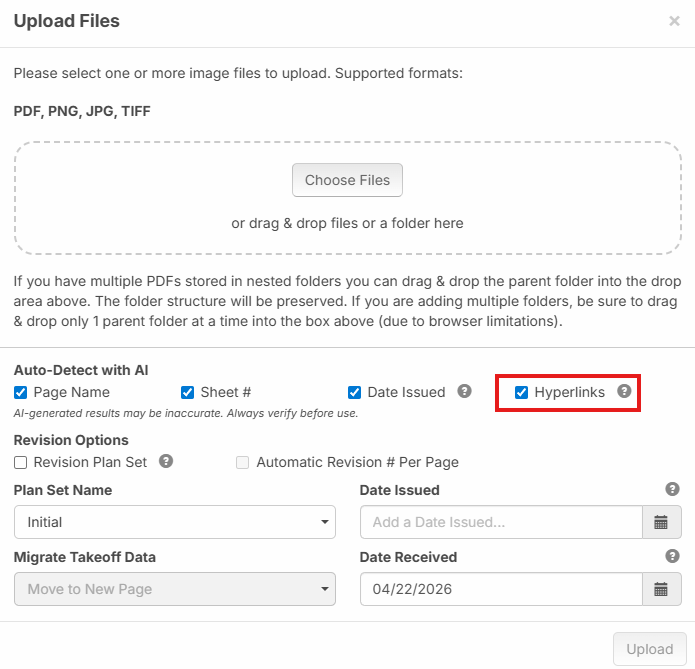
We put out a patch for this. If you want you can disable auto hyperlinks when uploading a new set of plans.
Uncheck This:
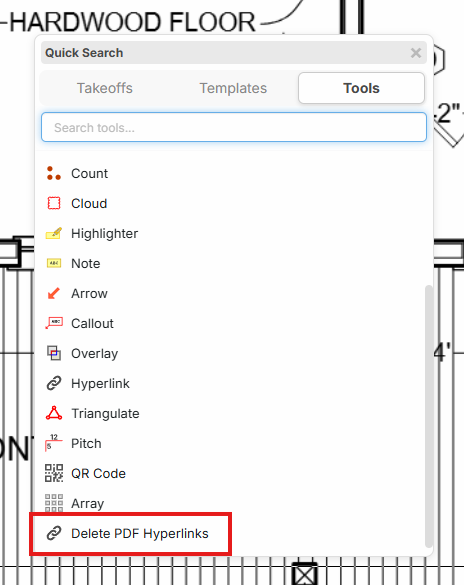
If you have an existing project with hyperlinks that you want removed, you can press the / hotkey and at the bottom you can find "Delete PDF Hyperlinks". This is just a bandaid for now if having them is getting in the way. Behind the scenes we're working on moving these into a "system" layer so they are more out of the way.

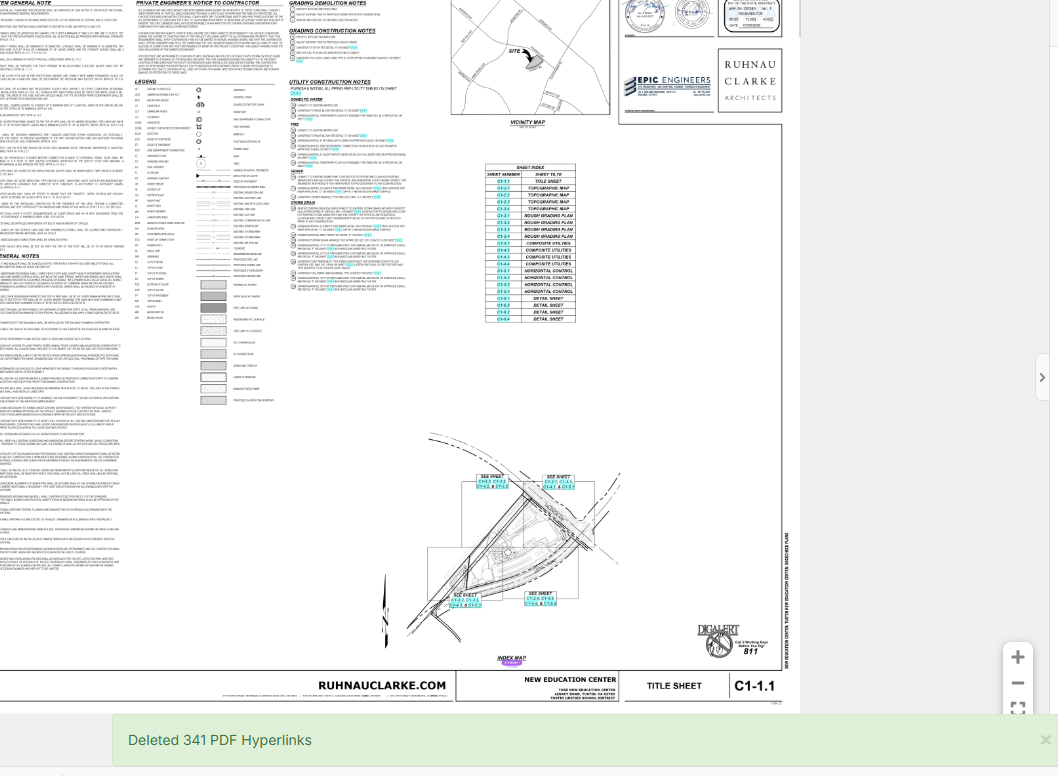
The "delete pdf hyperlinks" is not working. It asks if I want to delete, then shows deleted 341 but they are still there:

Hey Tim, thanks for reporting. We'll get this fixed.
We released a patch for this. Does it work correctly now?