










 Q & A
Q & AProject Variable Climate Zone
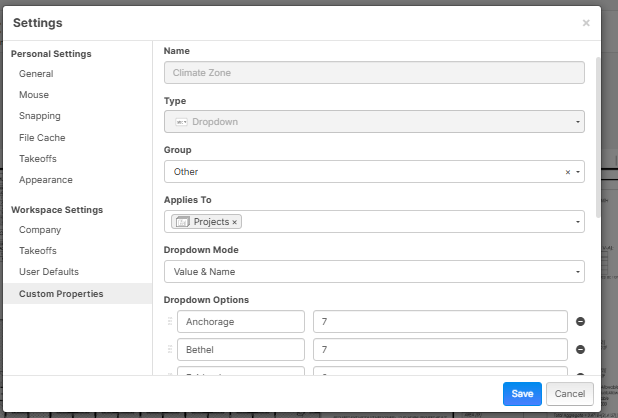
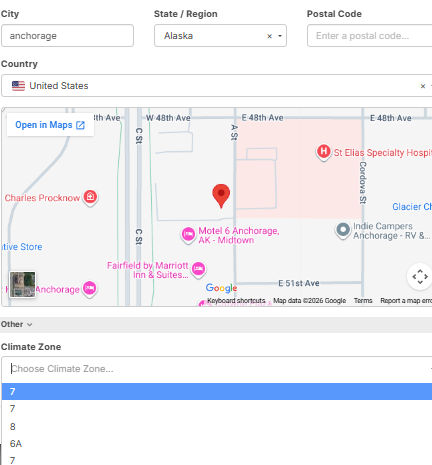
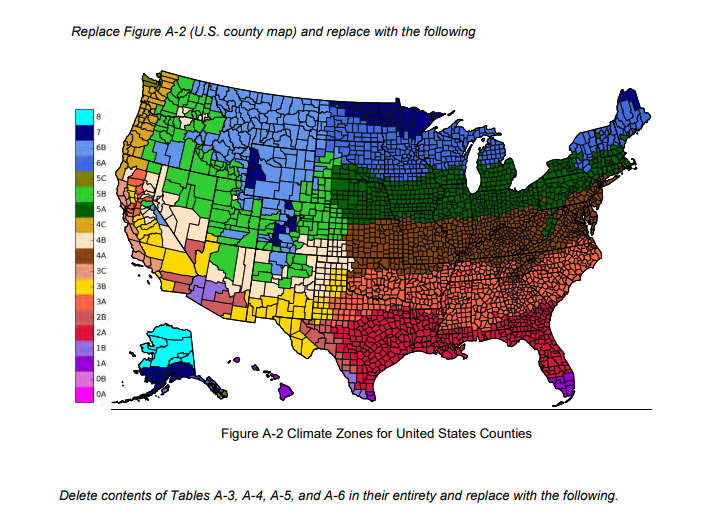
Any setup advice? I am trying to add climate zone information based on the City to the project. (ANSI/ASHRAE Standard 169-2020)
How to make an if: if the City name is the same, return the Climate zone. I also want to make a City Cost Index percentage to reference.

Hi Miquel
You’re on the right track; you just need to follow the Value & Name structure. In your example, it’s currently set up the other way around.

@steve
Its not allowing duplicate values,
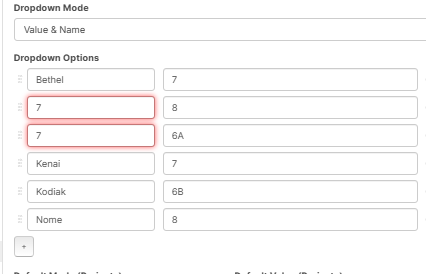
okay, I'm not sure then but you can trick it a bit and say have 7.001 and on the other one has (7)
👍1This is more or less what i want but it doesnot work
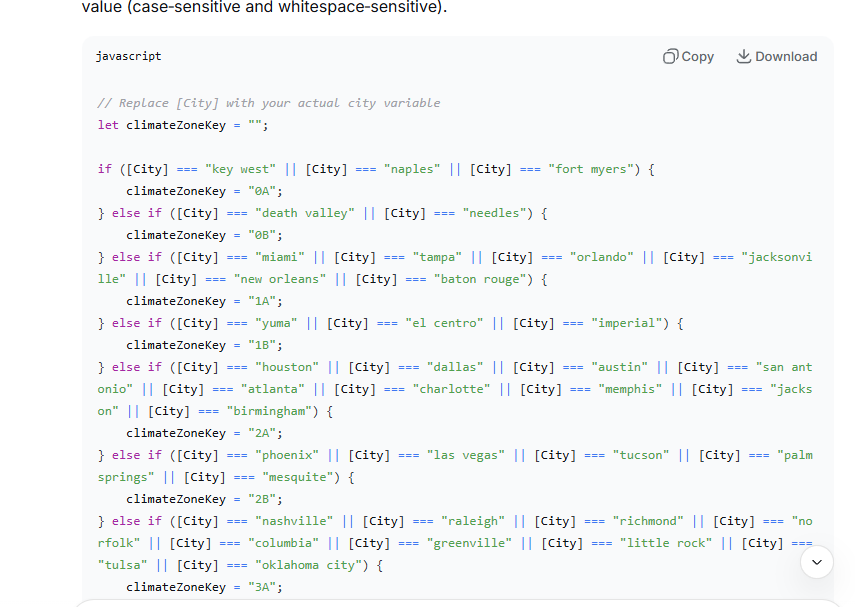
is that the full screenshot of the formula? Are you able to put the full screen if not
I know it’s a syntax problem on my end
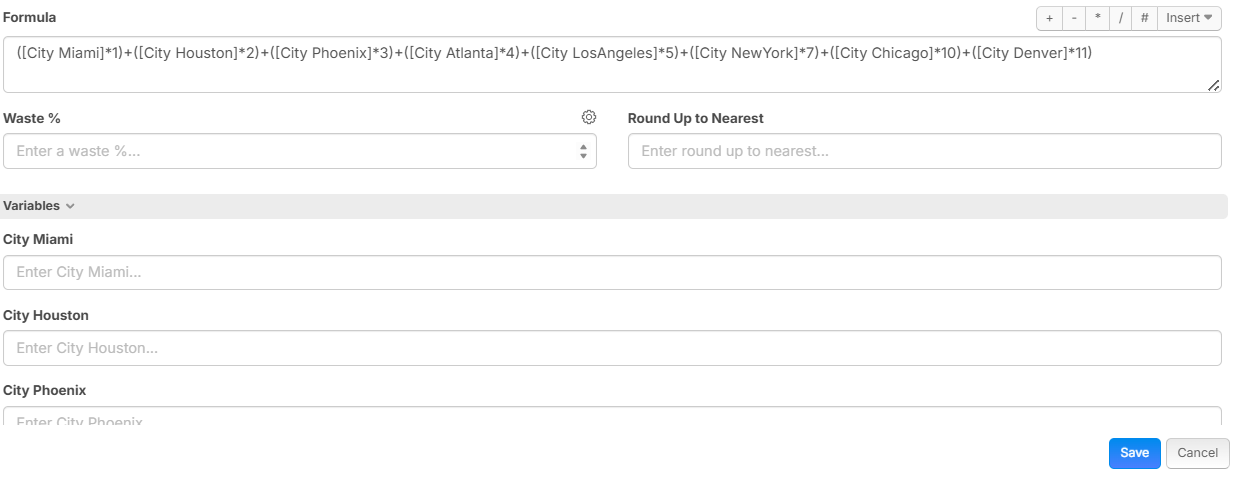
Disregard the *1, *2 and so on. Change the number after the City to suit your Climate zone and put 1 into the Variables for that City
Copy and paste this and let me know.
([City Miami]*1)+([City Houston]*2)+([City Phoenix]*3)+([City Atlanta]*4)+([City LosAngeles]*5)+([City NewYork]*7)+([City Chicago]*10)+([City Denver]*11)
Okay amigo, espero que esto ayude!
You may have to change my temperatures on this formula if you can get a better info.
This is a starter list with Tier 1 Cities. Then Tier 2 Cities like: City Boston, City WashingtonDC, City Philadelphia, City Dallas, City Austin, City SanAntonio, City LasVegas, City SanDiego, City Portland, City Minneapolis, City Detroit, City Nashville, City Charlotte, City Orlando, City Tampa.
Tier 1 Formula
([City Miami]*(([Season Summer]*31)+([Season Autumn]*27)+([Season Winter]*22)+([Season Spring]*26)))+([City Houston]*(([Season Summer]*30)+([Season Autumn]*24)+([Season Winter]*13)+([Season Spring]*22)))+([City Phoenix]*(([Season Summer]*35)+([Season Autumn]*27)+([Season Winter]*14)+([Season Spring]*24)))+([City Atlanta]*(([Season Summer]*27)+([Season Autumn]*19)+([Season Winter]*9)+([Season Spring]*18)))+([City LosAngeles]*(([Season Summer]*24)+([Season Autumn]*21)+([Season Winter]*15)+([Season Spring]*18)))+([City SanFrancisco]*(([Season Summer]*18)+([Season Autumn]*18)+([Season Winter]*12)+([Season Spring]*14)))+([City NewYork]*(([Season Summer]*24)+([Season Autumn]*15)+([Season Winter]*2)+([Season Spring]*12)))+([City Chicago]*(([Season Summer]*23)+([Season Autumn]*12)+([Season Winter]*-2)+([Season Spring]*10)))+([City Denver]*(([Season Summer]*22)+([Season Autumn]*11)+([Season Winter]*0)+([Season Spring]*10)))+([City Seattle]*(([Season Summer]*19)+([Season Autumn]*12)+([Season Winter]*6)+([Season Spring]*10)))
Tier 2 Formula with the next logical batch starting from Boston
([City Miami]*(([Season Summer]*31)+([Season Autumn]*27)+([Season Winter]*22)+([Season Spring]*26)))+([City Houston]*(([Season Summer]*30)+([Season Autumn]*24)+([Season Winter]*13)+([Season Spring]*22)))+([City Phoenix]*(([Season Summer]*35)+([Season Autumn]*27)+([Season Winter]*14)+([Season Spring]*24)))+([City Atlanta]*(([Season Summer]*27)+([Season Autumn]*19)+([Season Winter]*9)+([Season Spring]*18)))+([City LosAngeles]*(([Season Summer]*24)+([Season Autumn]*21)+([Season Winter]*15)+([Season Spring]*18)))+([City SanFrancisco]*(([Season Summer]*18)+([Season Autumn]*18)+([Season Winter]*12)+([Season Spring]*14)))+([City NewYork]*(([Season Summer]*24)+([Season Autumn]*15)+([Season Winter]*2)+([Season Spring]*12)))+([City Chicago]*(([Season Summer]*23)+([Season Autumn]*12)+([Season Winter]*-2)+([Season Spring]*10)))+([City Denver]*(([Season Summer]*22)+([Season Autumn]*11)+([Season Winter]*0)+([Season Spring]*10)))+([City Seattle]*(([Season Summer]*19)+([Season Autumn]*12)+([Season Winter]*6)+([Season Spring]*10)))+([City Boston]*(([Season Summer]*23)+([Season Autumn]*14)+([Season Winter]*1)+([Season Spring]*11)))+([City WashingtonDC]*(([Season Summer]*26)+([Season Autumn]*17)+([Season Winter]*5)+([Season Spring]*15)))+([City Philadelphia]*(([Season Summer]*25)+([Season Autumn]*16)+([Season Winter]*3)+([Season Spring]*14)))+([City Dallas]*(([Season Summer]*30)+([Season Autumn]*20)+([Season Winter]*10)+([Season Spring]*20)))+([City Austin]*(([Season Summer]*31)+([Season Autumn]*22)+([Season Winter]*12)+([Season Spring]*21)))+([City SanAntonio]*(([Season Summer]*32)+([Season Autumn]*23)+([Season Winter]*13)+([Season Spring]*22)))+([City LasVegas]*(([Season Summer]*34)+([Season Autumn]*25)+([Season Winter]*12)+([Season Spring]*23)))+([City SanDiego]*(([Season Summer]*24)+([Season Autumn]*22)+([Season Winter]*16)+([Season Spring]*18)))+([City Portland]*(([Season Summer]*21)+([Season Autumn]*13)+([Season Winter]*5)+([Season Spring]*12)))+([City Minneapolis]*(([Season Summer]*22)+([Season Autumn]*10)+([Season Winter]*-6)+([Season Spring]*8)))+([City Detroit]*(([Season Summer]*23)+([Season Autumn]*12)+([Season Winter]*-1)+([Season Spring]*10)))+([City Nashville]*(([Season Summer]*27)+([Season Autumn]*17)+([Season Winter]*6)+([Season Spring]*16)))+([City Charlotte]*(([Season Summer]*28)+([Season Autumn]*18)+([Season Winter]*7)+([Season Spring]*17)))+([City Orlando]*(([Season Summer]*30)+([Season Autumn]*26)+([Season Winter]*18)+([Season Spring]*25)))+([City Tampa]*(([Season Summer]*31)+([Season Autumn]*27)+([Season Winter]*19)+([Season Spring]*26)))
For the formula to work, only one city should be 1, and only one season should be 1.
😬1Got it working, i had to make another variable called [City] apparently the Project one is not a variable and trying some ternary syntax to clean up the code. More citys can be named by adding another or equal.
eg. of the formula
equal("[City]","Miami") or equal("[City]","Fort Lauderdale")? "1A" :
equal("[City]","Phoenix") or equal("[City]","Las Vegas")? "2B" :
equal("[City]","Houston") or equal("[City]","New Orleans")? "2A" :
equal("[City]","Dallas") or equal("[City]","Fort Worth")? "3A" :
equal("[City]","El Paso") or equal("[City]","Albuquerque")? "3B" :
equal("[City]","Los Angeles") or equal("[City]","San Diego")? "3C" :
equal("[City]","New York") or equal("[City]","Newark")? "4A" :
equal("[City]","Denver") or equal("[City]","Colorado Springs")? "5B" :
equal("[City]","Chicago") or equal("[City]","Milwaukee")? "5A" :
equal("[City]","Anchorage") ? "7" :
"not found"
Hopefully this helps someone else out for more user case. I was planning on adding also Cost Index % per city and this can be added to markups.
🚀1Well, Done Miquel! You’ve got a clean setup there.
Both approaches get to the same result, I hope. It just comes down to what suits the workflow better. Personally, I feel more comfortable with my approach as it ties directly into real conditions, and it avoids needing to interpret climate zone codes like 1A or 5B. Between the two, it should definitely help others.
Que estés bien, hasta la próxima.
💯1