Q & A
Q & APage Management / Organization
Looking for advice on how people are able to efficiently organize their pages within a project. For example, I'm bidding a commercial project that has different buildings and I want all of the takeoffs to be calculated separately. I also want to be able to hide plans for each building, to be able to focus on one building.
I don't like having to click and drag each page into a yellow folder (one-by-one). I don't see a way to select multiple pages to drop into a yellow folder.
I do have grey folder set ups for when there's revised plan sets, but that's not what I'm looking for in this case.
Are you uploading all of the different plan sets at once and then organizing from there? Or are you uploading each plan set and sorting them to folders somehow before adding the next?
Thank you in advance!
Jordan
%22%2F%3E%3Ctext%20x%3D%2232%22%20y%3D%2233%22%20text-anchor%3D%22middle%22%20dominant-baseline%3D%22central%22%20font-family%3D%22Arial%2C%20sans-serif%22%20font-size%3D%2226%22%20font-weight%3D%22600%22%20fill%3D%22%23fff%22%3EJS%3C%2Ftext%3E%3C%2Fsvg%3E "Jordan Sinner")
Also, is there a way to mass delete pages?

I haven’t found a great workflow for this either.
I usually end up relying on multiple page views in Reports to pull apart the areas I need. I try to avoid duplicating takeoffs just to get breakouts, but that means a lot of manual sorting and some adding and subtracting to make it work.
Grouping by page helps, but it’s not quite enough on its own.
I’ve actually been meaning to ask something similar. It would be a big improvement if we could assign properties to portions of a takeoff so we can separate scopes based on how we need to break a job down, instead of forcing everything through page organization.
Another way would be to create a new layer of each breakout and add group by layer to the top of your reports, but without having a function to see all views it could get very confusing as well.

@Jordan,
I dont get the issue. Please see this 1min vid. LINK.
@zzTakeoff Team,
Love to have the ability to filter/hide pages and have so many ideas here to make this great. For example AI would tag all the "masonry" pages automatically, and boom you have a epic filter. Now let us assign filters to layers, for example we setup our layers via trades, so when you got to the masonry layer, it automatically filters. Now we would be smoking with wood pellets!
👍1@Kyle Bonde
Did not understand that shift-select tool. Super helpful, that fixes my problems. I knew it had to be a dumb question somehow
🚀1
Hi I just want to check am I missing out on functionality here my reason for my response is related to “I want all of the takeoffs to be calculated separately”
if I put pages in yellow folders can I get a proper breakout based on these folders in reports?

On this subject, I’m still lobbying for metadata or tags by plan sheet. I’ve had this functionality with a construction document management software in the past and it was clutch for so much of the the construction lifecycle but it was always a great start at document review and QTO for me
👍3@Luke Olson
If you're talking about sorting in the reports section, you can use some version of the takeoff/cost report template to sort using the yellow folders. Let me know if this works or not.
Hi Luke, you can put your takeoffs in folders, then its easy to get a report by folder, choose the Takeoff Tree Reports -> Grouped By Folder
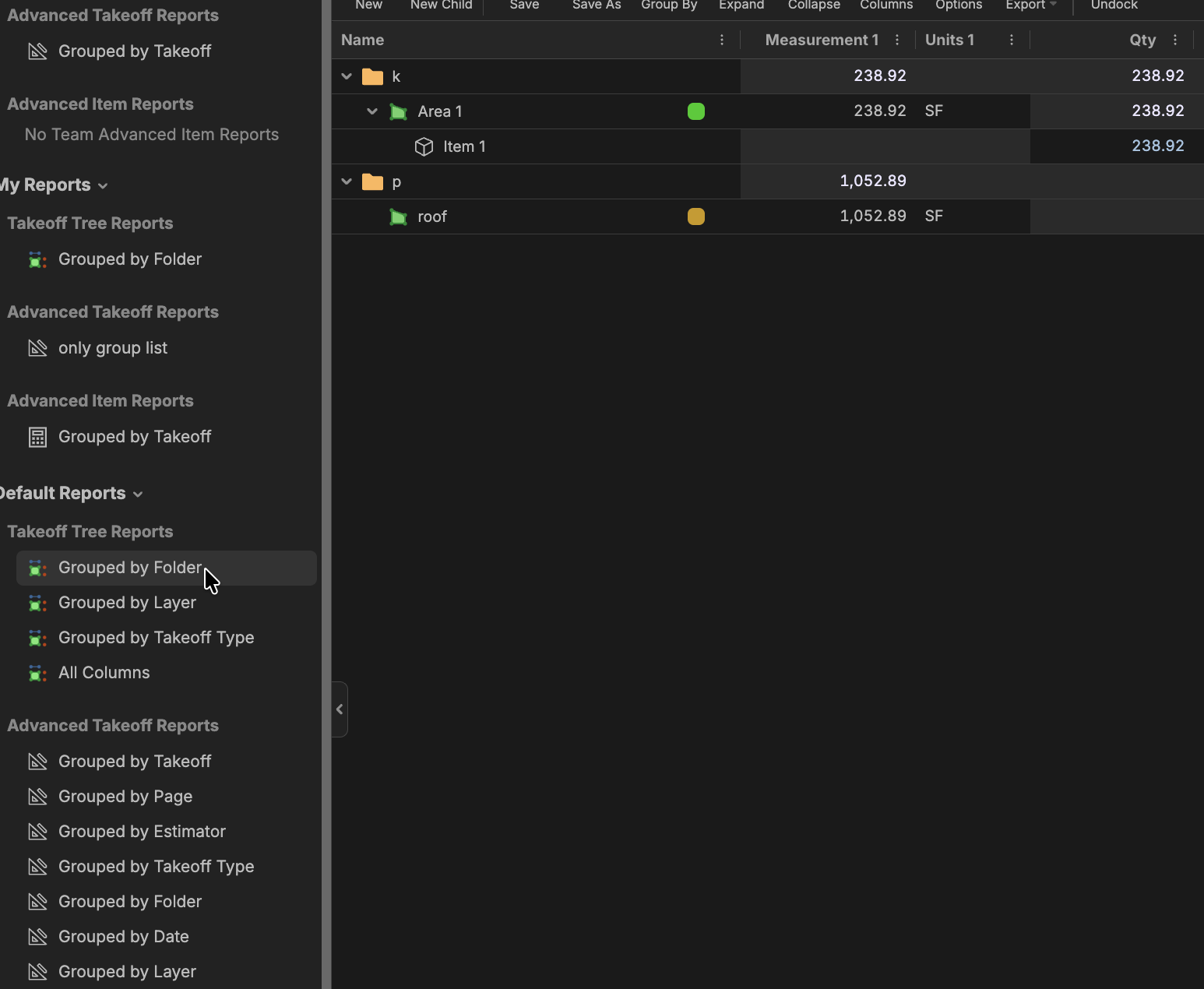
i know I can put takeoffs in folders I want to be able to break apart my takeoffs based on area or metric that I can set without duplicating.
similar to how group by page works I can split my takeoffs without duplicating
👍2Is there a property you use to break them down?
zzTakeoff WBS Boot Camp Tutorial- (Work Breakdown Structure)
@Stephen,
Careful where you share that.......if our people at HP get ahold of that we will have a ton of custom prosperities that we can't control. Need enterprise permissions stat!