Q & A
Q & AManual Area with Sum Folder
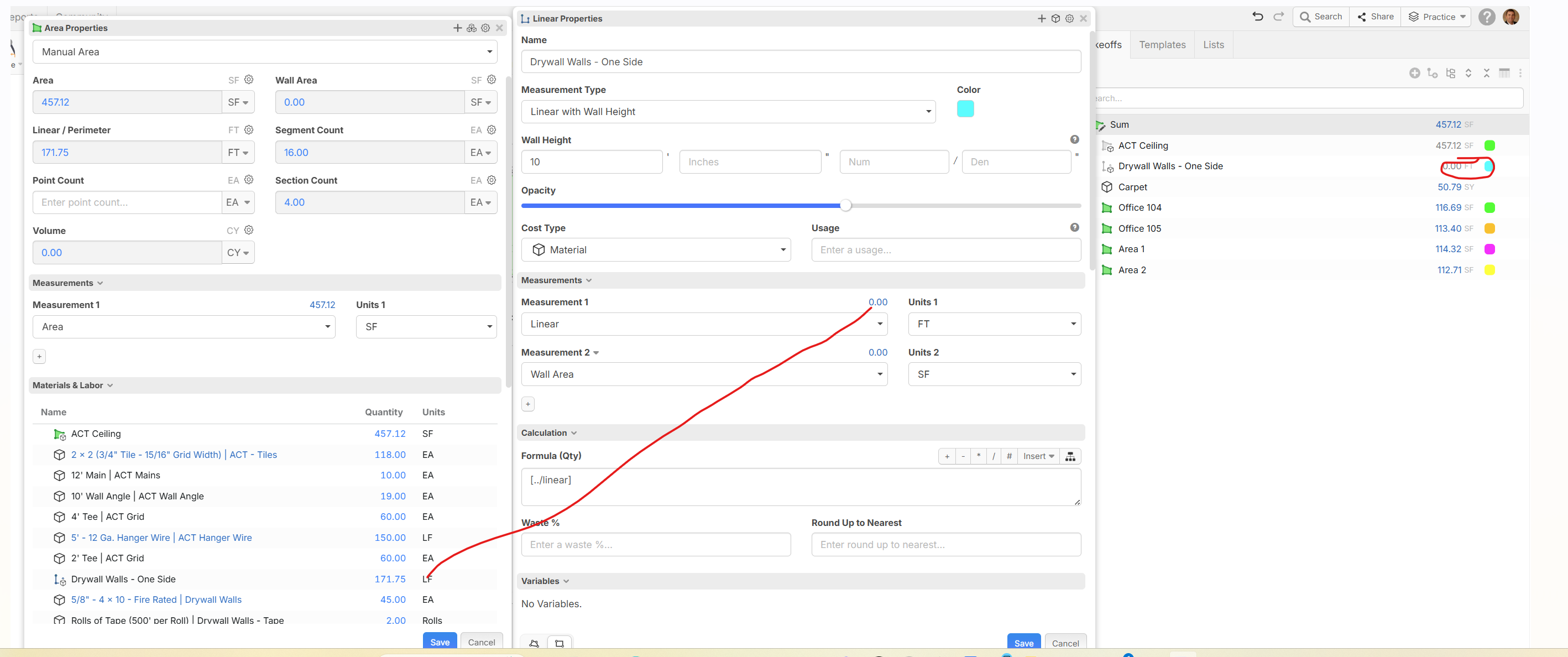
A few questions here ….Not sure if this is a bug or just me. However, I have created a Manual Area called “sum”. I have used the formula sum('linear',{type: 'area'}) to round up the total of the linear and area of the rooms that I am creating. All of the formulas in the manual area are like that but change to sum('Wall area',{type: 'area'}) in that field.
Within the Manual Area it shows the linear ft correctly, the point and segment count as well as linear and area. However it does not show on the item with a formula of [../Linear], nor in the take off view. And the wall area is not calculating in the manual area. Looking at the linear total of 175. It does not show in the takeoff or the properties, but does show correctly in the manual area.
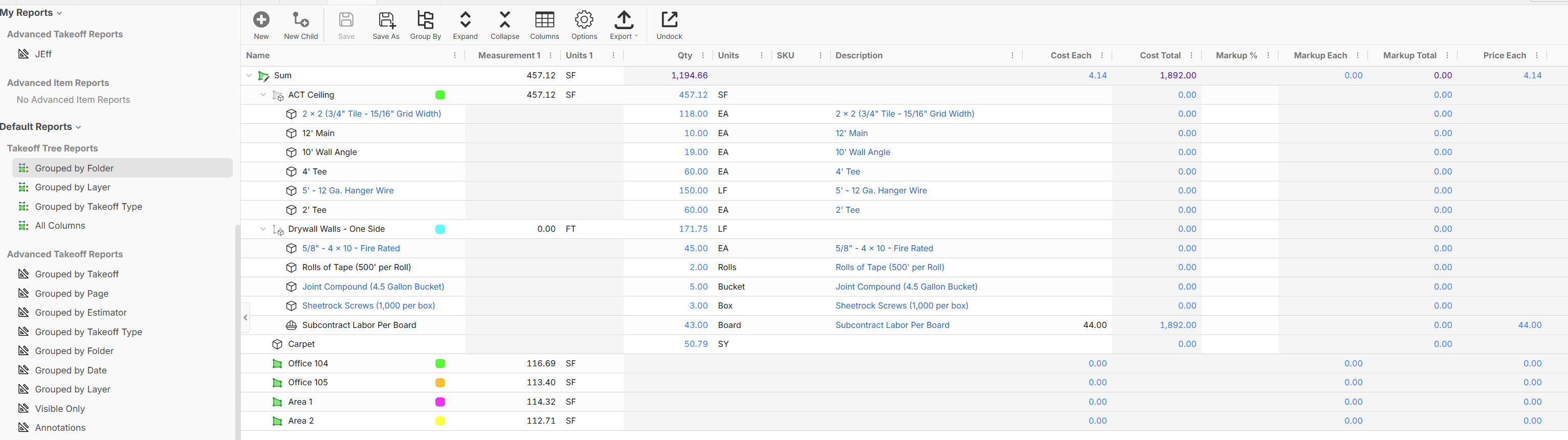
Moreover, When I go to reports. The items do not show up in any item report. Just this random carpet that you can see in the takeoff panel on the right in attached above. There are lots of items in my manual area, but they do not show in item reports. See below.
They do show only when I group by folder. That is the only report that will bring these items up.
Am I missing something or doing something wrong with reports and my formulas, any help would be appreciated.

not sure if screenshots went through.

Hi Jeff, try this in your formula for the Drywall one side [../Linear:FT]
try this in you reports
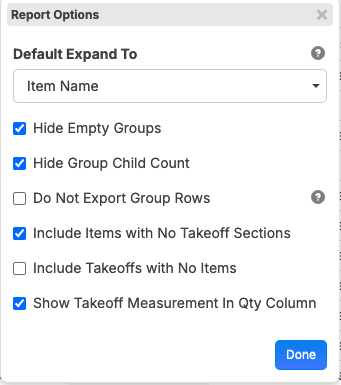
The reports worked, but this did not. [../Linear:FT]... not a big deal as it is picking it up in reports just a little unsettling not to see the quantity
what is weird is [../Linear:FT] is picking it up in the manual entry parts but not anywhere else. is this a bug?
I don't think so, if you are looking for a qty from the parent, you can use the [../qty] in the calculation field. If you are looking for the Linear then that should work, email me when you get in and we can go over this.. thanks

Hey Jeff, in this case, it looks like the "Materials & Labor" panel is pulling the "qty" instead of measurement 1. I'll mention that to the team to see if we need to tweak that.
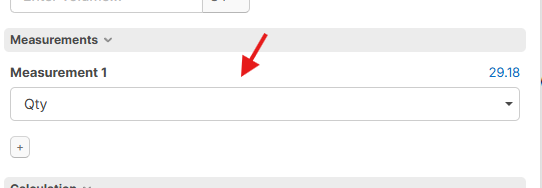
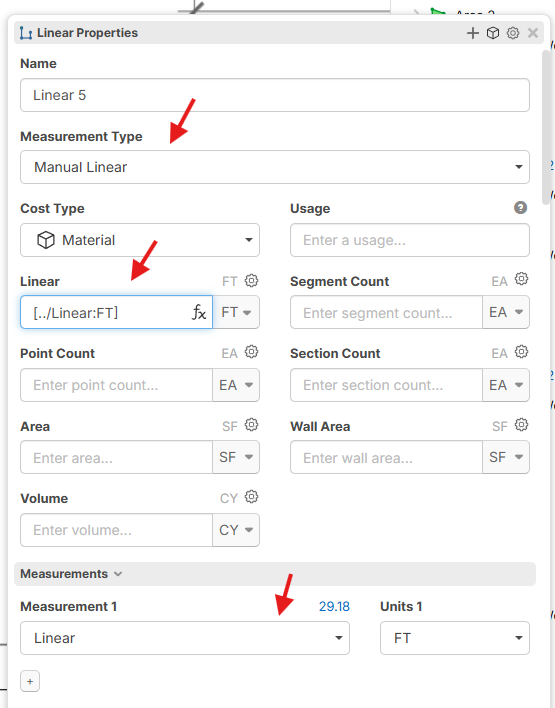
Regarding the takeoff sidebar, the reason why it's showing 0 is that your measurement 1 is "Linear", and you have 0 sections on that takeoff. If you want the formula "[../Linear:FT]" to display in the sidebar, you can switch measurement 1 to "Qty", or you can switch the takeoff to be a manual linear that pulls its linear from its parent. I've included some examples below.