










 Q & A
Q & AIs there a reason why cutouts aren't recorded as negative sections?
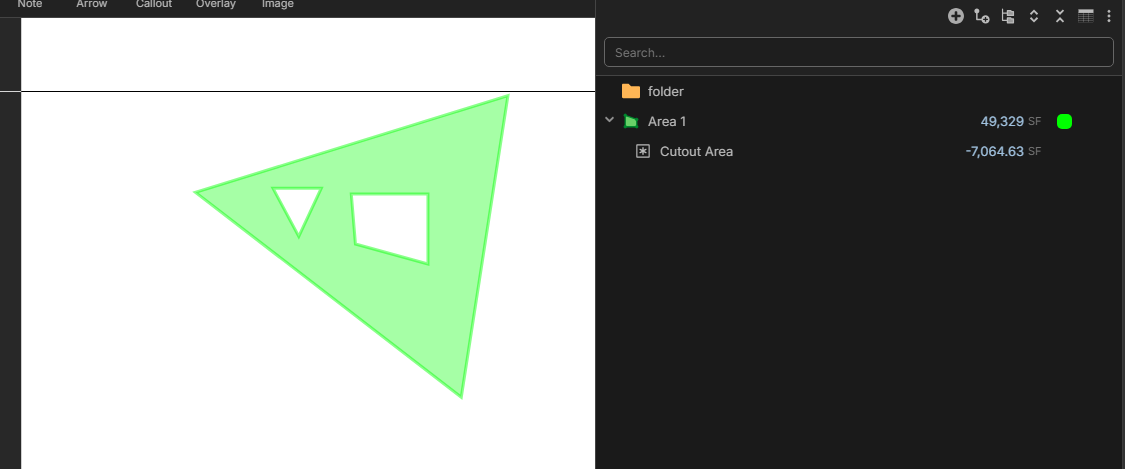
I am wondering why cutouts are recorded as invisible, uneditable--I don't know what to call them--subsections? It would be nice to be able to see them in the list of sections as being negative sections. Further, they would be easy to copy and paste across different area sections for window openings, lights in drop ceilings, etc.
Also, in conjunction with this, one could extract the horizontal and vertical dimensions of the cutouts for creating window schedules or something.
I would extend the negative sections idea to other takeoffs as well.

You can turn on the "Cutout Area" Column in the report view to see the total cutout, I believe I do understand what you're looking for though. You want the cutout areas to be like "child" items are.
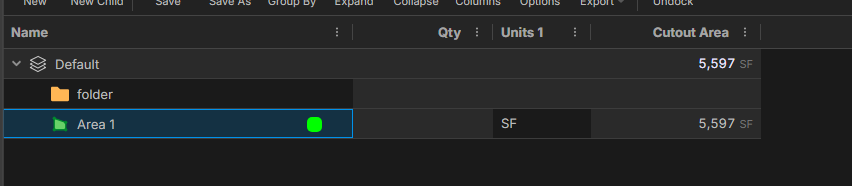
Something like below right?
%22%2F%3E%3Ctext%20x%3D%2232%22%20y%3D%2233%22%20text-anchor%3D%22middle%22%20dominant-baseline%3D%22central%22%20font-family%3D%22Arial%2C%20sans-serif%22%20font-size%3D%2226%22%20font-weight%3D%22600%22%20fill%3D%22%23fff%22%3EJ%3C%2Ftext%3E%3C%2Fsvg%3E "john")
No. That is only giving the the total cutout area. I am wondering why the cutouts aren't represented as individual items, i.e. sections.

Hey John, currently they are not displayed as separate sections because the parent section already adjusts its area based on the cutouts. If we added the cutouts, the negative area could be applied twice, etc. As a side note - we are looking into adding a negative section (separate from a cutout).
@ Lorin
But one could also apply the positive area twice...right? I'm not sure I follow.
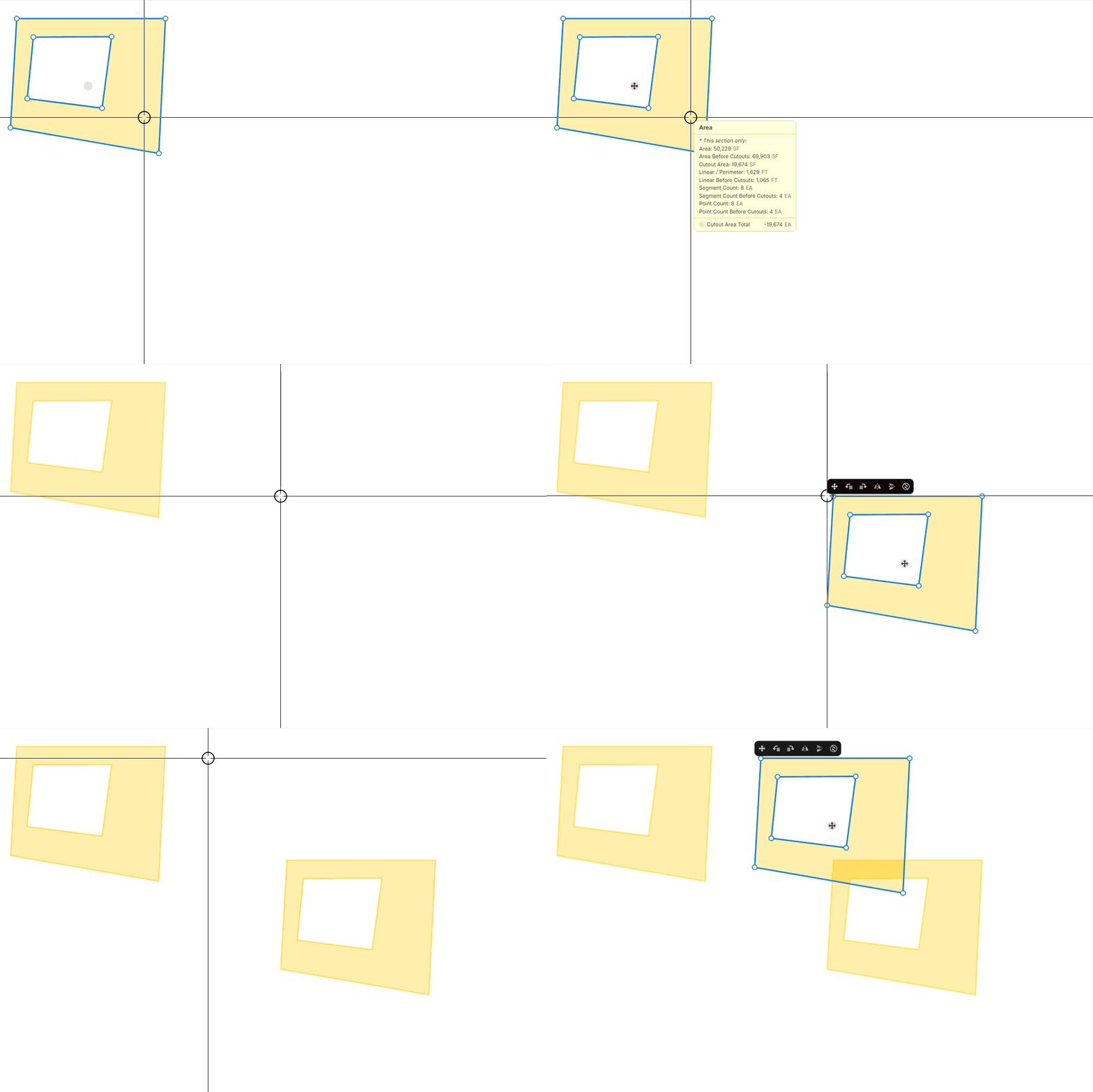
you can copy & paste the whole area W / Cutouts, and it will still have the cutouts when pasted. You can't copy a cutout to another area takeoff.
@ Shawn
You could easily copy positive sections and negative sections and paste them. What I am asking is why we are using this cutout method and not just using a negative section. And I would want the possibility of copying and pasting a negative section to a different parent area takeoff.
@John, for example, if I do a 100x100 square, it shows 10,000 SF. If I cut out a 50x50 square, the total area for the 100x100 square becomes 7,500 SF. If we showed both the area, and the cutout, the area would show as 7,500 SF, and the cutout would show as -2,500 SF, and when users go to total, it would total up to 5,000 SF, essentially doubling the negative count.
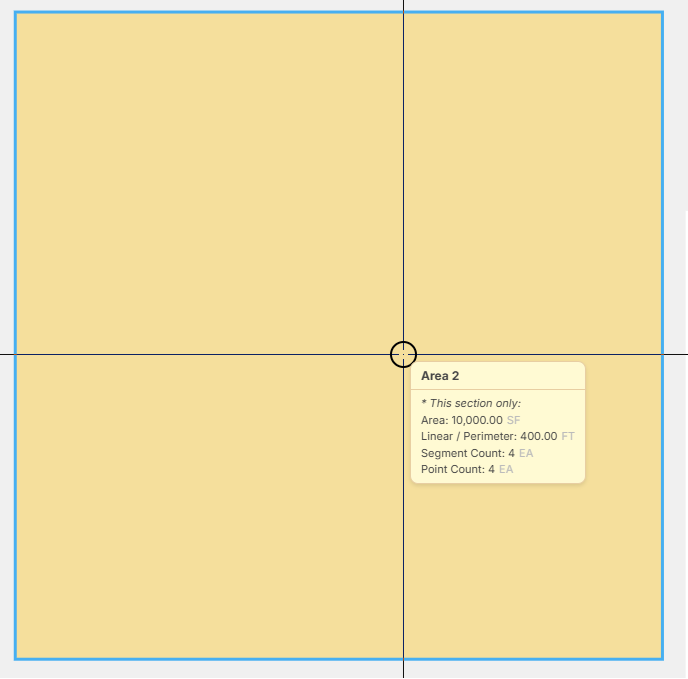
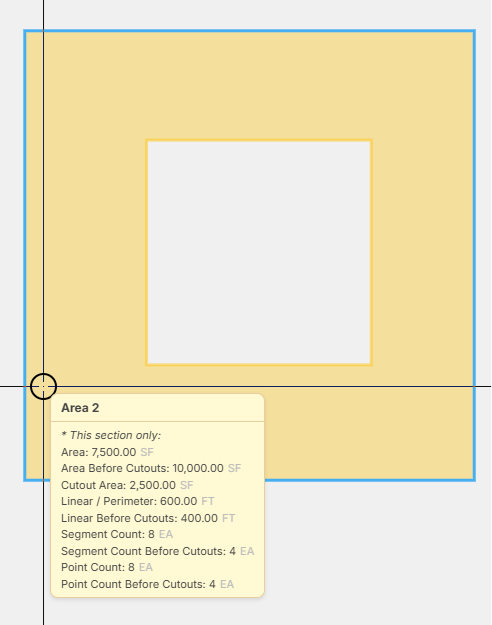
As I mentioned in my previous message, we are planning to introduce an option for 'negative' sections, so you could create 2 areas (instead of a cutout), and in your reports you would see 10,000 SF, and -2,500 SF.
@ Lorin
Ok. I see what you are saying regarding the way that cutouts currently work and how additionally showing the cutouts as sections would give incorrect totals--but that would be an inappropriate mixture of the two methods. I was asking why cutouts work the way they do...especially if you're thinking of adding the option for negative sections. What utility does the current method have?
I guess its all about preference/how you set up your formulas, WBS, and reports. Some users may want the cutouts to show and others don't.
The preference to see sections or not could easily be handled with a setting as PlanSwift does.
I'm sorry...I'm just not seeing the utility of the current method.