










 Q & A
Q & A%22%2F%3E%3Ctext%20x%3D%2232%22%20y%3D%2233%22%20text-anchor%3D%22middle%22%20dominant-baseline%3D%22central%22%20font-family%3D%22Arial%2C%20sans-serif%22%20font-size%3D%2226%22%20font-weight%3D%22600%22%20fill%3D%22%23fff%22%3ECX%3C%2Ftext%3E%3C%2Fsvg%3E "Claire Xu")
135d 17h
How to export the drawing from ZZ Take-off
Hi,
I have a question regarding exporting drawings from ZZ Take-off. Should I be using the “Print to PDF” function? I’ve tried this method, but it runs very slowly and causes my computer to freeze.
Could you please advise if there is a more efficient way to export the drawings?
Thank you for your help

Lorin Allred zzTakeoff135d 16h
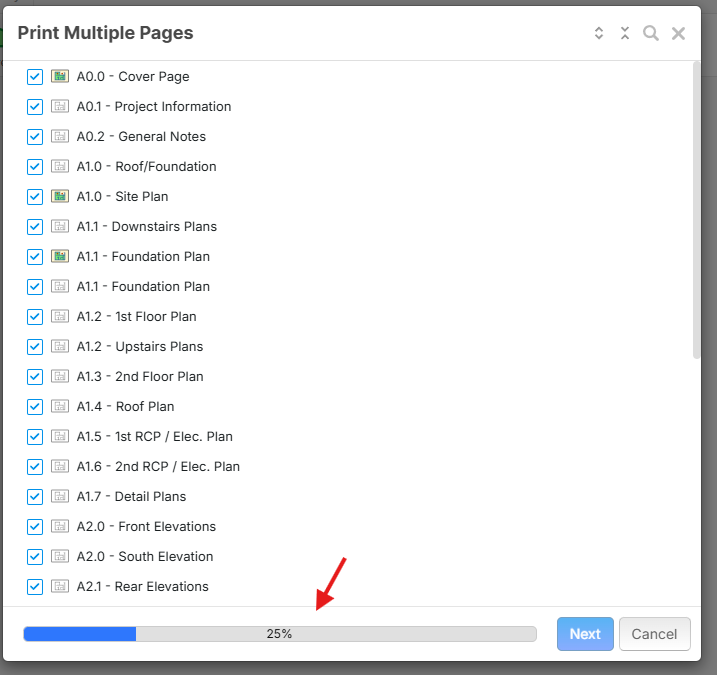
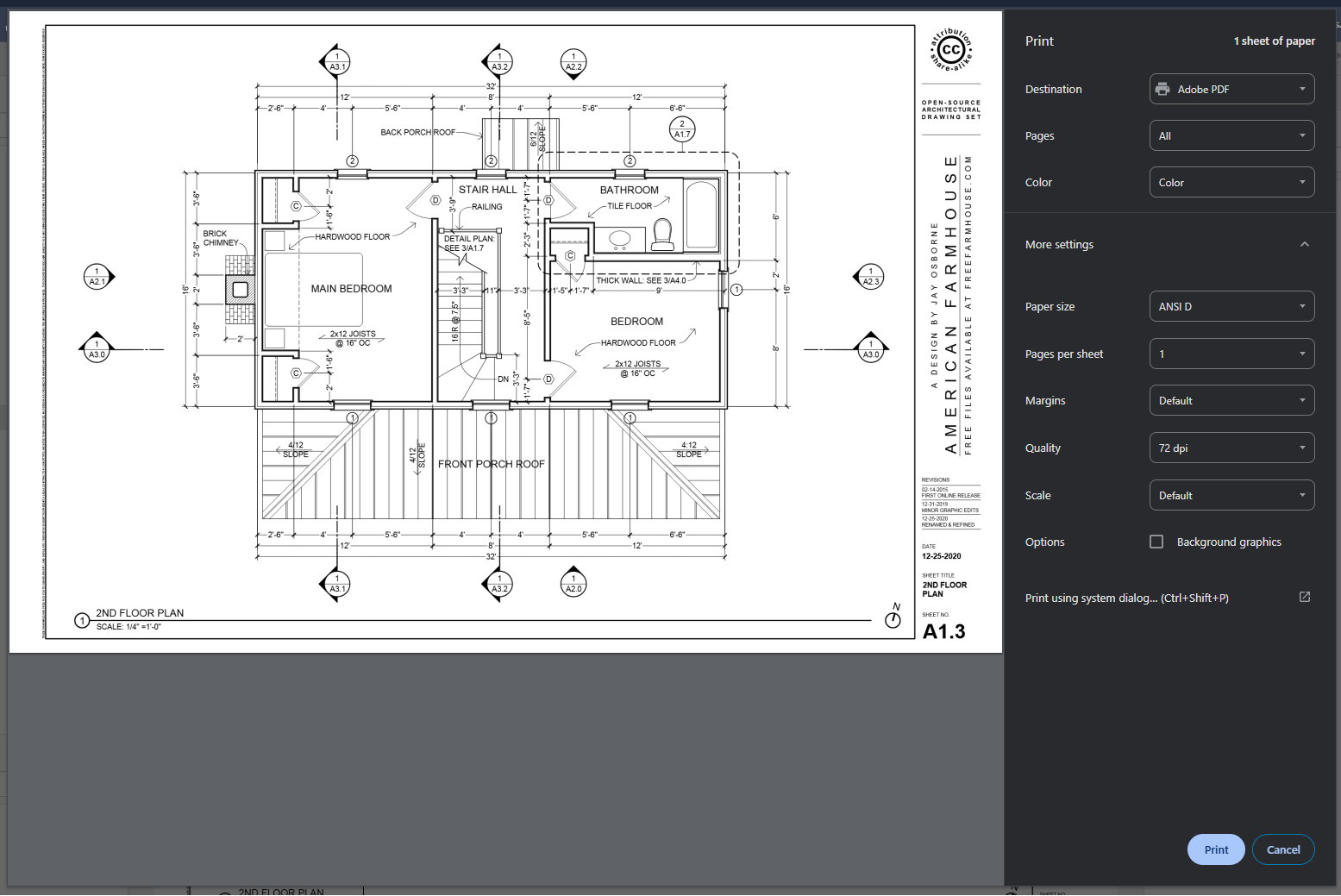
Hey Claire, currently, the "Print to PDF" is the only way to export drawings from zzTakeoff. When your computer runs slowly/freezes, is it when zzTakeoff is getting the pages ready to export (you can see this via the progress bar at the bottom of the print multiple pages), or when that finishes and the browser print preview shows?
Example of browser print preview:
You must be logged in to post replies. If you don't have an account you can signup here.