










 Q & A
Q & AFormulas
I want to plug the total values as shown by the red arrows on the image below on a formula. How would I do that?
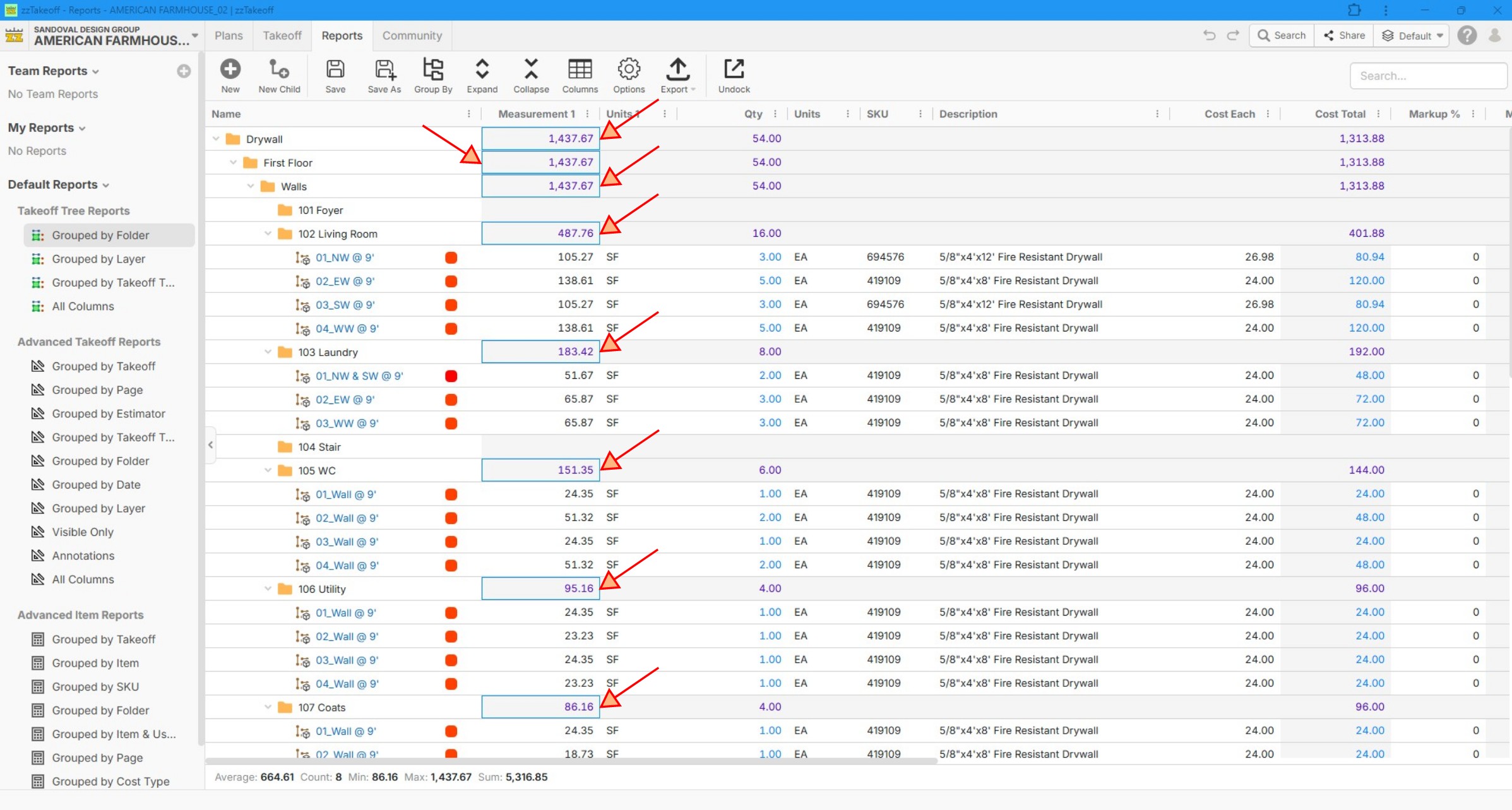

Over line totals are a horrible spiderweb in estimating tools like Sage, Destini and Ediphi. What would be a W in my book is if we could assign UOM at the folder level then it rolls up that UOM, that is how Sage works.
Nobody I know can do formauls in overline totals like you are asking, so find plan B is my 2 cents.

This won't work exactly like you want it to, but you could create a custom variable that is called "Total Wall Area" or something. Hide it by default. Then turn it on for these takeoffs. It should be a function variable. Then have the function be equal to the wall area of each takeoff.
Then you can do a manual sum of the value "Total Wall Area".
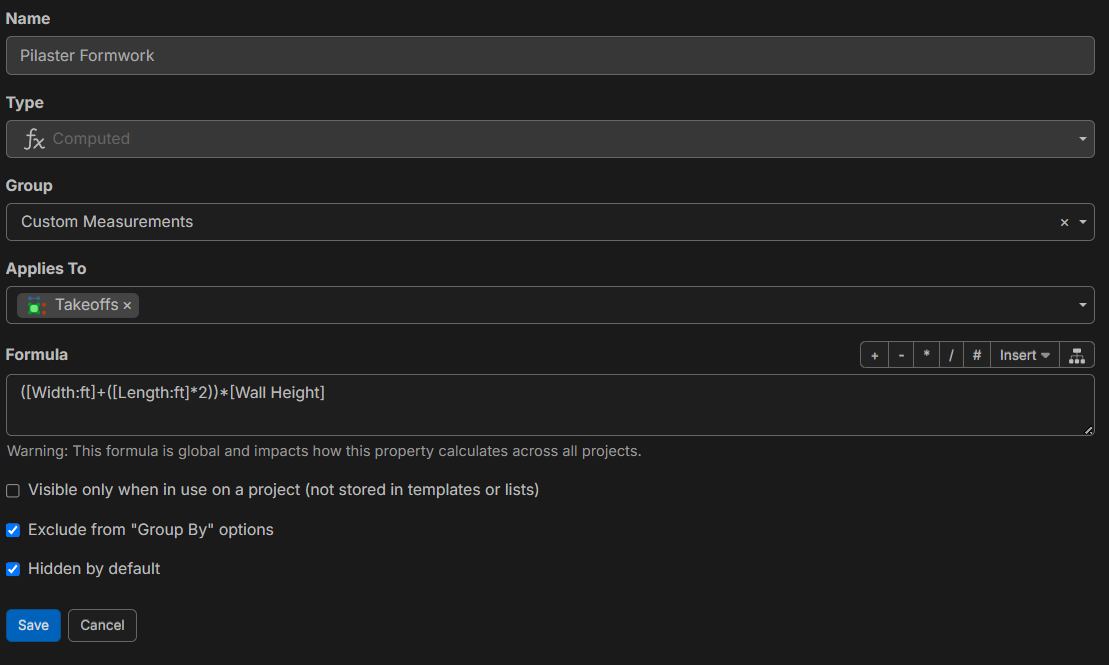
The sum formula below has a filter on it. Yours would want to be sum('total wall area', {type:'segment'})
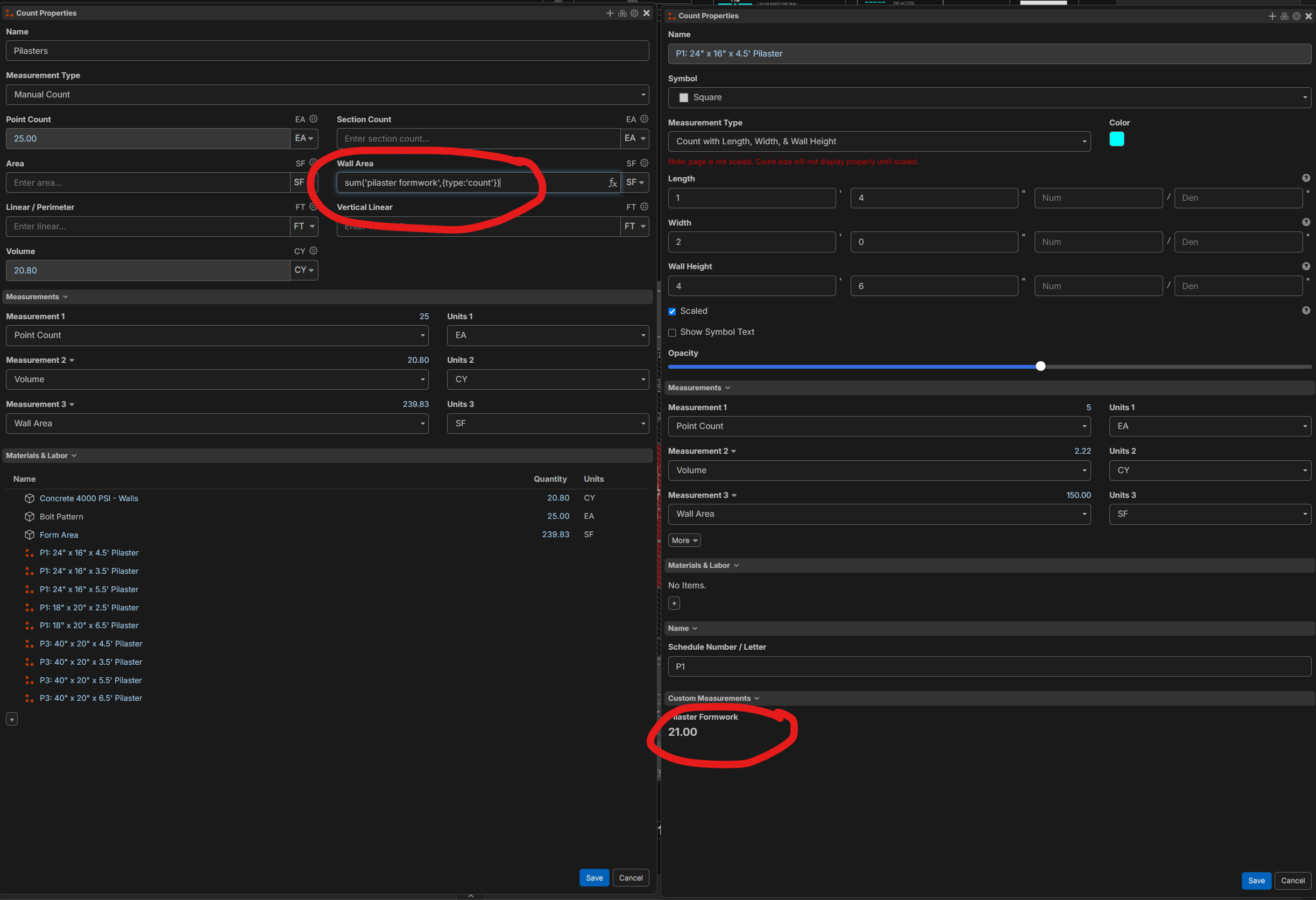

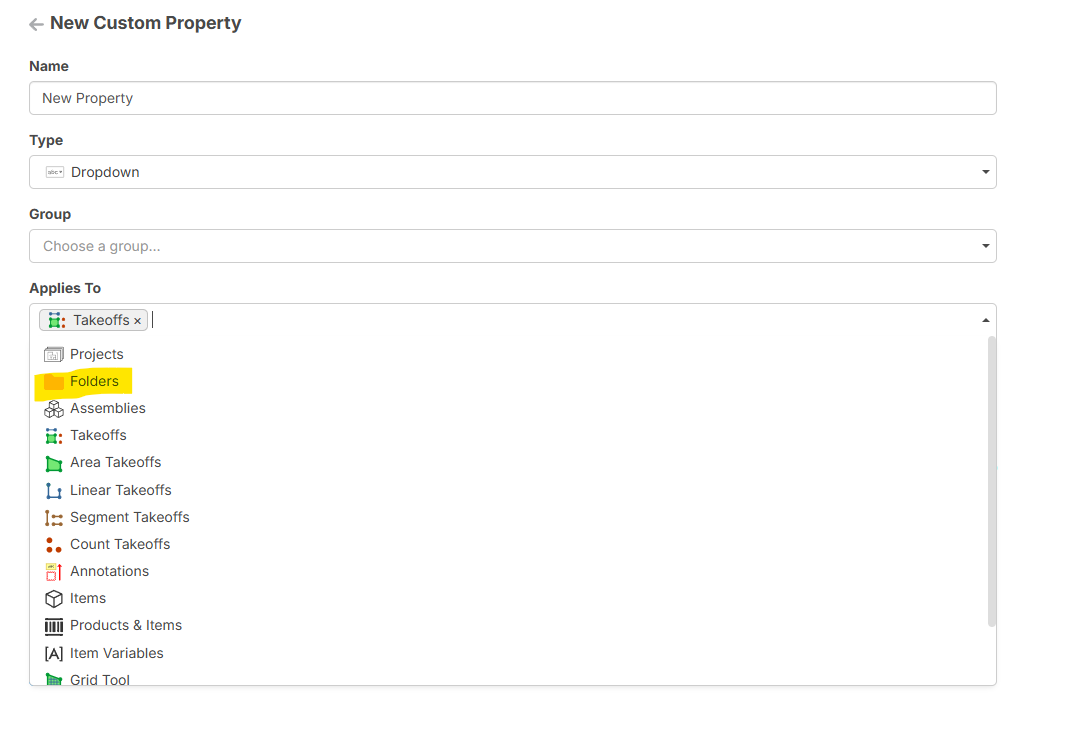
something like this might help, custom properties saved at the folder level.
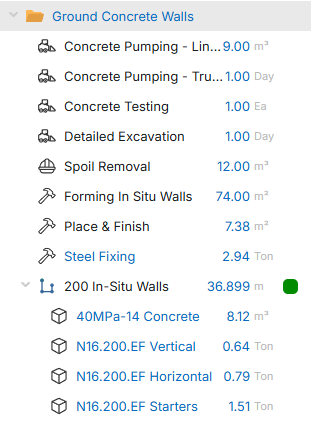
i use for summing all concrete and reinforcement values
Child items sum to the parent, parent sums to the folder, labor constants [../Folder Property]
Takeoff
Folder
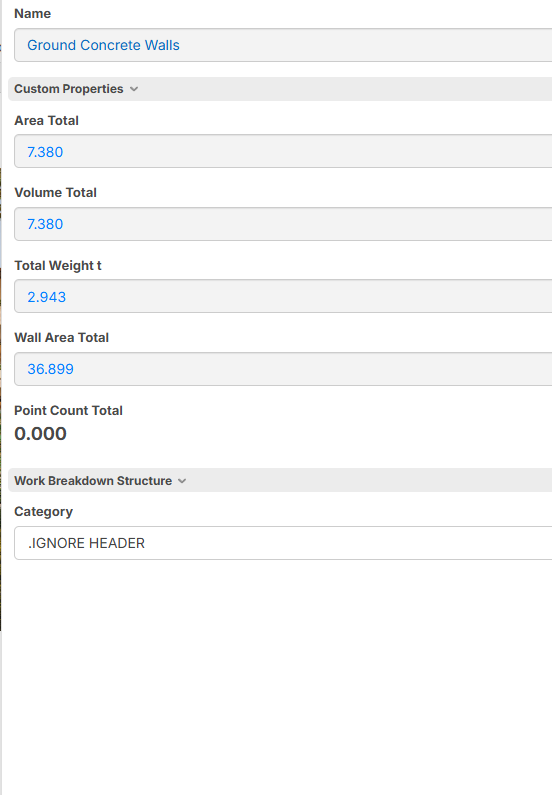
Custom properties
%22%2F%3E%3Ctext%20x%3D%2232%22%20y%3D%2233%22%20text-anchor%3D%22middle%22%20dominant-baseline%3D%22central%22%20font-family%3D%22Arial%2C%20sans-serif%22%20font-size%3D%2226%22%20font-weight%3D%22600%22%20fill%3D%22%23fff%22%3EEA%3C%2Ftext%3E%3C%2Fsvg%3E "Eliseo Arellano")
I appreciate all the feedback guys, plan B should work for now. Thanks!
Any input from the ZZ team?

We don't have a way to reference those values yet, but we are planning to add a computed column to reports that can compute based on those aggregated values. Note: this number would only appear in the reports, and if you want to use the value of that grouping in a formula , I recommend using one of the methods suggested by @David or @Thomas.
👍1