










 Q & A
Q & AFormula Synthax
Hi all,
How do I call in quantities from a count QTO into a another QTO, example a Gross Unit QTO; would it look like Count: Unit Count QTO, Area:Gross Unit QTO > Item:Subcontract > [Area:SF] * ['Unit CountQTO:EA']?
TIA :P

Replying for traction...

Hey Luis! You should be able to use the traversing logic to achieve this - "[Area:SF] * [./Unit Count/Point Count]".
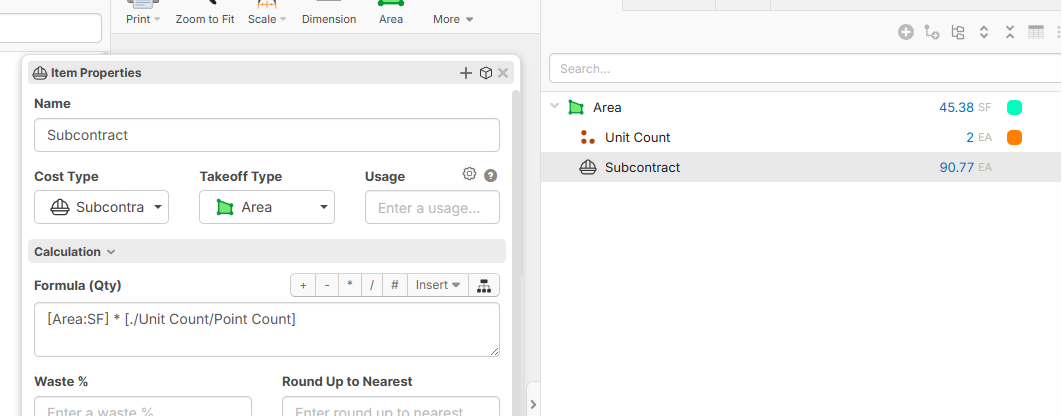
Another useful post to look at is Reference Variables From Other Items.
So this is the folder structures that I am working with. Note that 01 GCs and 11 Appliances are at the highest tier in their respective nests and at the same tier in respect to one another. The sub folders, QTO and Items are aligned with one another.
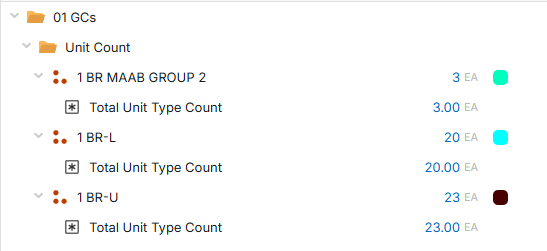
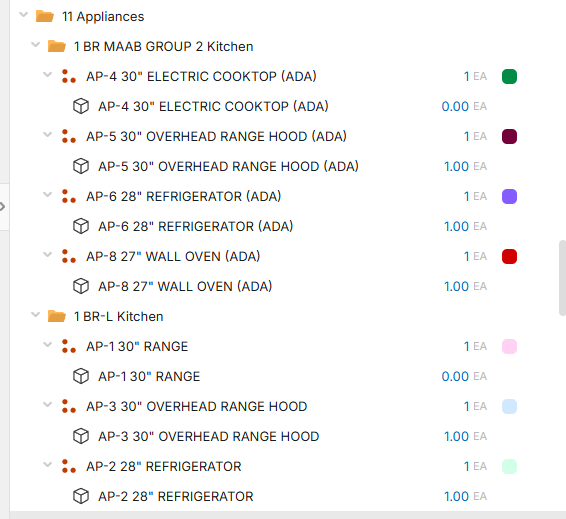 \\
\\
This is the formula calculation i am using to call on the Unit Counts in 01 GCs to this specific item because its in each of this like unit. Is my notation off or wrong? Can I call between folders?
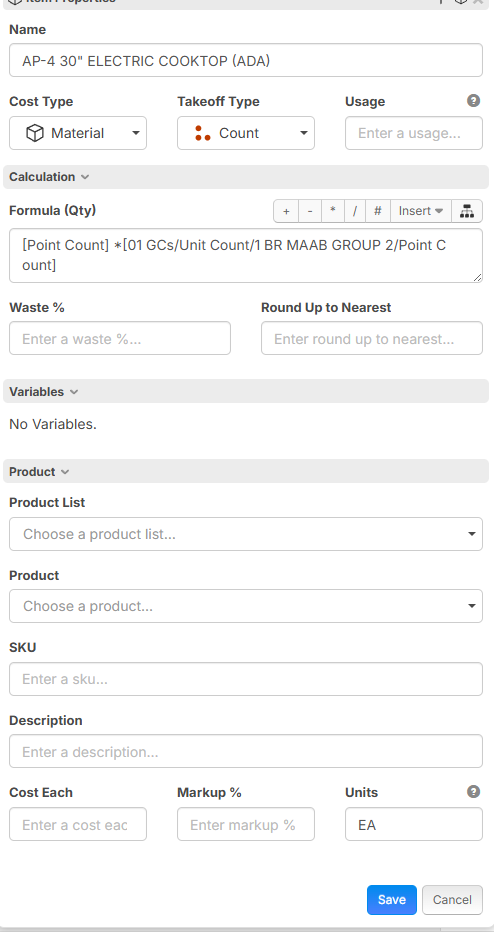
TIA
👍1🚀1💯1🔥1🤣1😎1😜1Replying for traction...
Hey Luis, the formula traversal logic depends on where the takeoff is in relation to the item in the tree. In this example, the formula should be "[Point Count] * [../../../../01 GCs/Unit Count/1 BR MAAB GROUP 2/Point Count]".
One thing, though - it looks like we have a bug with the formula traversal, where if you go to the root level of the tree, you can't drill into sibling items. The workaround for this was to put everything inside another folder. I'll have the team dig into this bug to see if we can get a patch out.
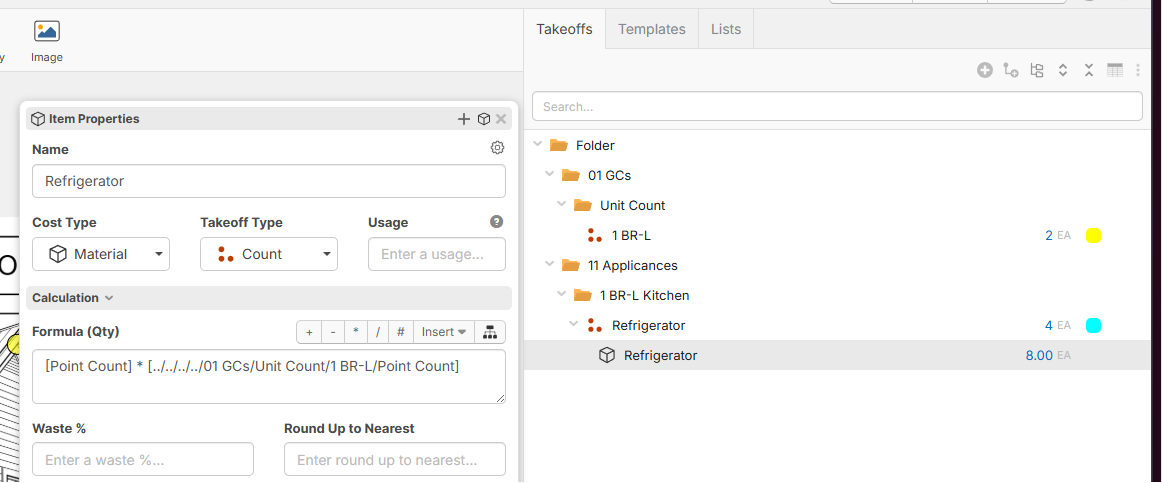
Yes that’s what I was thinking, adding a dummy parent folder to make the logic work
👍1Wait so I get this squared away, for every nth branch you have in your Takeoff structure, you need to note down the "../" shortcut to locate it on that tree. Also is it a one to one reference where the ".." notation is the branch itself and the "/" is the leaf in question, or is the "/" a hard floor and the leaf in question is the ".." notation?
Also was the main issue that the folders at the SOW level, e.g. 01 GCs [A], 11 Appliances [B], etc. [C...], are treated as their own trees instead of being considered branches to a connected tree? Is the Takeoff tab not acting as the container that is considered the main root to all branches and leaflets?
One last thing, it looks like when you try to use transversal with a quantity take off with an item underneath it, it does not register the item or the qto quantity takeoff in the formula. Is this intentional? Maybe I was using the wrong synthax again but if this isn't the case could there be a work around to this? Having the ability to have different geometries from items be called into different formulas would be pretty neat.
The traversal via "../" and "./" is similar to the file structure of your computer. "./(takeoff name)" looks for a sibling takeoff/folder, whereas "../" goes to the parent takeoff/folder. '/' on its own is how you drill down to child items, or properties/measurements of the takeoff you are drilled to. In the formula example I gave, it essentially means from the item "Refrigerator", go up 4 levels, find a takeoff/folder named "01 GCs", "Unit Count", and then a takeoff named "1 BR MAAB GROUP 2". From there, we try to reference the property/measurement "Point Count". If we wanted to reference an item underneath this takeoff, instead of "Point Count", we could do "(item name/(property we want to reference)".
The takeoff tab is supposed to be 1 tree - there is just a bug for root-level takeoffs/folders where you can't traverse to a sibling if it's root level. This is patched locally and should go out soon.
Edit:
Pulling information from the post I referenced
Here are some tips:
Shortcut to Reference Same Property from Parent: [..]
Reference a Property from Parent [../Some Property]
Reference a Property from Grandparent [../../Some Property]
Reference a Property from a Sibling: [./Sibling Name/Some Property]
Reference a Property from a Child: [Child Name/Some Property]
🤯1