










 Q & A
Q & AArea & Sloped area
Is there a way to get both measurements in the same take off, I only seam to be able to get one or the other

Kevin,
On the Takeoff properties window under Measurement 1,there is a plus sign click the +and select the second measurement.
👍1
Thanks @Sam.
@Kevin One way to do this is to right click on the area, and "Duplicate As..." and create another area that is not sloped.
Our primary concern is to ensure a user doesn't accidentally use the Flat area when they intend to use the Sloped area and vice versa.
In the "Measurement 1" dropdown, if the area is sloped the "Area" output is assumed to be the sloped. We could maybe introduce another output for "Flat Area" or "Area without Slope" that could be referenced. We just want to make sure it's clear and the wrong value is not accidentally used.

I have solved this by creating a dropdown list and I'm happy with how that works
only issue is I cannot add the name to my item name only the value so that would be a good update to allow that if possible?
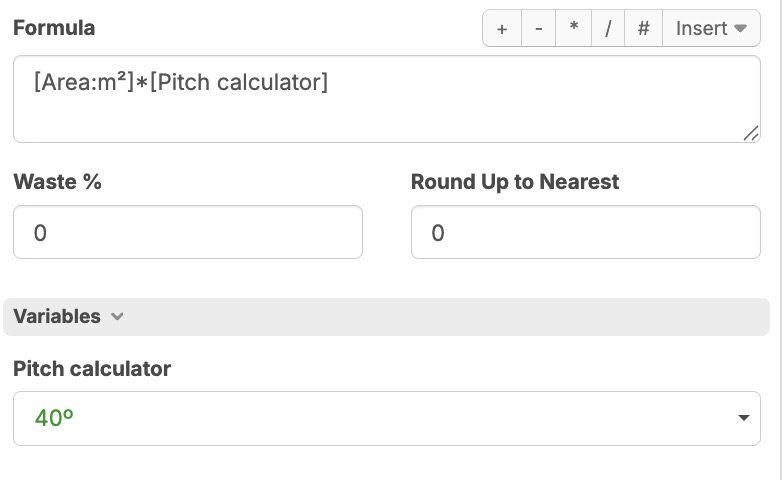
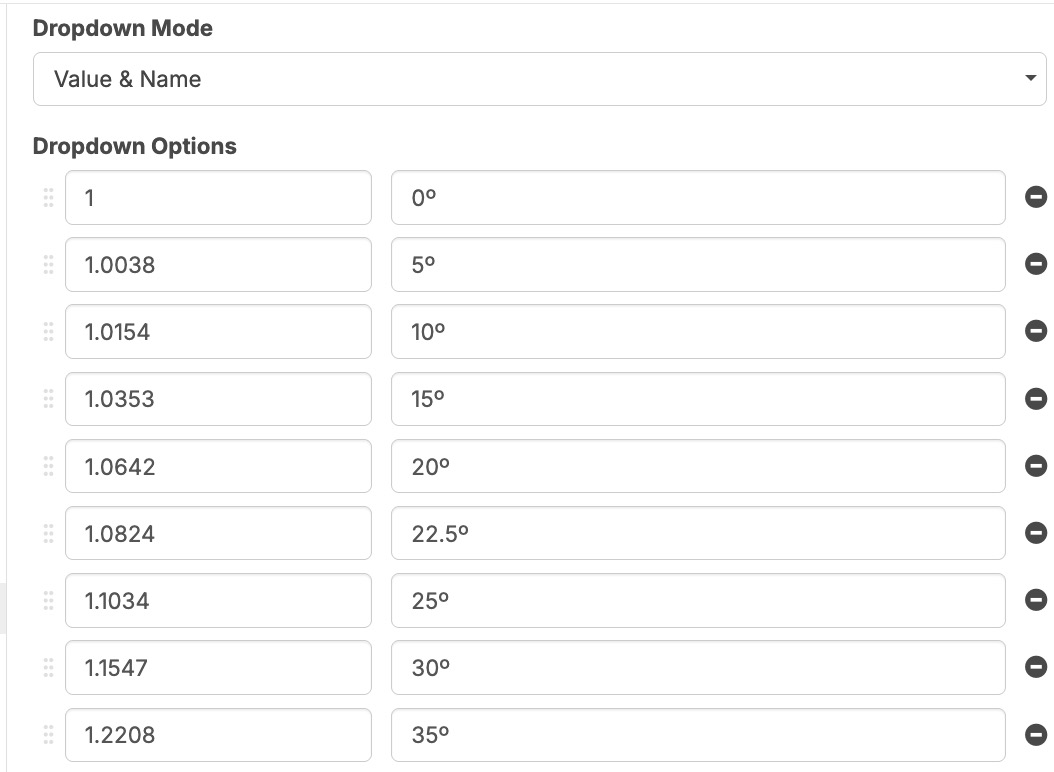

Hi, we currently do not support referencing the name of a dropdown value. This is a planned feature, but currently only the value is available.