










 Q & A
Q & A2 sided walls
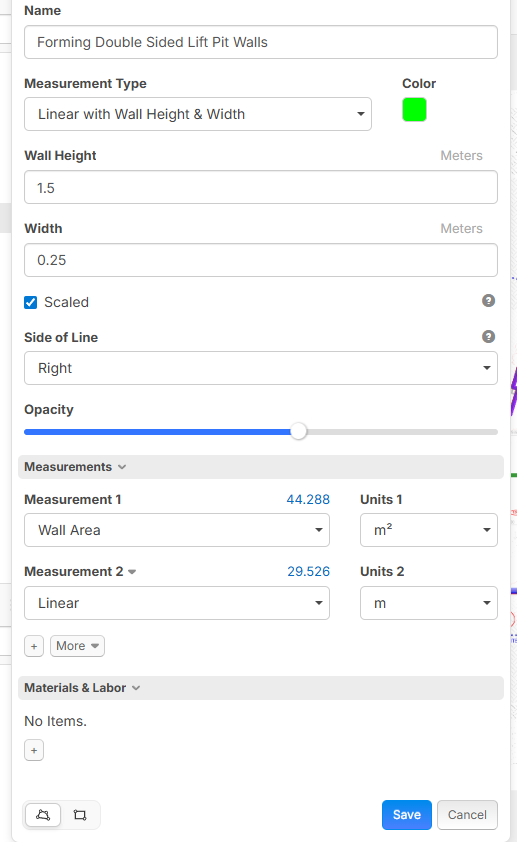
Hi i cant figure out how to multiply the wall sides to double the wall area of my double sided walls. am i missing something??

Hi, you can use:
[Area:SF] * [Wall Count]
and then fill out Wall Count as a variable.

HI thanks for the response,
Unfortunately I don't understand what you mean, i cant edit these properties for the calculations (its my first day haha)

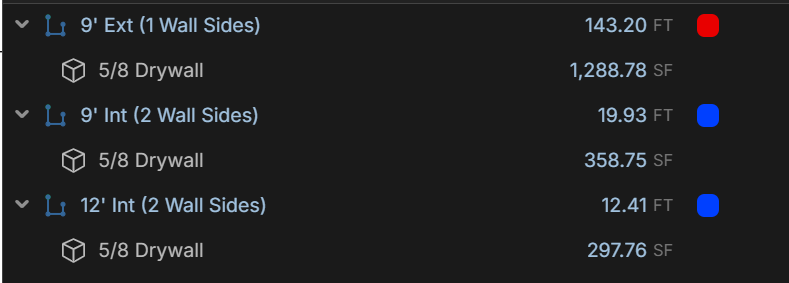
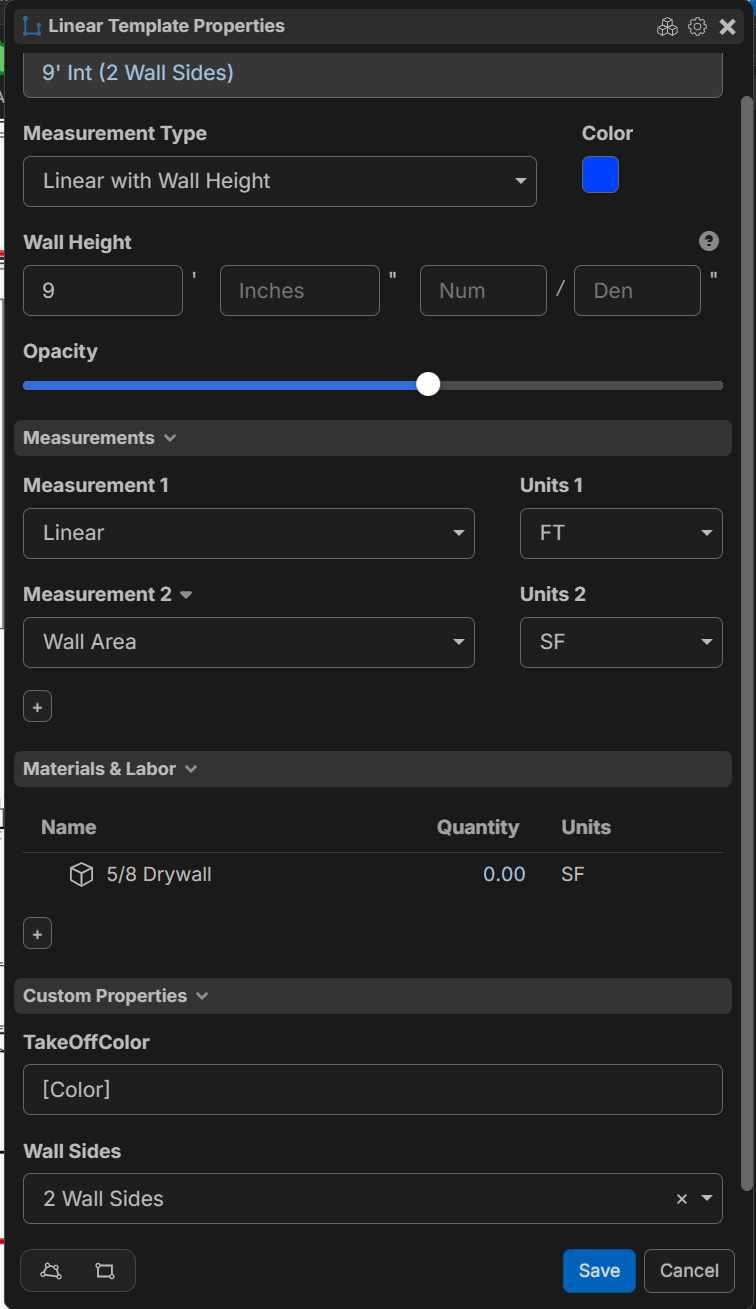
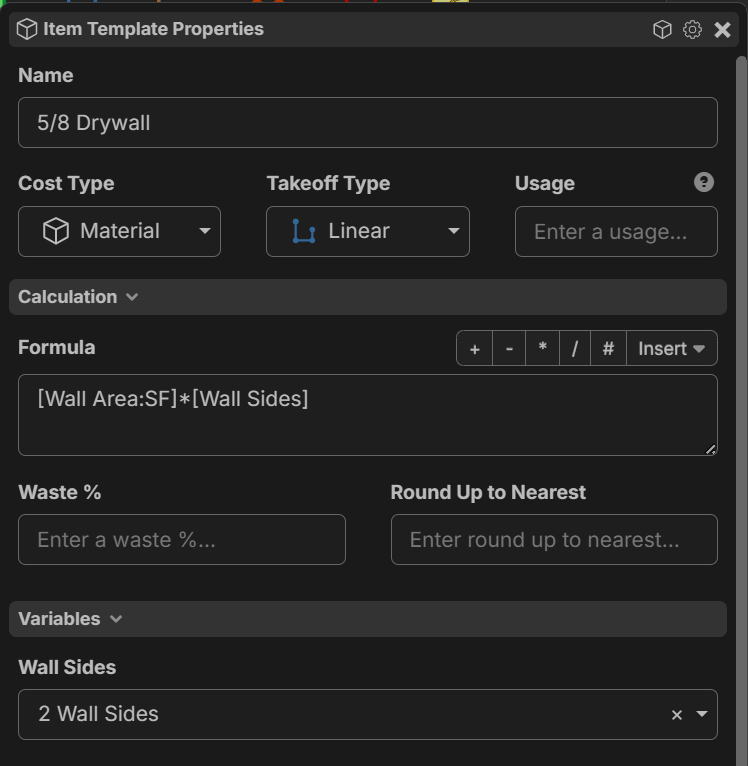
Depending on how fancy you want to get with it, you can try what I'm doing to replicate that wall side functionality that PlanSwift has. I built out a custom property of [Wall Sides] into my linear take offs / Items, and then used the [Wall Area:SF] measurement from the linear take off multiplied by the [Wall Sides] value inside the child material item for the actual drywall square footage.
You can find and create any number of custom properties under Settings > Workspace Settings > Custom Properties
It looks like this for me currently, but will probably be tweaked some more later:
%22%2F%3E%3Ctext%20x%3D%2232%22%20y%3D%2233%22%20text-anchor%3D%22middle%22%20dominant-baseline%3D%22central%22%20font-family%3D%22Arial%2C%20sans-serif%22%20font-size%3D%2226%22%20font-weight%3D%22600%22%20fill%3D%22%23fff%22%3ED%3C%2Ftext%3E%3C%2Fsvg%3E "David")
I am working on a wall tool that deals with Drywall but when you are running two different wall heights for your drywall I did it as wall side A and B so IE wall A is 8' and wall B is 12' and it just works the formula out so I get the total sheet counts but if that idea helps you have at it
Thank Alevander, I'll test it out on the next job. i hacked it together for this one hahaha
David, when i was doing Plaster full time i would create the wall type then drag and drop parts onto it for the different layers, very quick and easy. unfortuantly for this one, its a concrete wall, i need to allow the formwork, just wanted the # wall sides (like plansswift)
Hi, you can enable the Formula box on takeoffs if you want to only use a takeoff with the custom formula I shared. Click the gear icon in the top right of the Properties window of the Takeoff, then convert to item.