










 Feature Requests
Way to bring all sheets together into 1 sheet if there's a key plan
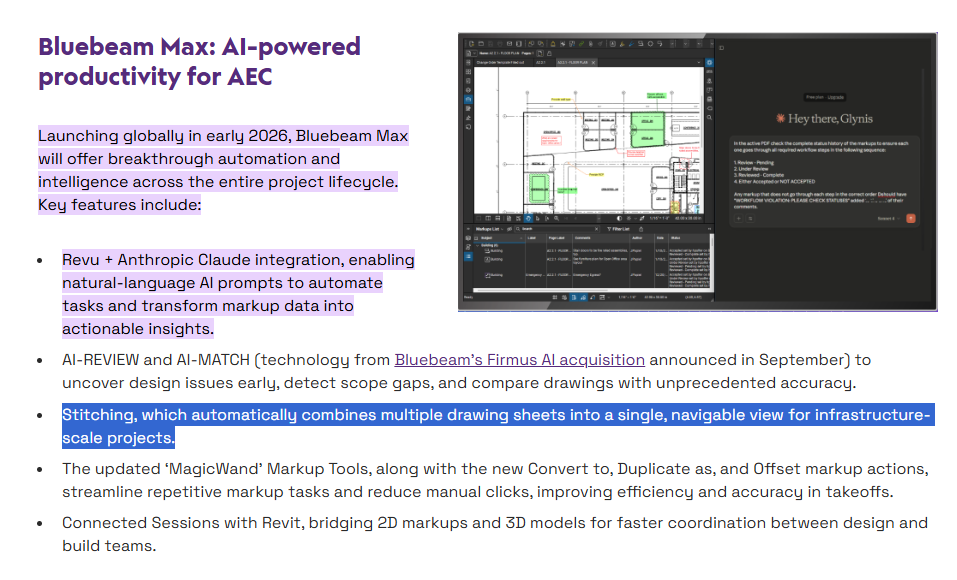
hey all - is there a way to "stitch" multiple pages together into 1? I'm thinking back to days where we'd print plans and then fold them together with match lines.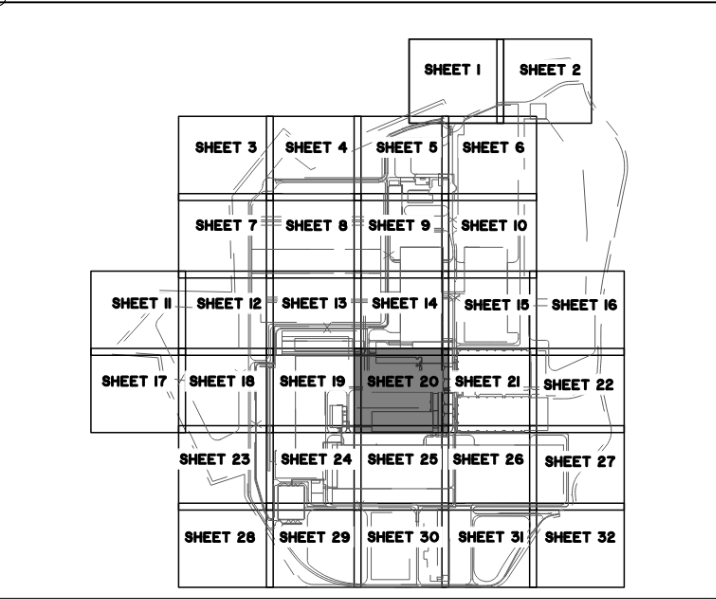

Sorry, we don't have this feature. I have submitted it to the dev team, feel free to detail what you are looking for here.

You can use overlays to do this pretty well actually. See below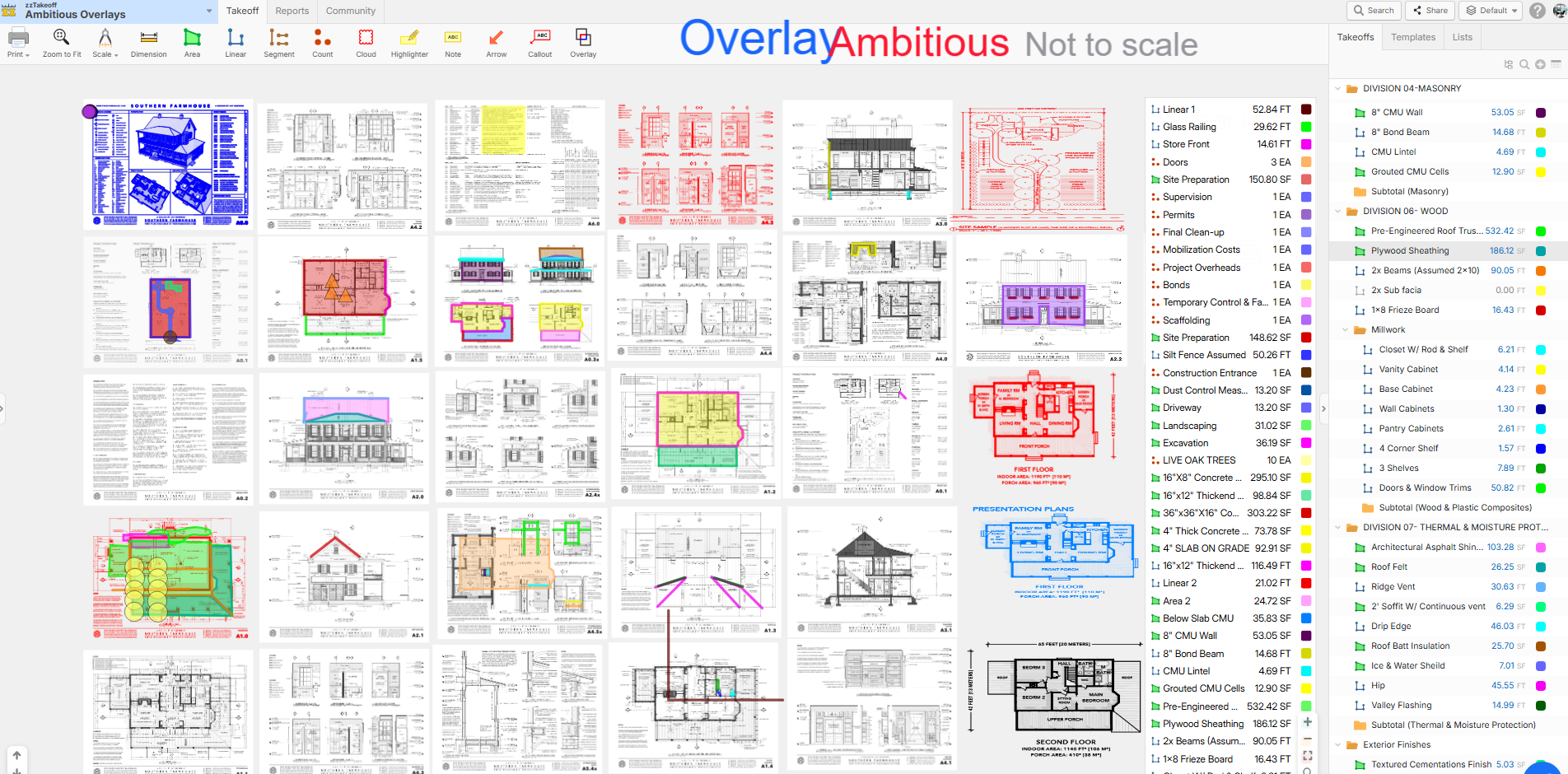
https://www.zztakeoff.com/app/community/project-showcase/one-way-to-view-and-takeoff-multiple-pages
%22%2F%3E%3Ctext%20x%3D%2232%22%20y%3D%2233%22%20text-anchor%3D%22middle%22%20dominant-baseline%3D%22central%22%20font-family%3D%22Arial%2C%20sans-serif%22%20font-size%3D%2226%22%20font-weight%3D%22600%22%20fill%3D%22%23fff%22%3EA%3C%2Ftext%3E%3C%2Fsvg%3E "AnonymousOne")

TBC does it even better than AGTEK
Links to similar posts:
👍1Good to hear this is in demand!

I'm a wizard at doing this manually in bluebeam. I know bluebeam has a "auto stitch" feature coming out with bluebeam max, but have not seen a demo yet.
👍1zzTO Team,
You don't understand how painful this is to not have overlays and its not possible in zzTO right now. (I was excited by Derek's post above, but that was not helpfull)
Instead of me complaining here is a 2min viedo kicking around ideas with myself on what could be possbile in zzTO. HOpe this goes somewhere some day! LINK
👍3
Thanks for the video Kyle! I'll forward that to our DEV team.
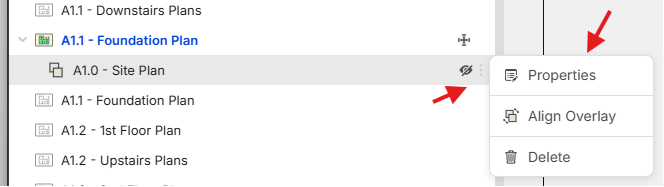
Side note, if you hold down the shift key while dragging & dropping a page from the sidebar onto the image, it will prompt you to overlay that page instead of hyperlinking the page.
🔥2Amazing! Shift key is perfect. Only thing we need now is crop pages, then we are smoking with fire for a MVP.
👍3
Yeah, I'm still having to use other software for stitching it all together and then bring into zzQTO - not a huge deal but would be nice to have it all within the same tool. Maybe someone will create an AI agent that can make it happen for us - TECHIES???
😂1https://www.awesomescreenshot.com/video/49986429?key=db52c473eca2448f6d8dbfa715bb6b8c
I will be adding a follow up video here shortly but I think this works well in zz
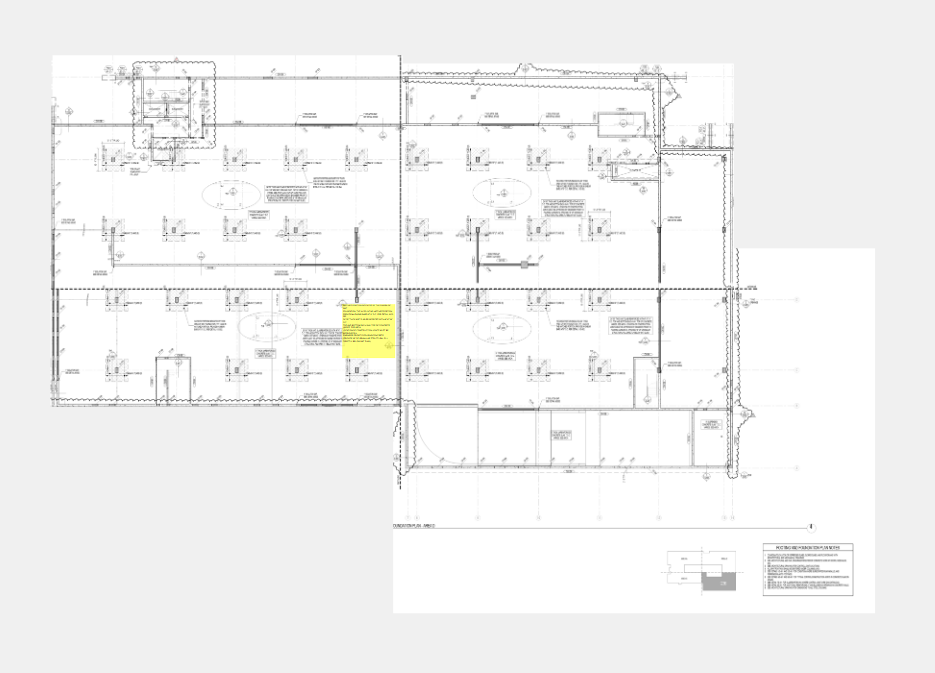
Ok @derek I’ll give it another shot and next time I’ll crop as new page and see if that does the trick. Thanks for video
Slick, your appreciated Derek, might have a MVP for stitching. If this is true, now how can we make it better :)
👍1
A free-form crop might be useful to go around unwanted text thus creating a cleaner stitched page. See Images below for desired result when stitching.
Before:

After:

OK, checked it out. Worked as expected for me. May run into issues in the future with design professionals that don't like to create matchlines in rectangle/squares but deal with that when I come across it again. The three things I learned this AM was
- zz did not like when I created a "New Blank Page" with 100" x 100" sheet from the "Pages" window - major lag (not sure how I'm going to address that in the future. Any other ideas besides scale down every cropped page and try to figure out the scale ratio or just get close to matchlines? This wouldn't be ideal but could work
- The process that worked for me was to rename the cropped pages based on the key plan (if available - which it should be). I also went ahead and cropped as new page from context menu and opened as a new tab to throw on another monitor so I could have reference while shift-dragging out cropped sheets. I may try to just "Copy as Image" in the future and just drop on new page...
- Once a cropped page is in alignment I just hit escape key instead of triple-clicking. Is there a hot key for align in case I align, hit escape, and want to move one more time? I assume that would be difficult or confusing as there would be multiple cropped pages on the same sheet.
I'm still looking for a way to quickly know the sheet/document size within the "Takeoff" window
Again, thanks for the video @Derek - helped a lot (slowly getting pulled into zz for some doc review/management functionality)
#takeoff #crop #matchline #pages #newblankpage #cropped #copyasimage #pagealignment #sheetsize #lag #keyplan
🎉1%22%2F%3E%3Ctext%20x%3D%2232%22%20y%3D%2233%22%20text-anchor%3D%22middle%22%20dominant-baseline%3D%22central%22%20font-family%3D%22Arial%2C%20sans-serif%22%20font-size%3D%2226%22%20font-weight%3D%22600%22%20fill%3D%22%23fff%22%3EDJ%3C%2Ftext%3E%3C%2Fsvg%3E "Doug Jones")
Thanks @Derek - your video was extremely helpful!
It is common for the match lines laid in by professionals to be inaccurate (shocking - hard to believe). I can still adjust the cropped images to make the "real" page breaks align correctly.
Is there a way to crop a polygon shape vs a 90 degree window? Sometimes match lines on a sheet are on a 90 degree on one edge and on one or more angles along another edge.
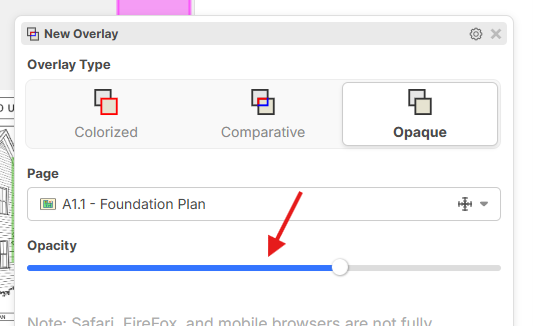
Further detail on my use case, stitching together a Colorized image is great for transparency to ensure accurate alignment. While Opaque can be difficult to align, because it blocks an image out, it retains colored lines.
Is it possible to have an option that provides both transparency and maintains colored lines (example of both methods - image attached).
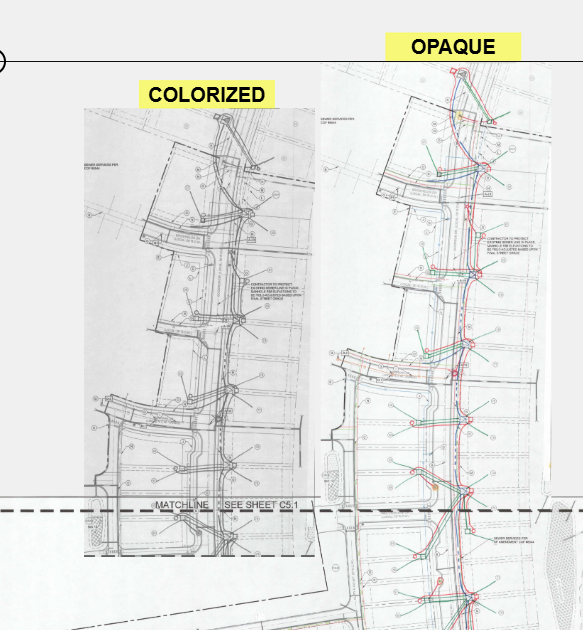
@Doug, we don't have a polygon crop for pages, but that is a good idea!. Regarding the transparency of the opaque overlay, you should be able to adjust the opacity to achieve this.
@AnonymousOne, auto-stitching is a planned feature 🙂
👍2Do we think this will come out anytime soon? THis would be a game changer for civil on private and public projects. Is there some way to boost it for priority?
💯2👍2@AnonymousOne - I agree!
I would need the ability to "fine tune" page alignments since match lines are frequently wrong.
💯1👍1Yep I would use this right now......its tedious in bluebeam but I still use bluebeam for it, then import the stiched sheet into zz.
👍2I stitched together 7 pages and that worked well. Except now Zoom to Fit only zooms to my initial page size and manually zooming out zooms a little further out but not all the way to show all 7 pages. There seems to be a zoom out limit for me.
👍1@Kyle Bone - have you tried it in Bluebeam recently? Heard they came out with AI functionality that's doing this in Bluebeam Max?
Pages can become cluttered with takeoffs, so I often duplicate pages to separate different division takeoffs. Is there a way to duplicate a group of already stitched pages?