










 Feature Requests
Negative Measurements
There should be the ability to measure something as a negative. We use this often for alternates where the scenario requires us to measure an item that is modified layout. Base Estimate has layout a certain layout, then the alternate needs to deduct some of that layout and extend in a new direction. So the alternate tracks the net change. The positive negative should be able to be applied to each measurement instance, not the whole assembly. So within the same assembly I can have both positive and negative measurements.

I work a lot with openings. So I had to look for a way to take negative measurments.
In the past what I did is taking a linear/segment takeoff with height. You see, I discovered a way to "cheat" the system, it's possible to introduce negative heights so the "Wall Area" would turn around as negative measurement, and appropiate for opening deduct.
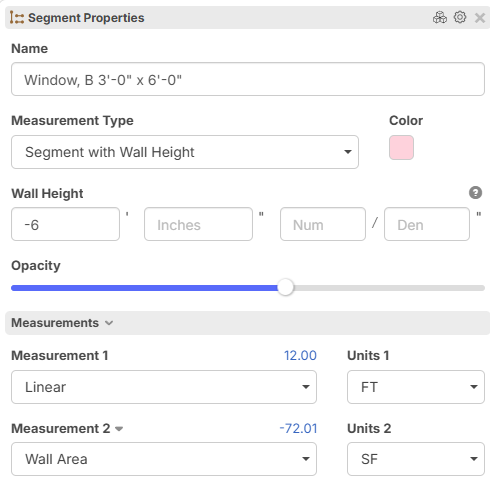
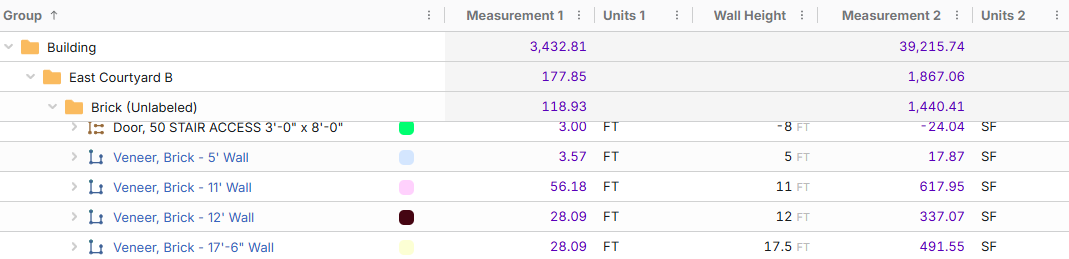
With a new feature introduced a few days ago. Which gave us the chance to convert takeoff into independent itmes. I was able to add an "Opening Factor" you can call it "Deductive Factor" or as you prefer. With this factor I can configure my formula for this item to reflect the measurement times the "-1" deductive factor. This is far way more comfortable to work these dedeuctive measurements.
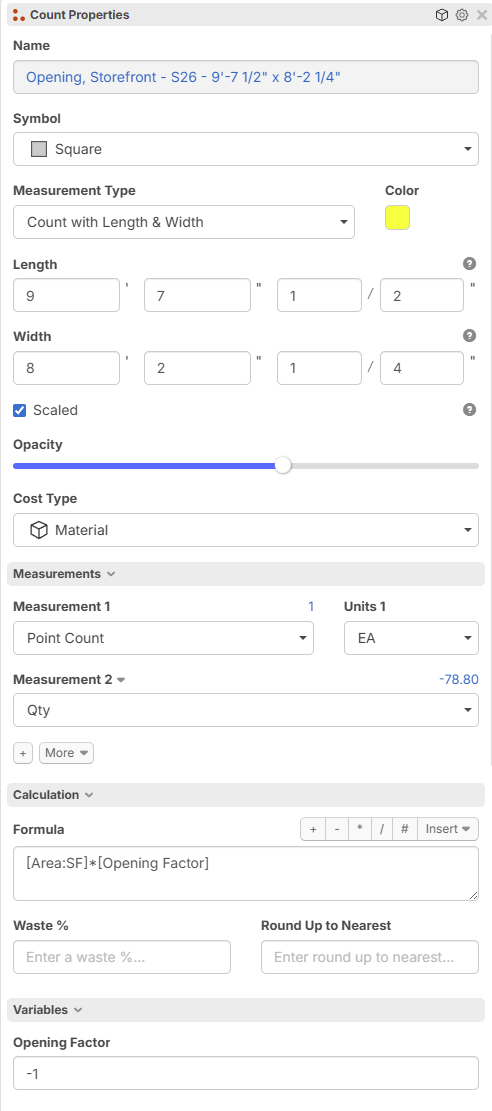

I hope my case is useful for you. You can look which of them is more fitable for your needs.
Regards.
🚀1
Looks awesome @Isaac , does this work for you @David ? Normally in physics there is no negative length, and this is by definition. I could see the use for deltas to have negative values in zz, so thanks for the tips @Isaac !

Well, not exactly what I am looking for.
I have described what I am looking for Here Edit:(the video recorded with now sound so I updated the link to a new one)
This is a function I believe OST has, Proest and Stack have it. People looking to come to ZZ I think will be wanting it.

@ David,
To summarize, it sounds like you are requesting a "Linear Cutout" or deduction feature for Linear Takeoffs (similar to our Area Takeoffs cutout tool) so you can deduct specific sections of a foundation.
Also, regarding your note about copying the CF2, here are two of several ways you can easily add to the foundation: you can either right-click the Takeoff Object on the screen and select Start, or you can select the Linear Takeoff Object on the Pan and press 'N'.
I hope this helps clarify things!
@Sam @Stephen
I made a video showing how it works in ProEst, what we have been using. I tried Stack for a while as well I think theirs worked similarly.
Let me know if you want to set up a meeting to chat about it.
Thank you!

Hi David,
I may have an idea for you if you want to reach out via my email todd@zztakeoff.com
🚀1