










 Feature Requests
Delete Material Rather Than Create a Cutout
One of my guys asked if a function similar to cutout was possible that would allow him to highlight par of a drawn takeoff and have that material just be deleted without the creation of a cutout that leaves behind a boundary border and an area calculation for the cutout.
Thanks

Hey Michael, I think this is currently possible if you click & drag while holding down the CTRL key with the area tool active.
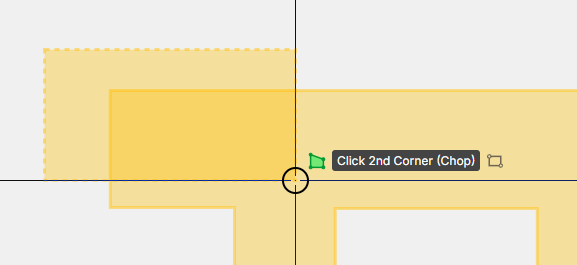

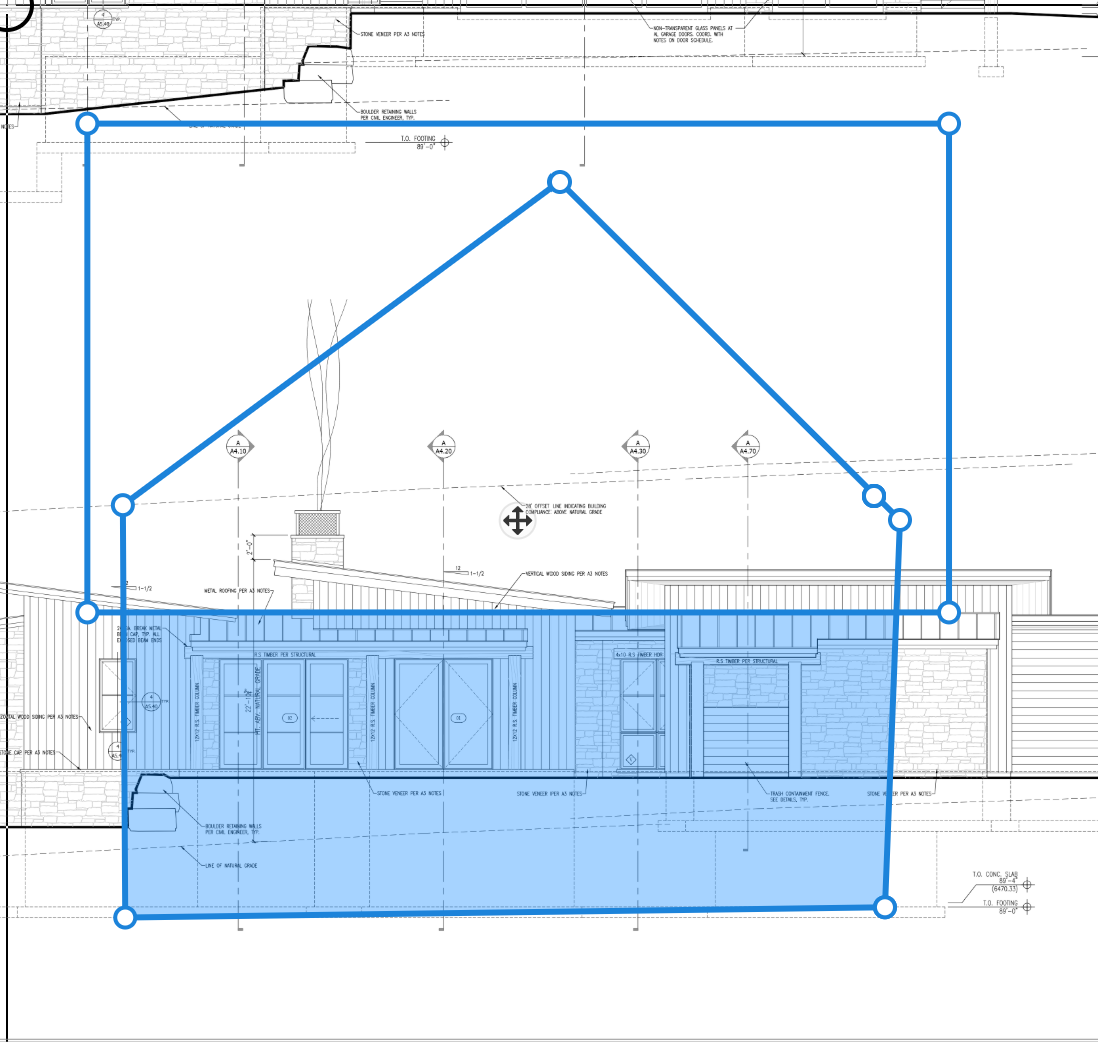
Thanks for replying. This is what he's encountering. If he wanted to delete the upper section of the original and used the cutout, to draw a rectangle, it sill leaves an outline for the area he cutout and if he hovers over the drawing the window displays the original total area before cutout, etc. He's requesting a simple tool to allow him just to remove material without any image or data reflecting the original area drawn. like an eraser box that alters the drawing vs "draws" a cutout.

Thanks for the feature request, I have shared it with the dev team!