










 Feature Requests
Customize measurements section within takeoff
Hi, I’ve built a workaround, but I’d like more control over how measurements are calculated at the takeoff level.
I use Linear with Width & Depth to represent duct runs and calculate surface area for insulation. In practice, I’m calculating wrap area based on perimeter × length (rectangular and round duct), and I’ve built that logic into my item formulas so material and labour are accurate.
The issue is at the takeoff level. Even though width and depth are defined, the takeoff still reports in linear, and the built-in “Area” measurement doesn’t reflect true wrap area. As a result, I can’t get reliable square footage totals without relying on item-level formulas.
What I’m looking for is the ability to customize how measurements are calculated at the takeoff level, specifically:
- Define a custom formula for area based on width depth and insulation thickness (e.g. perimeter × length)
- Have that calculation roll up cleanly as square footage in the takeoff
Right now the workflow works, but it’s fragmented. The takeoff doesn’t reflect the real quantities I’m actually pricing, which creates extra steps and room for error.
If measurement formulas could be customized at the takeoff level, it would make this much cleaner.

What we do is make a "item" that is a **quantifier line, make this item be the outside surface of the insulation as one thought. Why do you need that specific quantity in the takeoff parent?
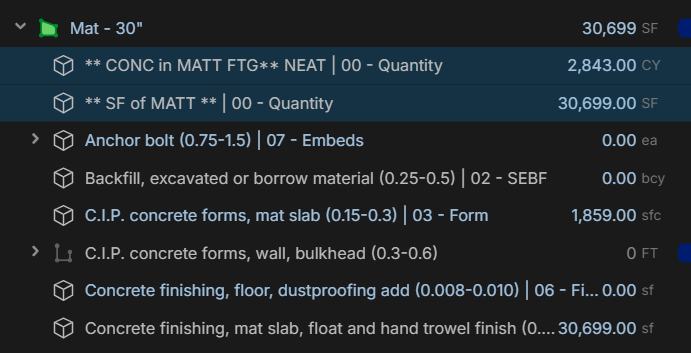

yes that is how I do it now. I’d just like to see the square footage qty in the takeoff window when the takeoff is fully collapsed
Oh this would work for your use case, turn that area into an item, then you can do that! Top right hit the block looking thing in the area parent properties and cover it to an item and build your formula. You have the power.
🚀1thanks Kyle I was under the impression I should only do this for situations where there’s only 1 item in the takeoff I have utilized that setting for simple takeoffs but I don’t want to break anything.
👍1
Does that workaround help @Luke?