










 Feature Requests
Area Cut-outs
Not sure if this has been brought up yet or not, but when using area cut-out on one drawn area, i would like to be able to copy the area cut-out I have drawn, paste it, and use that on a different drawn area.

i might have a workaround for you. try locking the area takeoff i found a bug last week where the cutout wouldn't lock with my area takeoff and i could move it around freely. might work?
%22%2F%3E%3Ctext%20x%3D%2232%22%20y%3D%2233%22%20text-anchor%3D%22middle%22%20dominant-baseline%3D%22central%22%20font-family%3D%22Arial%2C%20sans-serif%22%20font-size%3D%2226%22%20font-weight%3D%22600%22%20fill%3D%22%23fff%22%3ETS%3C%2Ftext%3E%3C%2Fsvg%3E "Tyler Stuessy")
great idea! just tried this and it didn't work unfortunately. the area cut-out on the first drawn area, once copied only works on that drawn area, no other area.

@Tyler, does the right-click 'Duplicate As' work for your use case?
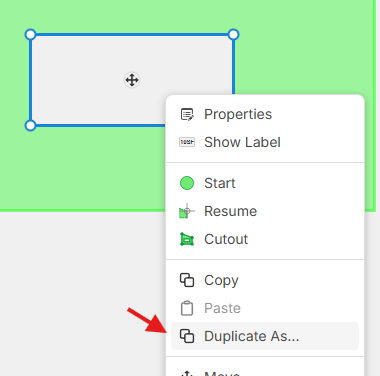
@Lorin, i tried that but it still wont work for what Im trying to do. Im open to a zoom call to show my exact case and see if someone might have a solution!
👍3@Tyler, in my example below, are you trying to copy the cutout from the right area and paste it onto the left area? If so, we currently don't have a way of doing that, but it could be pretty powerful.
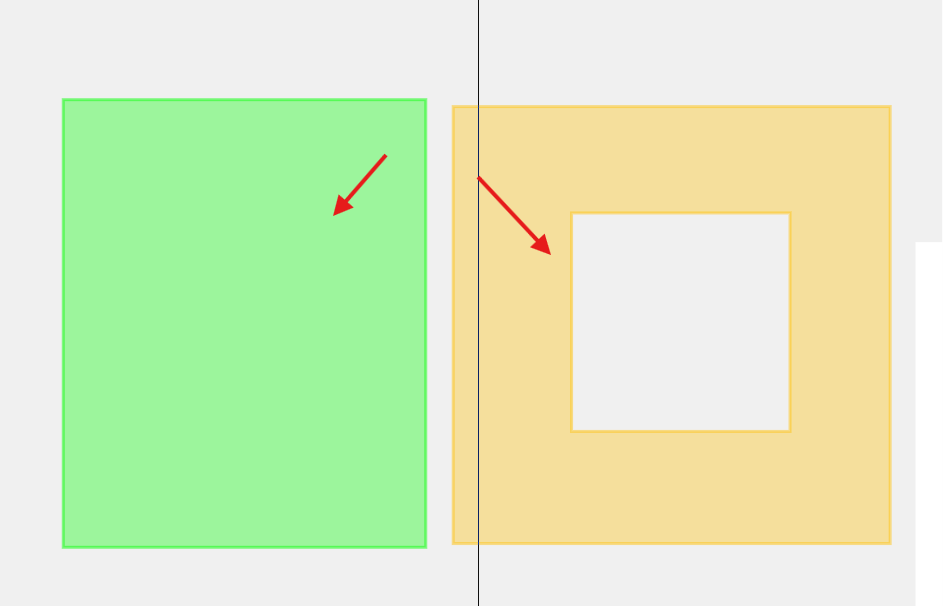
If this isn't it, you can chat into through our website (or support@zztakeoff.com), and jump on a call with one of our support agents to see if they can help you out/clarify what feature request you are after.
%22%2F%3E%3Ctext%20x%3D%2232%22%20y%3D%2233%22%20text-anchor%3D%22middle%22%20dominant-baseline%3D%22central%22%20font-family%3D%22Arial%2C%20sans-serif%22%20font-size%3D%2226%22%20font-weight%3D%22600%22%20fill%3D%22%23fff%22%3EJ%3C%2Ftext%3E%3C%2Fsvg%3E "john")
These sorts of problems would be easily fixed by switching gears to a negative sections method.