










 Bug Reports
Substantial Lag When Recording Large Areas
When I am recording large area takeoffs lately. ZZ Is being super laggy. Can we fix this? FYI not sure this is the reason for the slowdown.

Thanks for reporting Hunter. Does the project you're working on have huge amounts of data? Just curious f you run into the same issues on a small or new project? We're just evaluating whether it's server side or client side. We can also have someone jump on a Zoom call to take a look if you would like.

To me it seems to be consistent with large area takeoffs. The amount of pages uploaded doesn't seem to have too much effect. I have noticed on basically all my projects. Though, I just remembered I the amount of data points on the takeoff is the main driver. For instance, if I had a 400,000 SF parking lot that was square and only required 4 points I don't think it would be an issue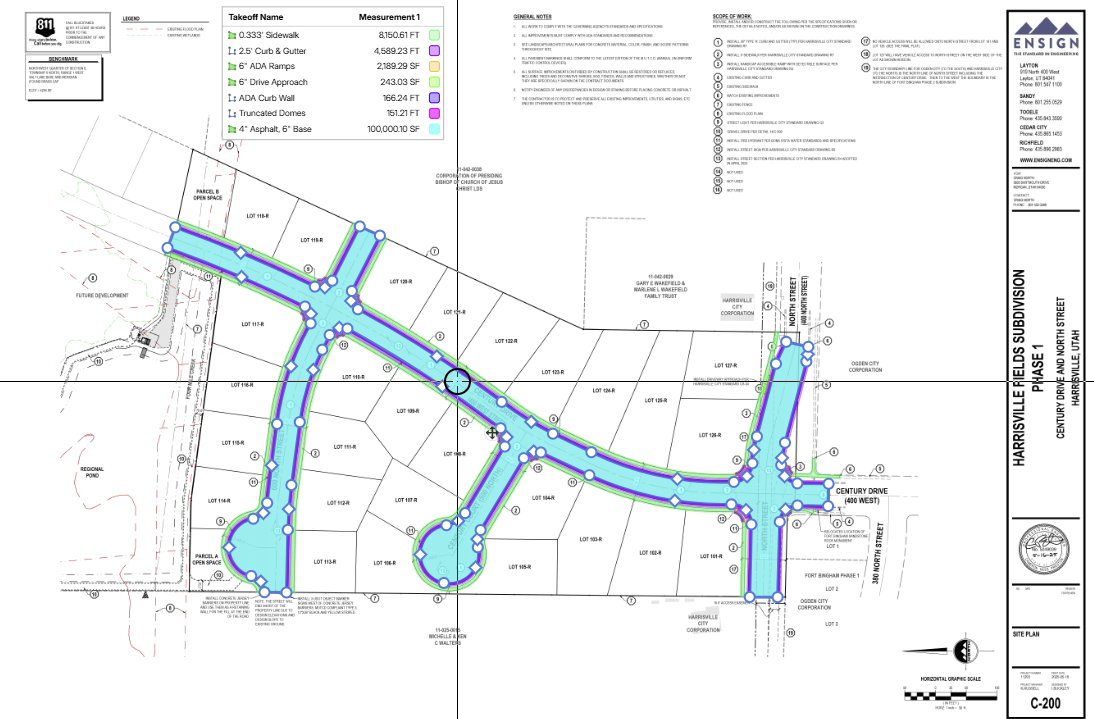
%22%2F%3E%3Ctext%20x%3D%2232%22%20y%3D%2233%22%20text-anchor%3D%22middle%22%20dominant-baseline%3D%22central%22%20font-family%3D%22Arial%2C%20sans-serif%22%20font-size%3D%2226%22%20font-weight%3D%22600%22%20fill%3D%22%23fff%22%3EJ%3C%2Ftext%3E%3C%2Fsvg%3E "Jes")
I had similar issues but it ended up being my old low spec PC, which wasn't even an i3. Whenever I would do comparative overlays or had a project with tons and tons of takeoff data, that PC would crawl on its knees. After finally upgrading to a modern PC this month, zz runs like a champ now.
👍1hmm. I'll have to check with my IT department and see if that's the issue. Although, I thought that my computer had the latest snapdragon processor. But I guess the snapdragon's still have a few bugs.
👍1
%22%2F%3E%3Ctext%20x%3D%2232%22%20y%3D%2233%22%20text-anchor%3D%22middle%22%20dominant-baseline%3D%22central%22%20font-family%3D%22Arial%2C%20sans-serif%22%20font-size%3D%2226%22%20font-weight%3D%22600%22%20fill%3D%22%23fff%22%3ETS%3C%2Ftext%3E%3C%2Fsvg%3E "Teddy Schwartzhoff")
I've noticed this happening with long Linear takeoffs as well as large Area takeoffs. The more takeoffs I have on a page also slows down the program. I did manage to figure out that turning Snap mode off helps significantly but then I can't snap to my points lol.
👍1Interesting. Similar to Eric I am not running an old process or anything. Intel i9.
👍1Just accidentally discovered that when holding shift the lag goes away. So if I am experiencing lag even when just scrolling around the screen, zooming or positioning to record takeoff data, if I hold shift, the lag stops entirely. Then when I let go the lag comes back. It is is a pretty stark difference. Just curious if anyone else had run into this. I know the lag is being worked on.

Thanks for the additional information! 🙂 Holding down your shift key toggles the point snapping on/off. We have some improvements for the snapping to make it faster locally, but I'll relay this to the dev team to see if there is more they can do in that area.
Yeah. I use it for that purpose all the time. I understood that that was all it did. I found it curious that it "fixed" the lag as well.
👍1
@Hunter Clark
Yeah designers can leave lots of point remnants on files, especially civils where there are millions of points used to generate the contours for example, if that gets generated to the PDF it causes the zz world to slow down. PDF Snap off is a short term fix for now.
👍1