










 Bug Reports
Revised Plans Take Offs misaligned
As the title indicates, we uploaded a set of revised plans, used the "copy takeoffs to new pages" option, and half of the take offs got moved off of the page. Still present, just in the black area off of the sheet

Hey Zack, thanks for reporting. Could you send us a screenshot of this issue (the original page & the copied to page) and which project this happened to at support@zztakeoff.com?

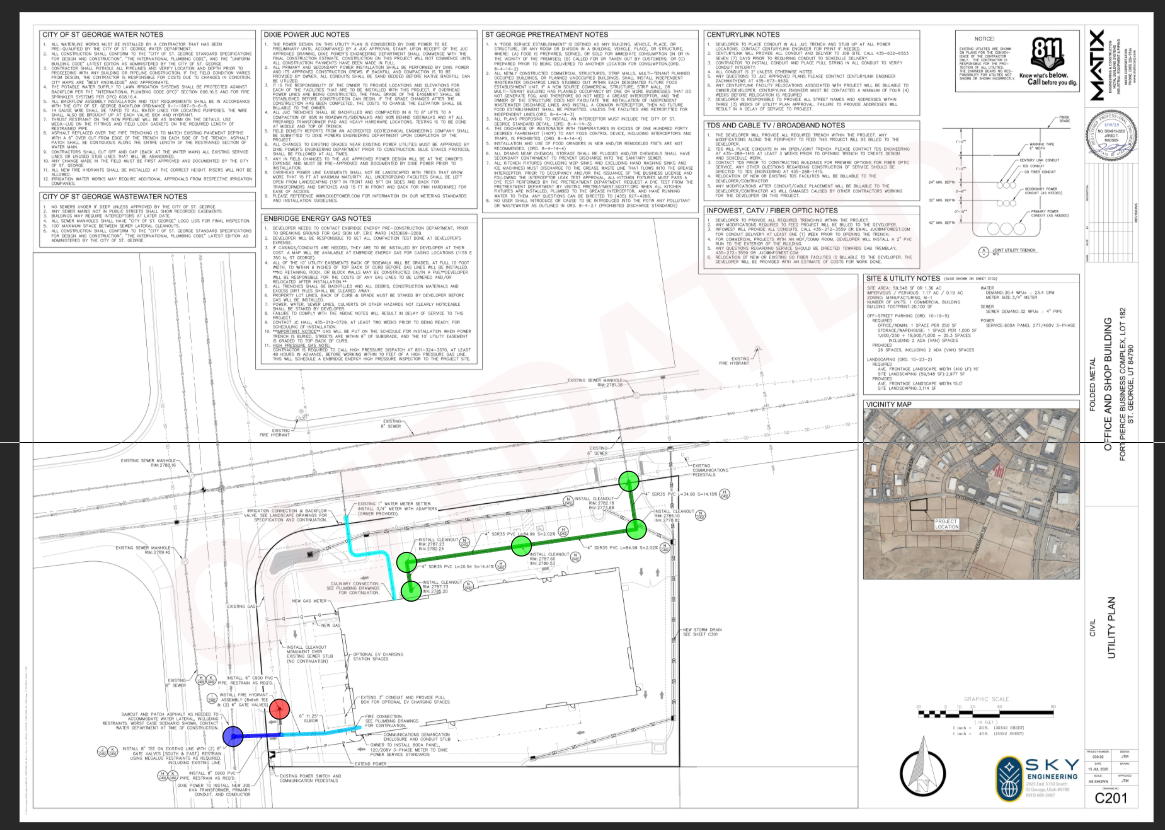
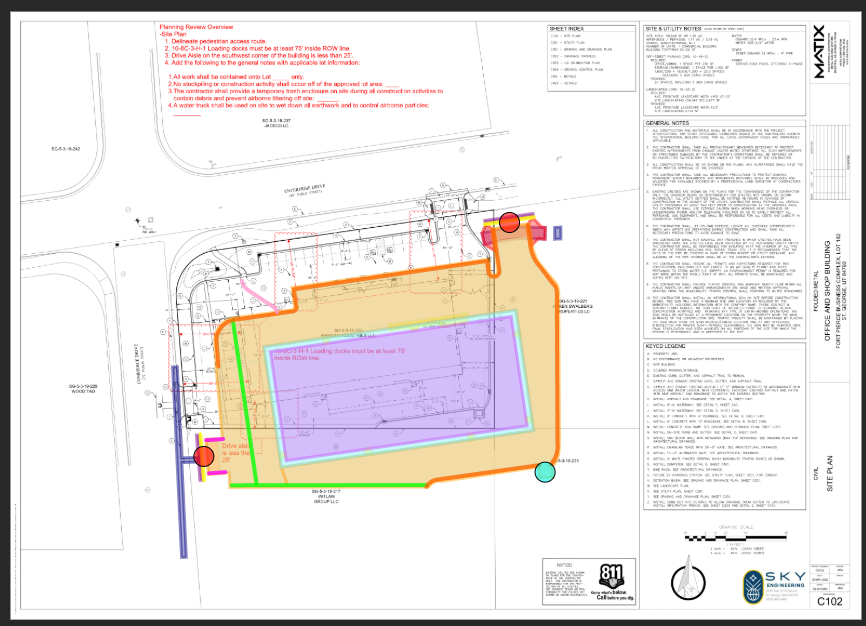
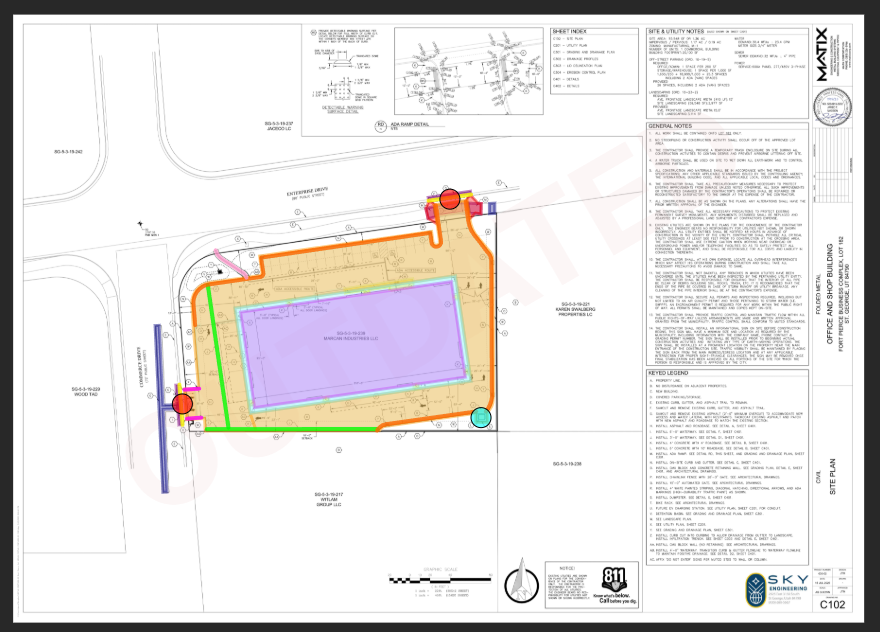
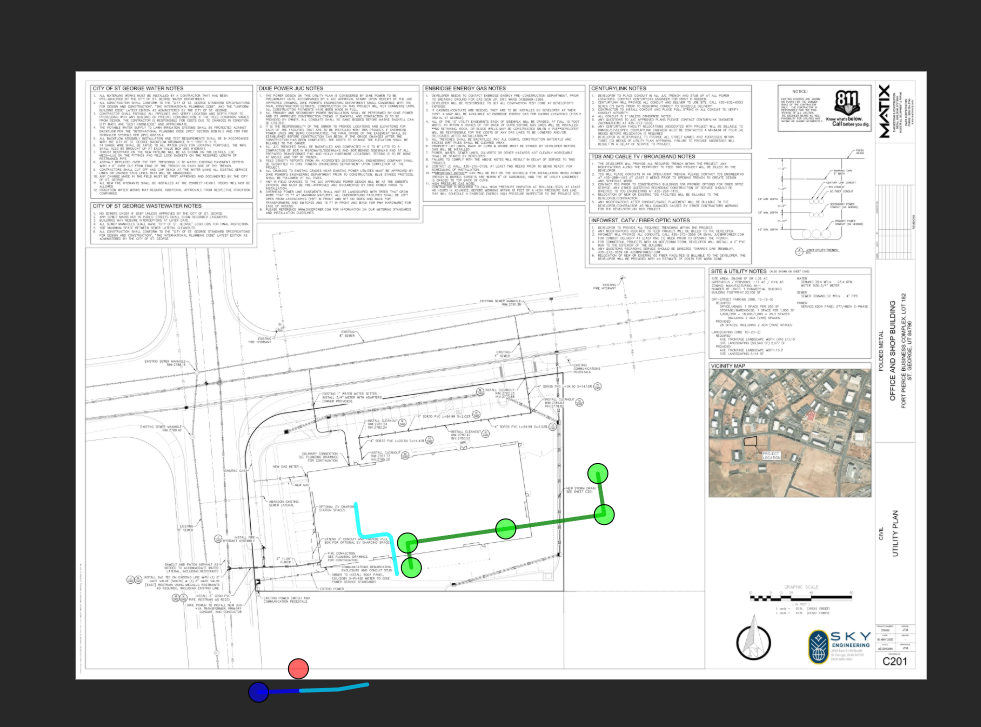
See above
Hey Zack, it looks like in this example, the new sheet has shifted the location of the building (it looks like the new page has shrunk). When we copy the takeoff to the new page, we copy it in the same location if the scale is the same.
Edit: I would try re-scaling the page, then re-copying the takeoff from the old page to the new page to see if it lines up. I believe we assume the same scale for the new image, but in this case, since the image shrank, it won't copy correctly unless you re-scale.
How would I do that since that process is largely automated when uploading revised pages?
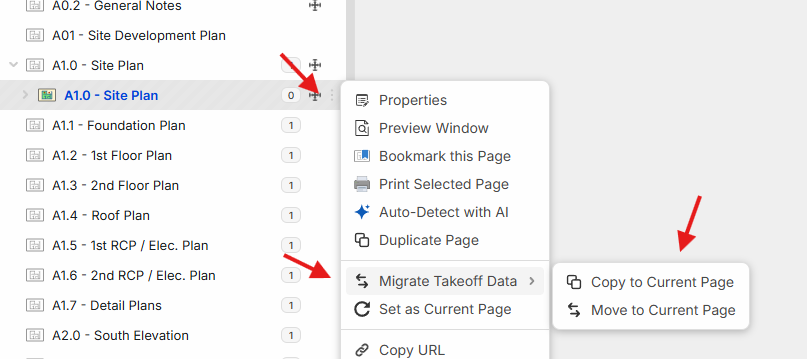
For now, you will have to do this manually for any pages that change in physical size (until we re-add the auto-scale feature). You can delete the takeoff from the new page, re-scale the page, select the version number to show old pages, select the 3-dot menu on the old page, and copy the takeoff data to the current page.
Stellar, thank you!